FOR REVIEW - How to Create a Policy and Procedure on DOKUhub
Posted at February 10, 2020 02:02 pm. Last updated at February 11, 2020 11:02 am

Purpose:
The purpose of this procedure is to provide instruction on how to create policy and procedure on Dokuhub
Procedure:
1. Log-in to admin /index.php/admin/default/login

2. Log -in using Username and Password
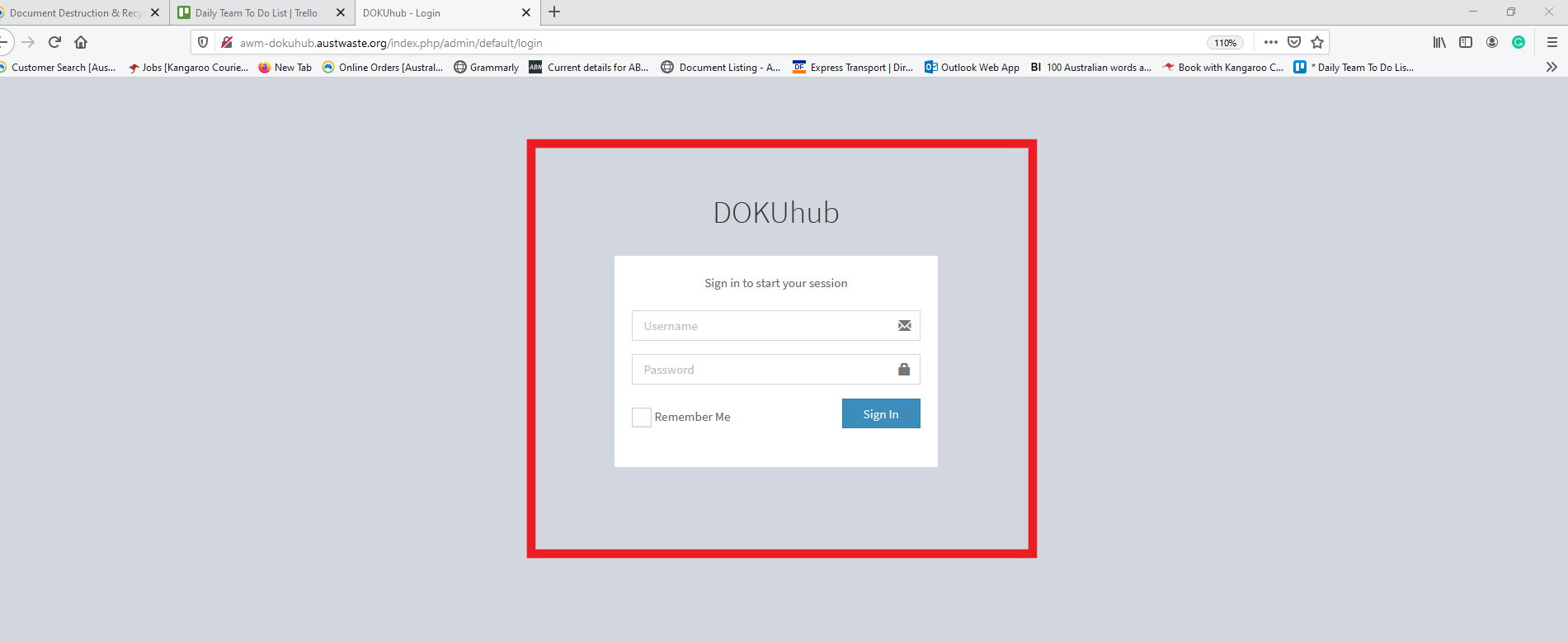
3. Click Create New tab on the upper left corner of the screen
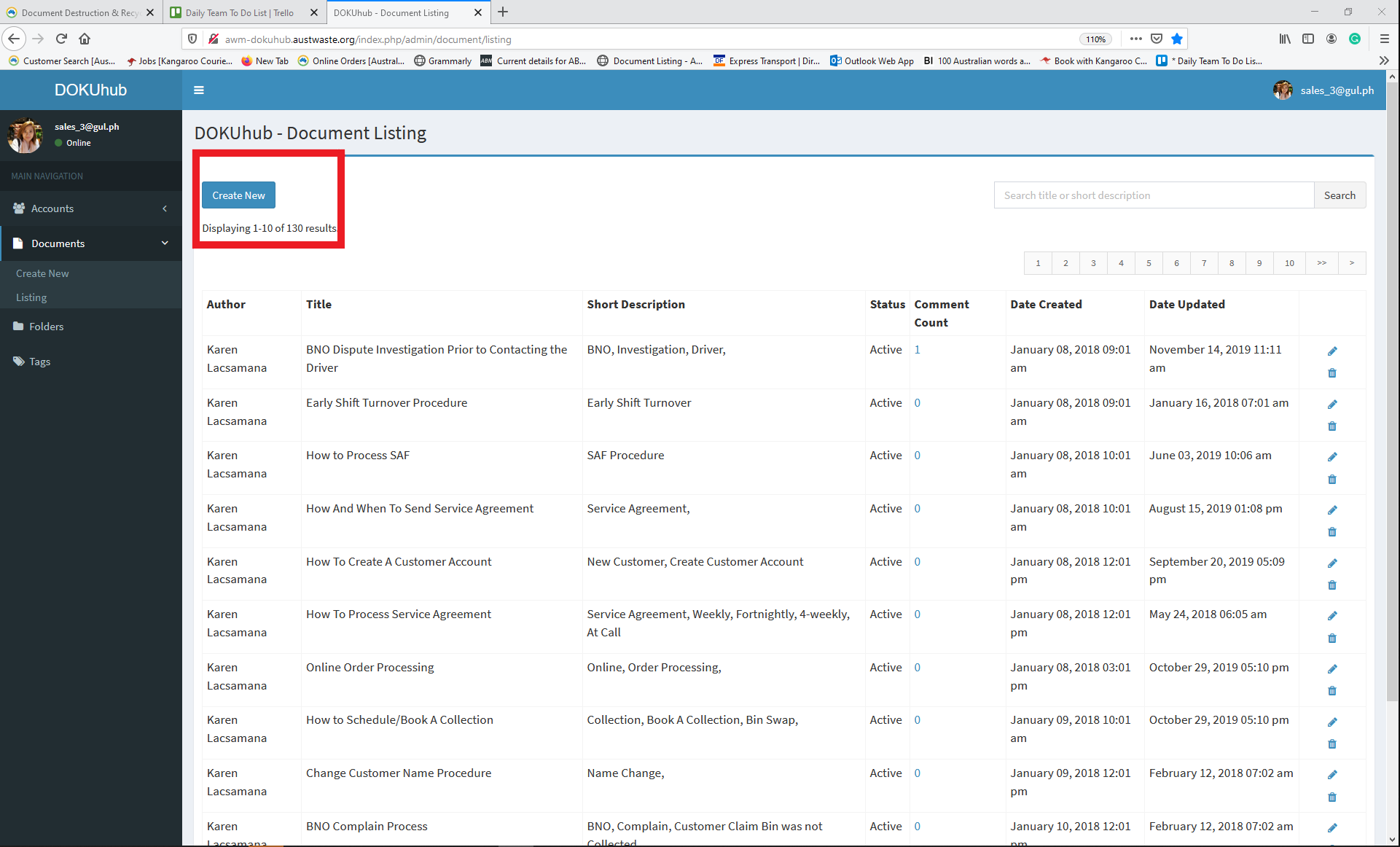
Or
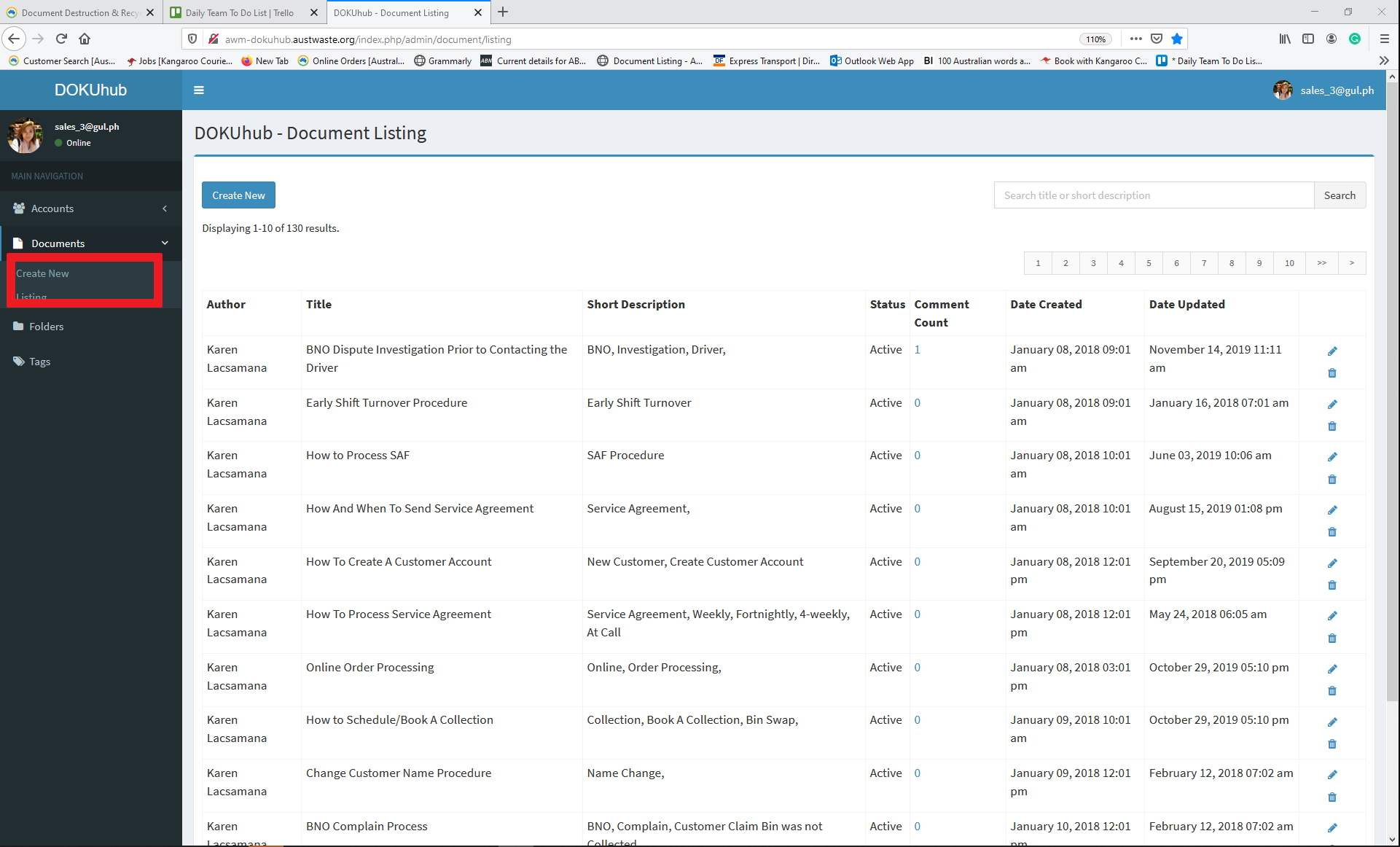
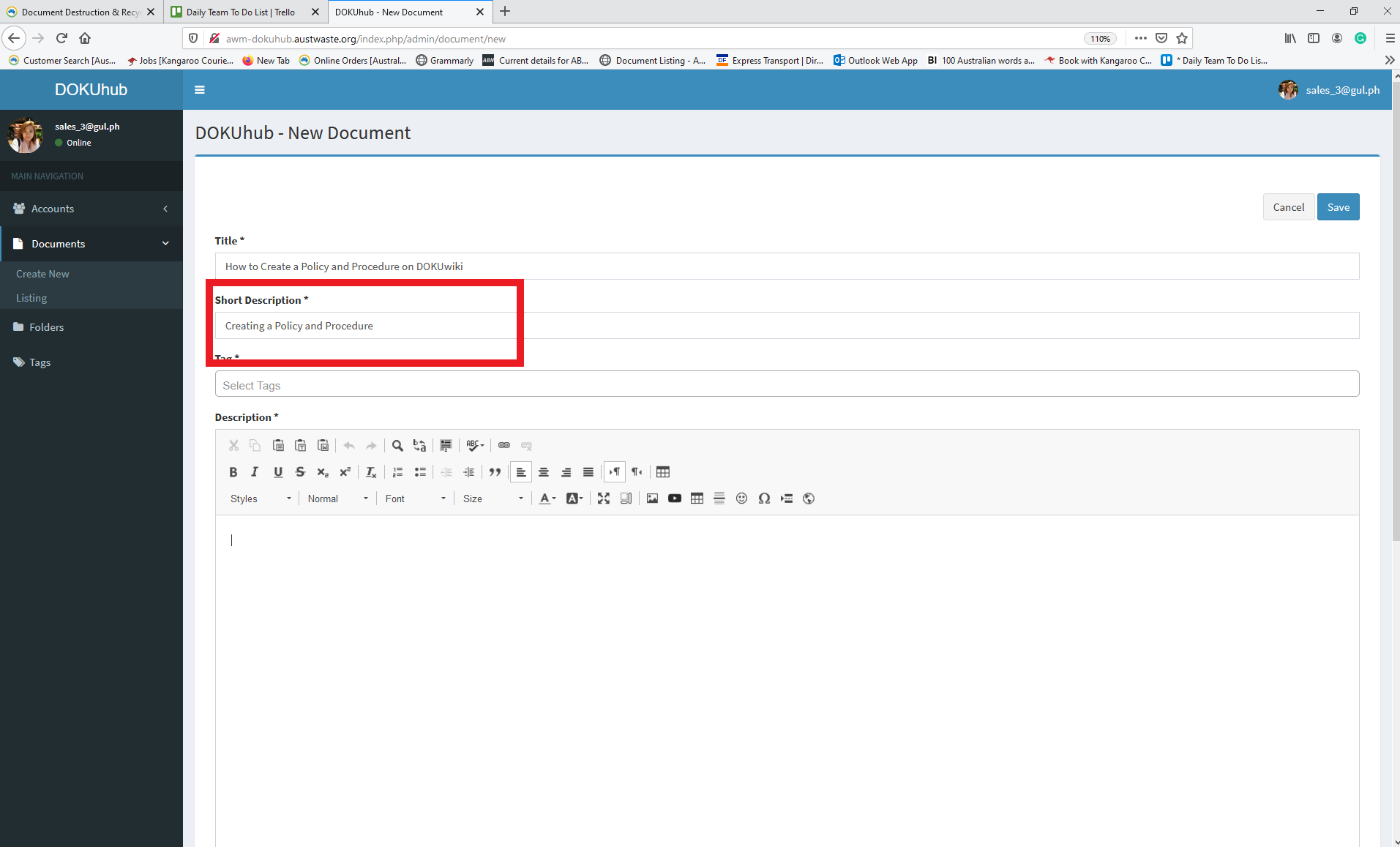
4. Put the "Tittle" on the tittle tab
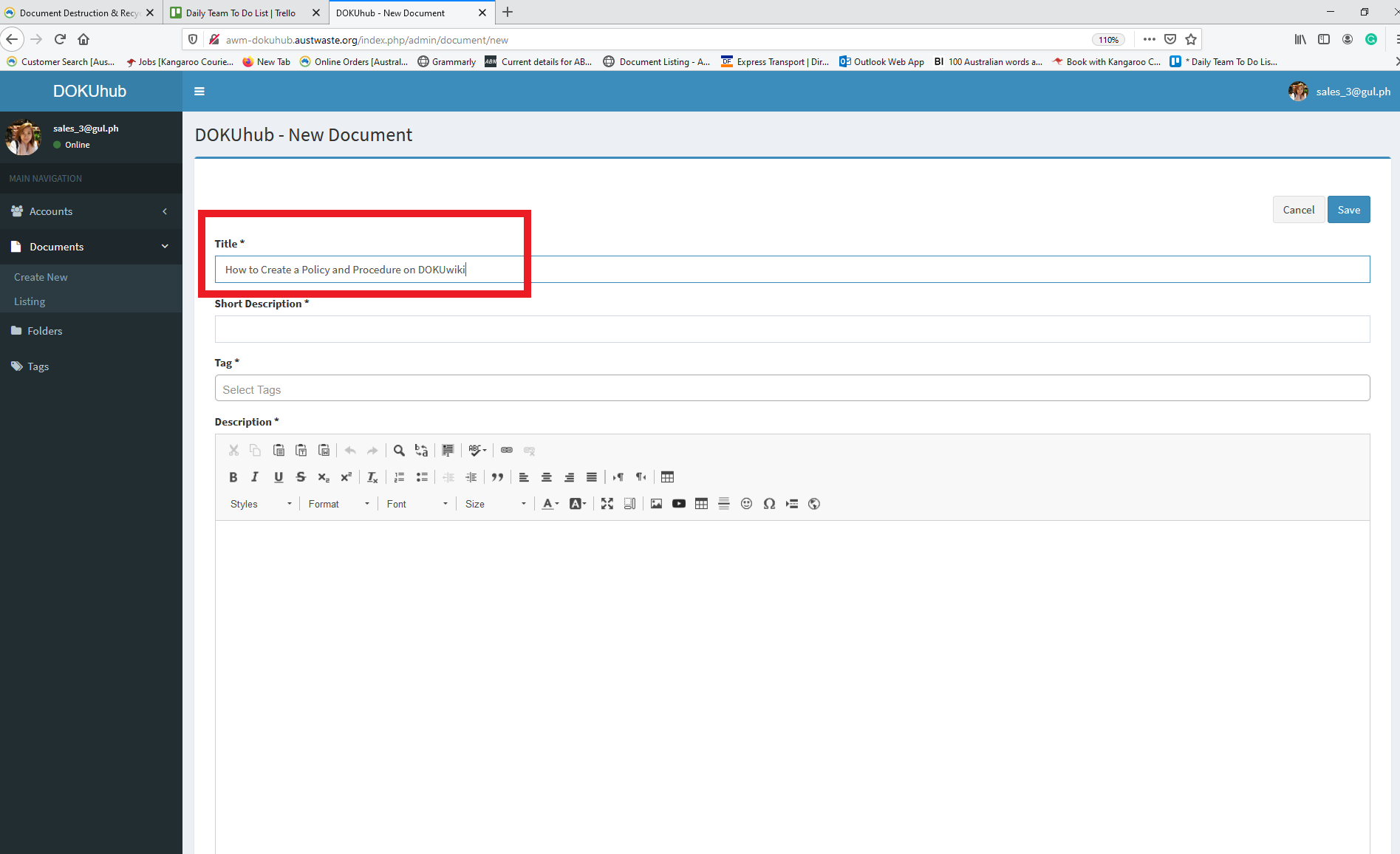
5. Put a short description
*** Note The short description is for the user to easily search the procedure and policy on the search tab
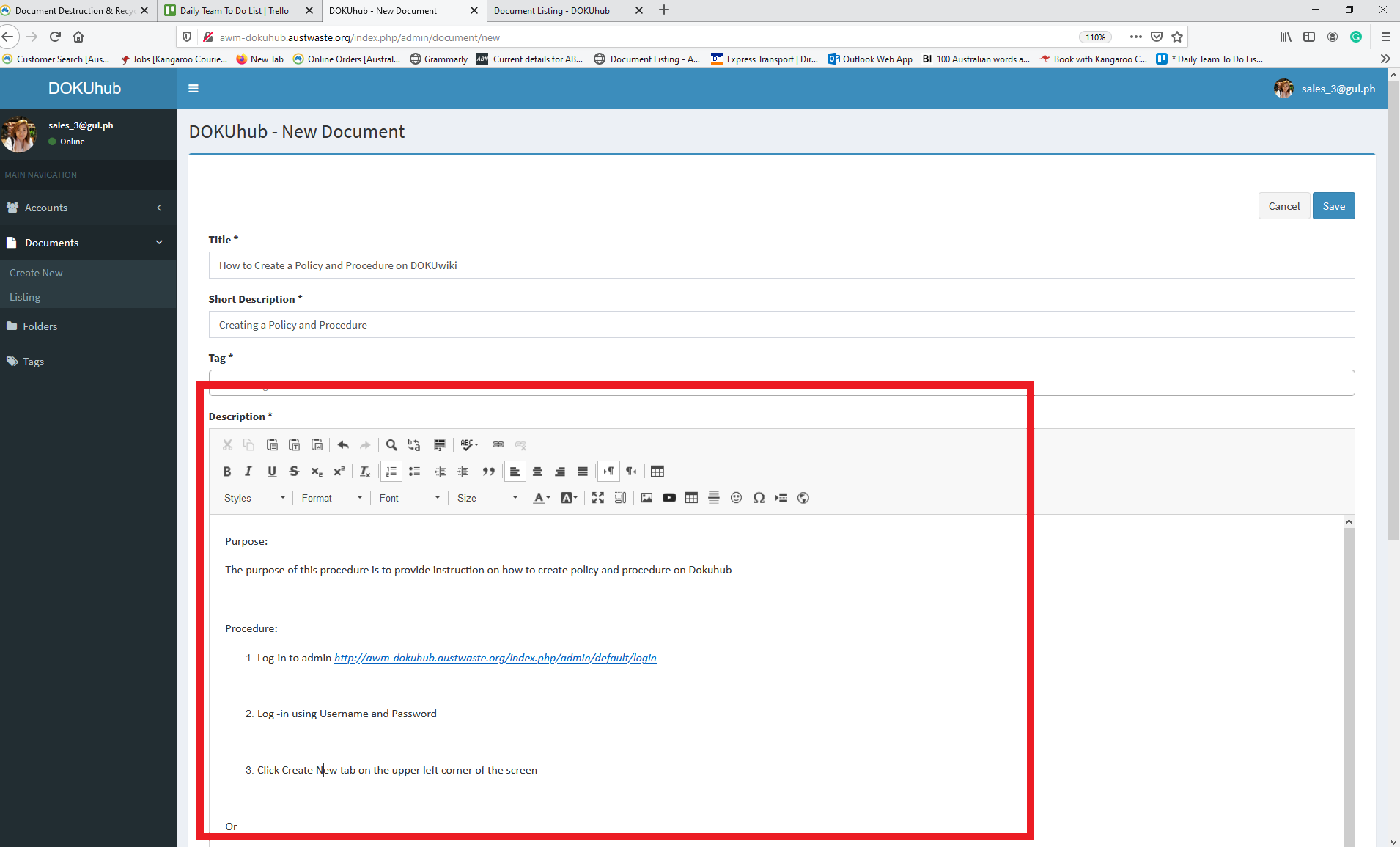
6. Create the procedure or policy on the description box.
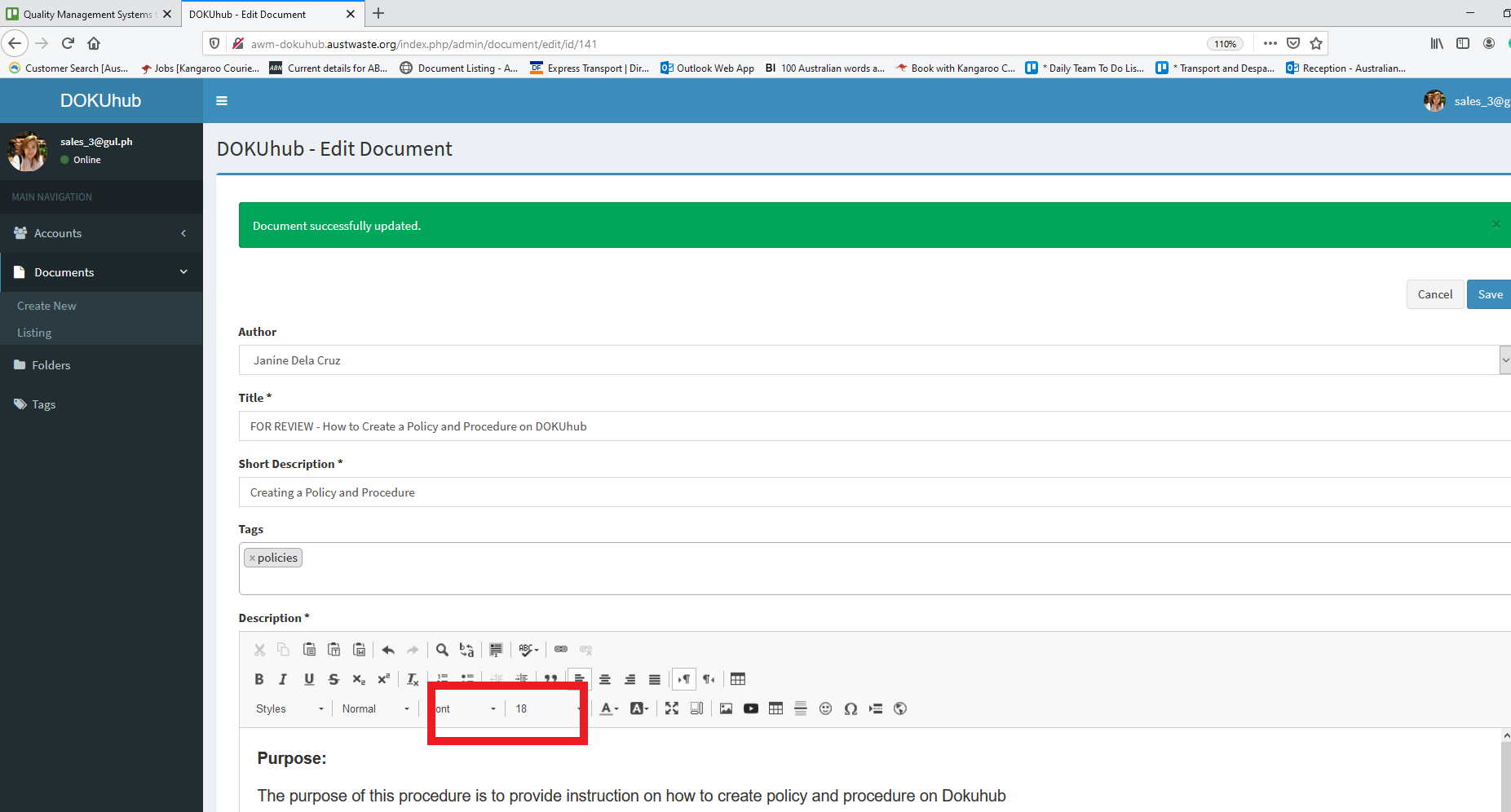
**** Note Font should be 18
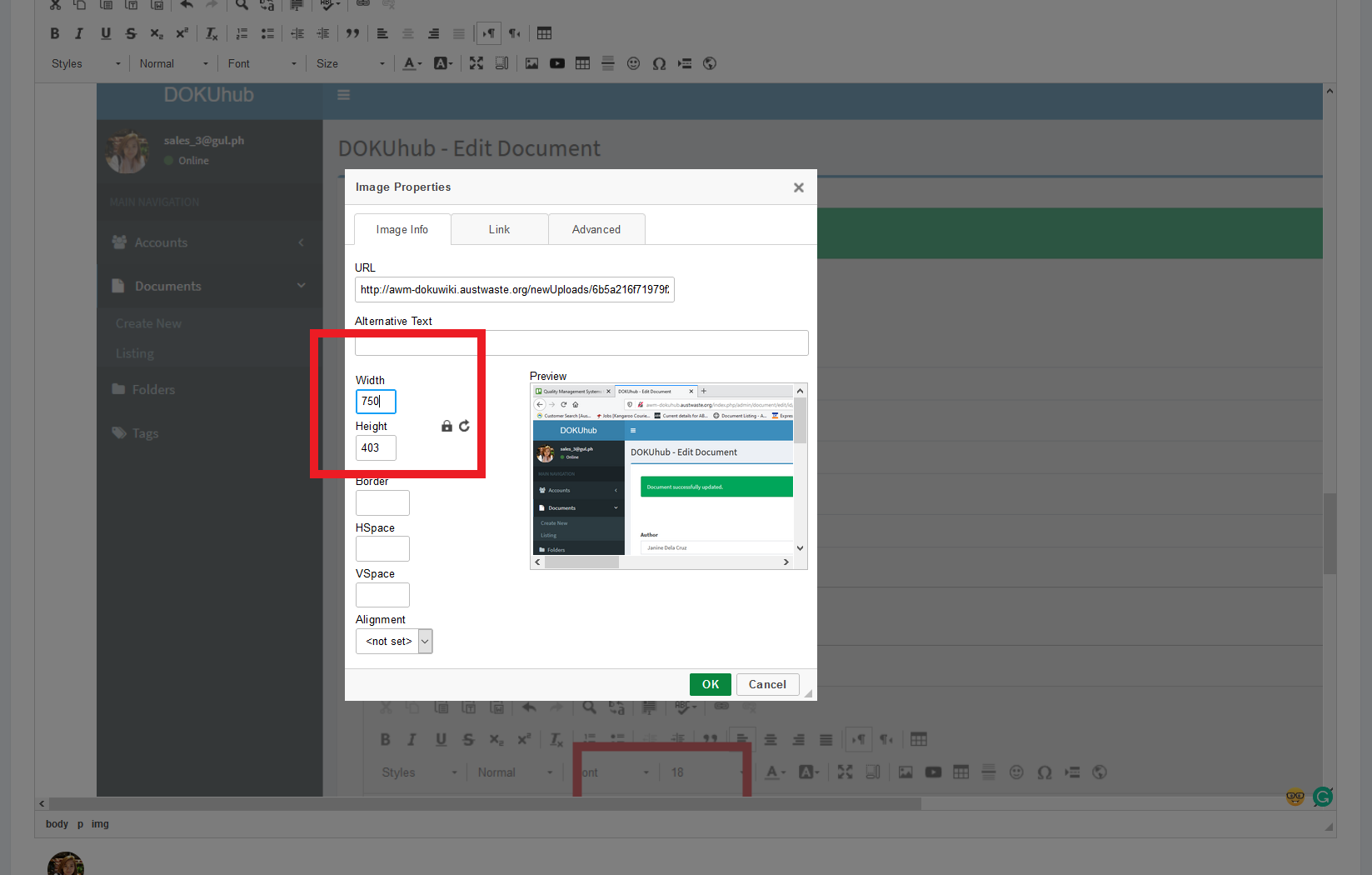
7. If there will be an image or screenshot, the width should be 750. Right-click the image, and select "Image Properties". Under "Image Info", type 750 to the Width text box.
***NOTE you have to save the screenshot and drag it on the description box
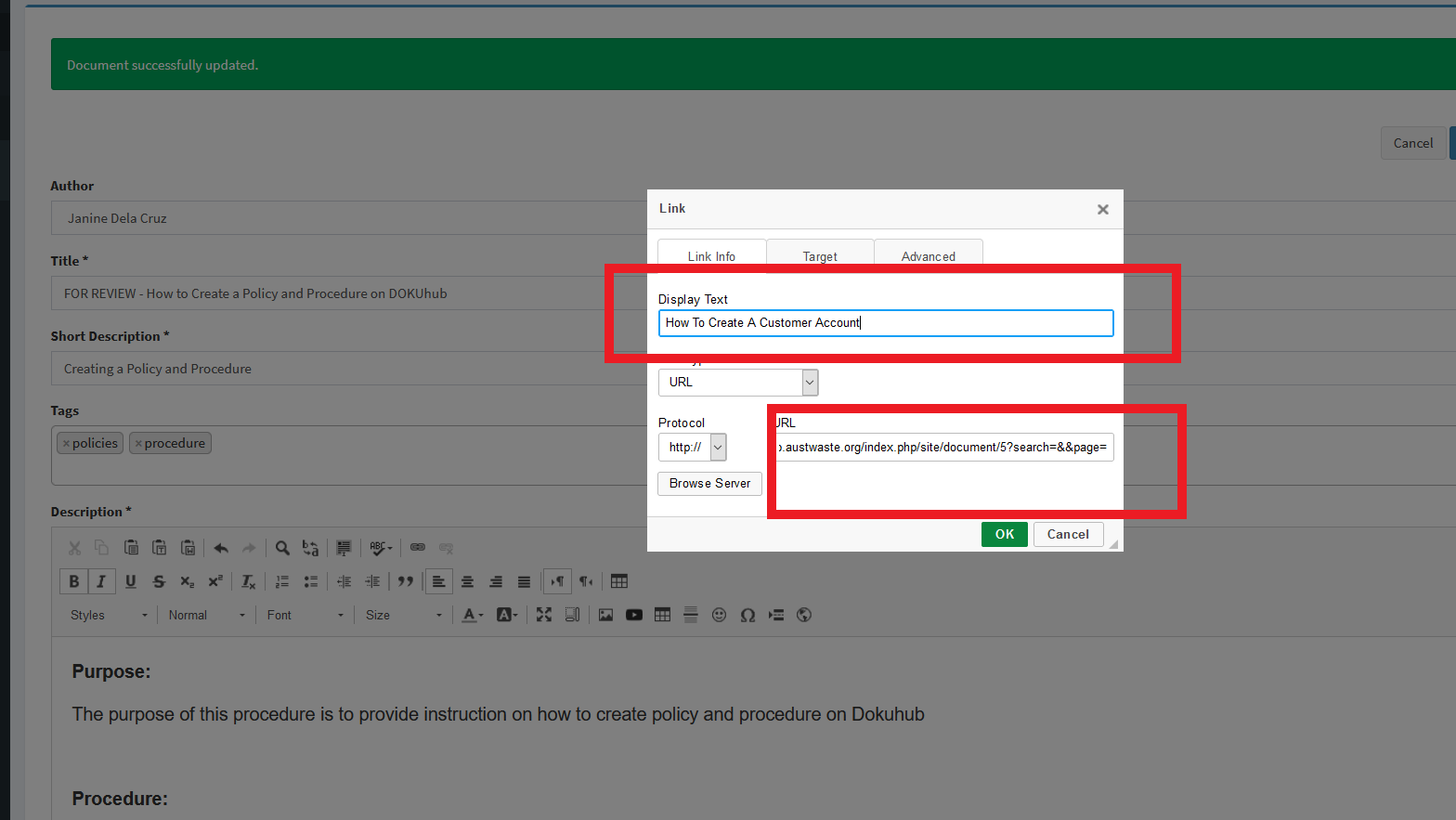
*** If needed, you can link a URL address on your procedure to add another document for your reference e.g How To Create A Customer Account
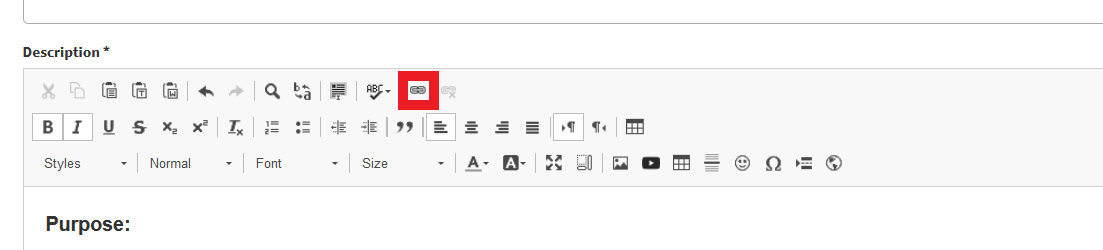
and then put the description on the display text and the "URL link" on the URL Box
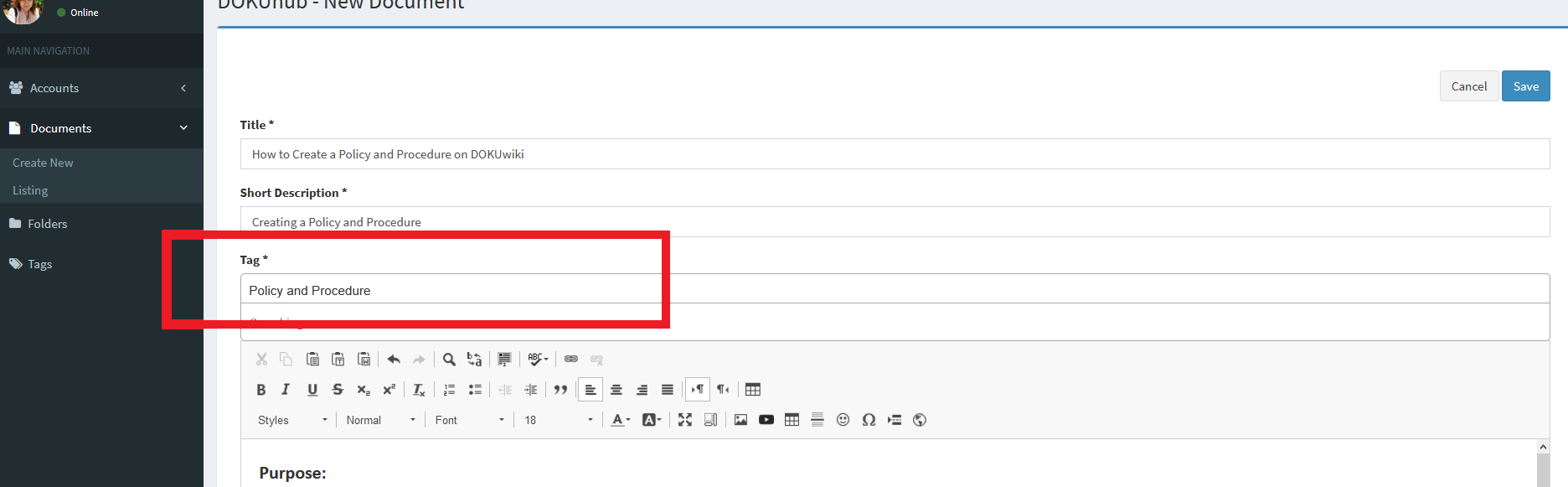
8. Put a Tag
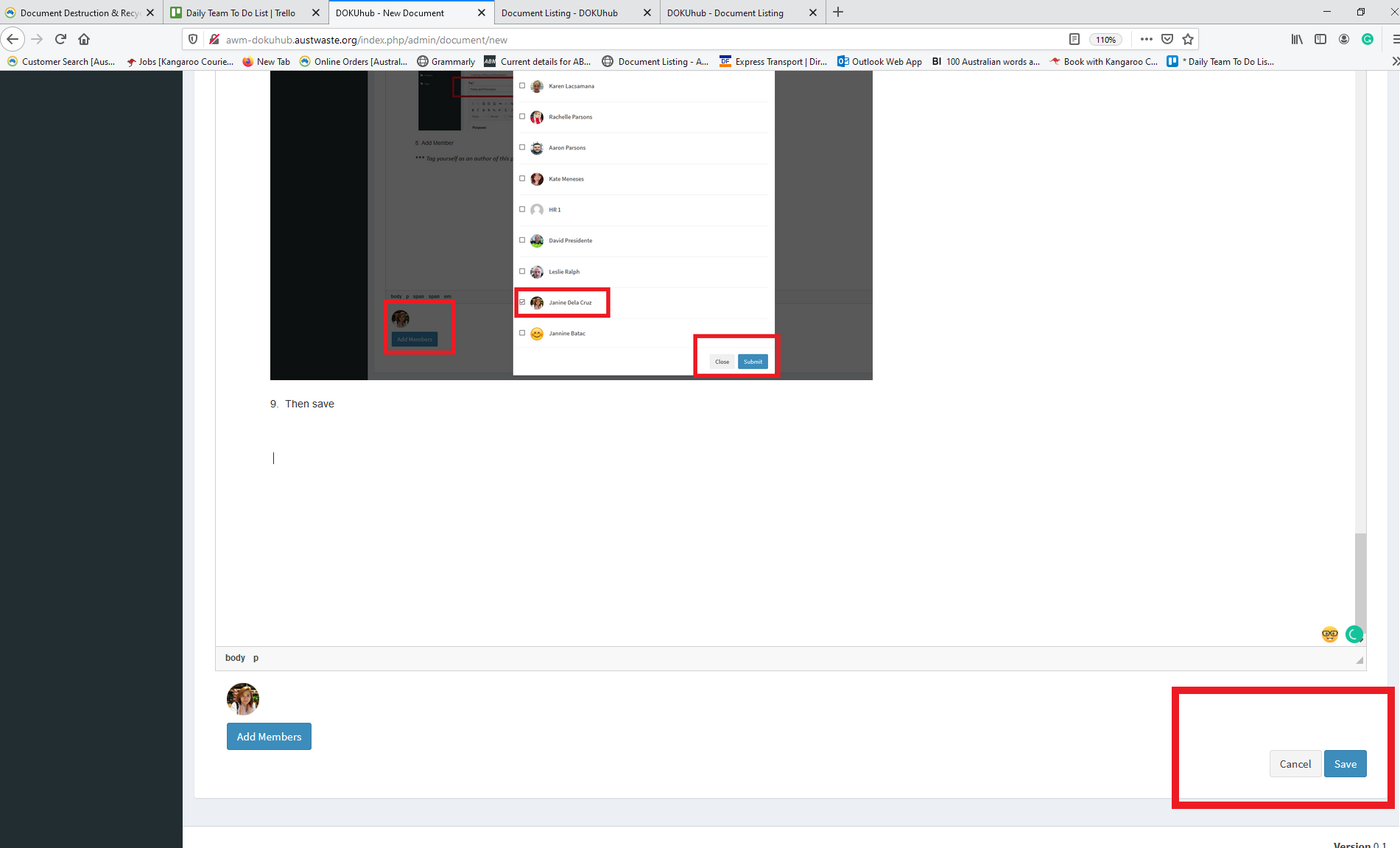
9. Add Members.
*** Tag yourself as an author of this procedure or else Dokuhub will not save the procedure that was created
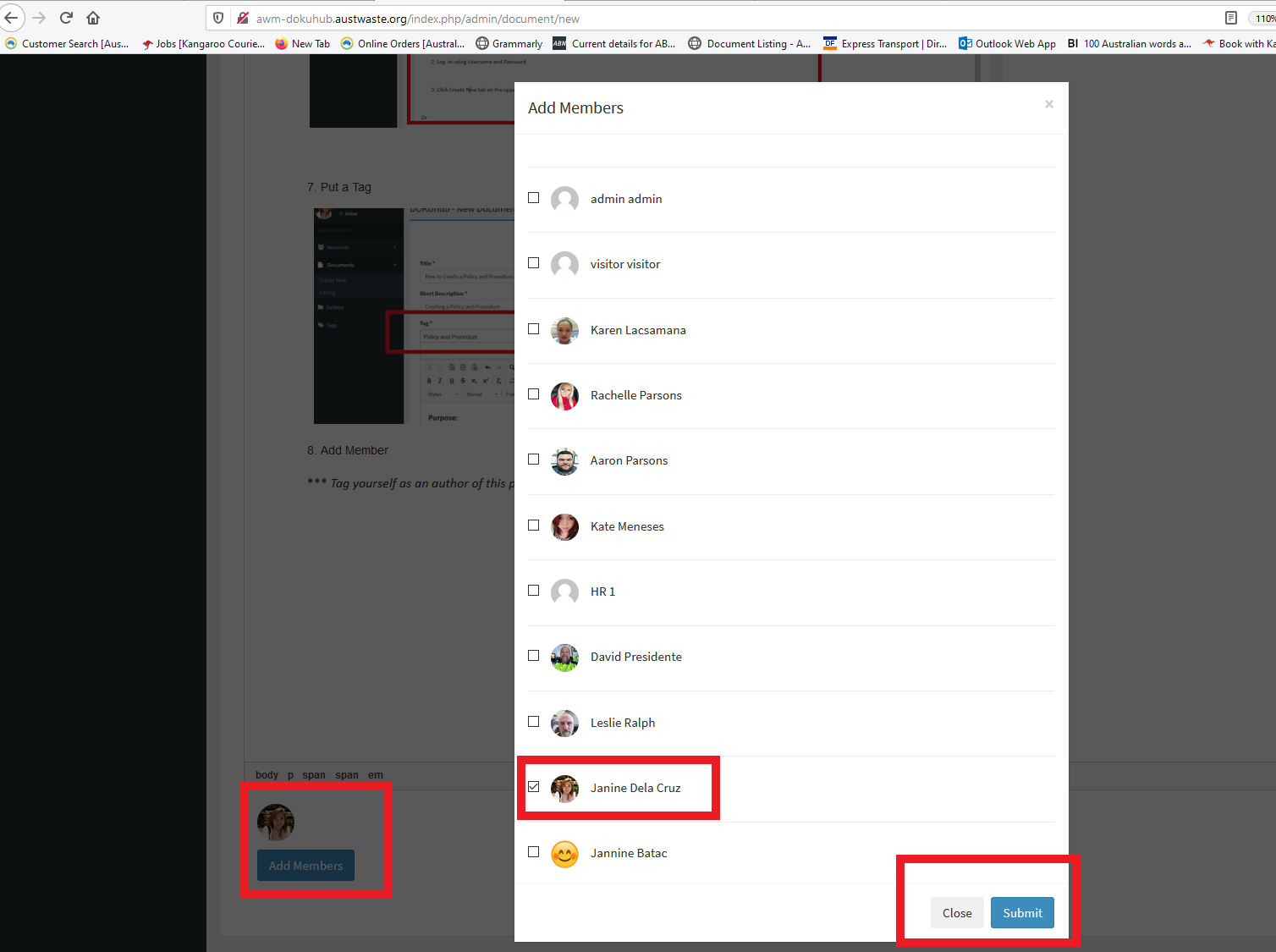
10. Then, click "Save".
Reference: Creating a procedure in DOKUhub
Z:\Australian Waste Management\Procedure Videos\Administration
Comments