FOR REVIEW - Bin Hire Process
Posted at February 11, 2020 12:02 pm. Last updated at September 04, 2024 09:09 am

- What is Bin Hire?
Bin Hire is for customers who are requesting for temporary service.
Purpose
The purpose of this process is for us to effectively and accurately provide the prices and do the request correctly on Myob and AWM - Manage
Procedure
-
Prices for Bin Hire (these are the only bin sizes we provide for bin hire)
- Onsite Fee per bin:
-
240 litre - $139 per bin
-
660 litre - $339 per bin
-
1100 litre - $539 per bin
-
-
Delivery fee - $59 per bin
-
Removal fee - $59 per bin
-
Urgent collection fee - $118 per bin
Collection fees would apply for both General Waste/Commingled collections:
240 litre - $24.00 per bin per collection
660 litre - $44.00 per bin per collection.
1100 litre - $64.00 per bin per collection.
**Paper and cardboard bins can be provided for short term use under the same pricing structure as above however should they require a collection when we are in the area then we can do so as free of charge like normal and an urgent fee would be the standard fee of $59 should they require an urgent paper collection.
Document destruction bins are the standard fees and standard urgent fees that would apply for either long or short term use.
-
Just like SAF for new customer, we will require payment before commencing the service
-
Make sure that we received the signed Service Agreement Before processing the bin hire
-
Create an account if it is a new customer
-
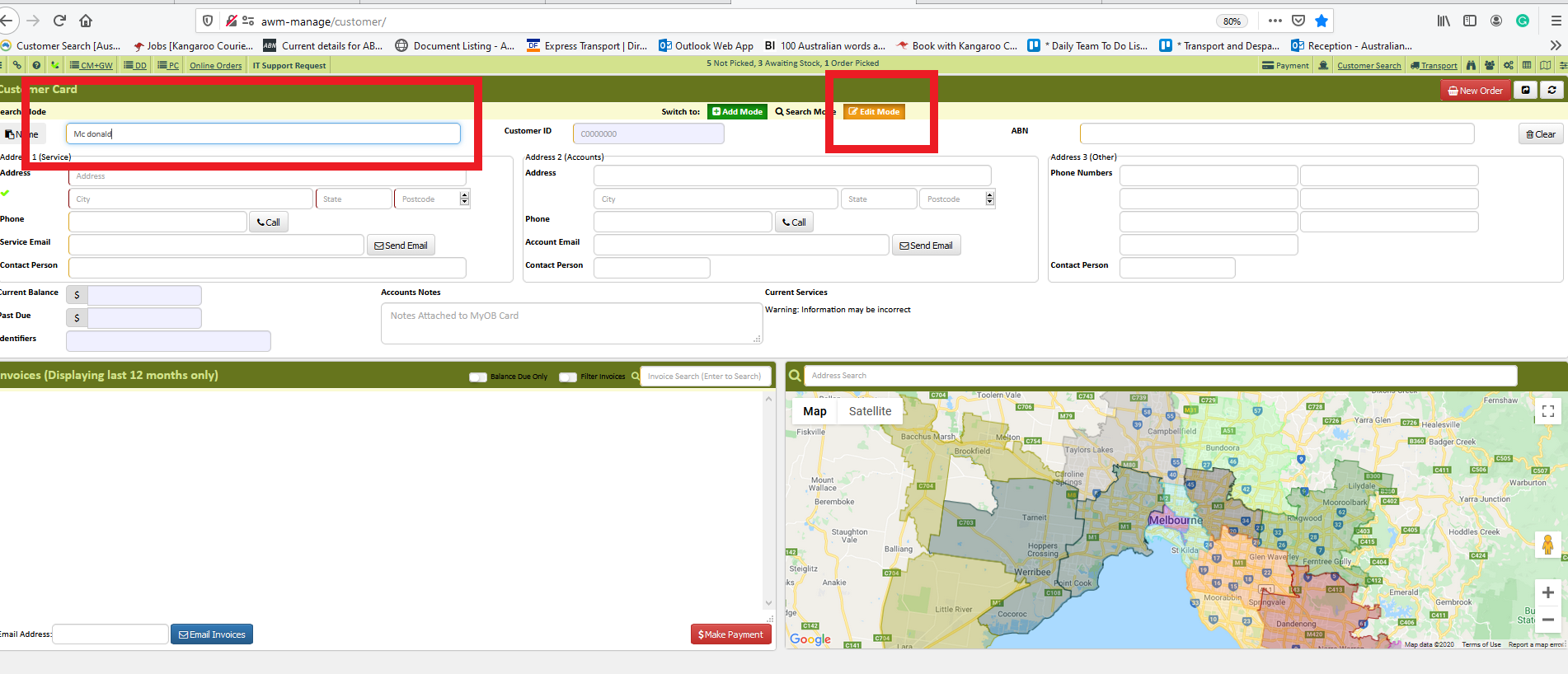
Verify/Create a customer account in AWM Manage Page
****NOTE use this link How To Create A Customer Account
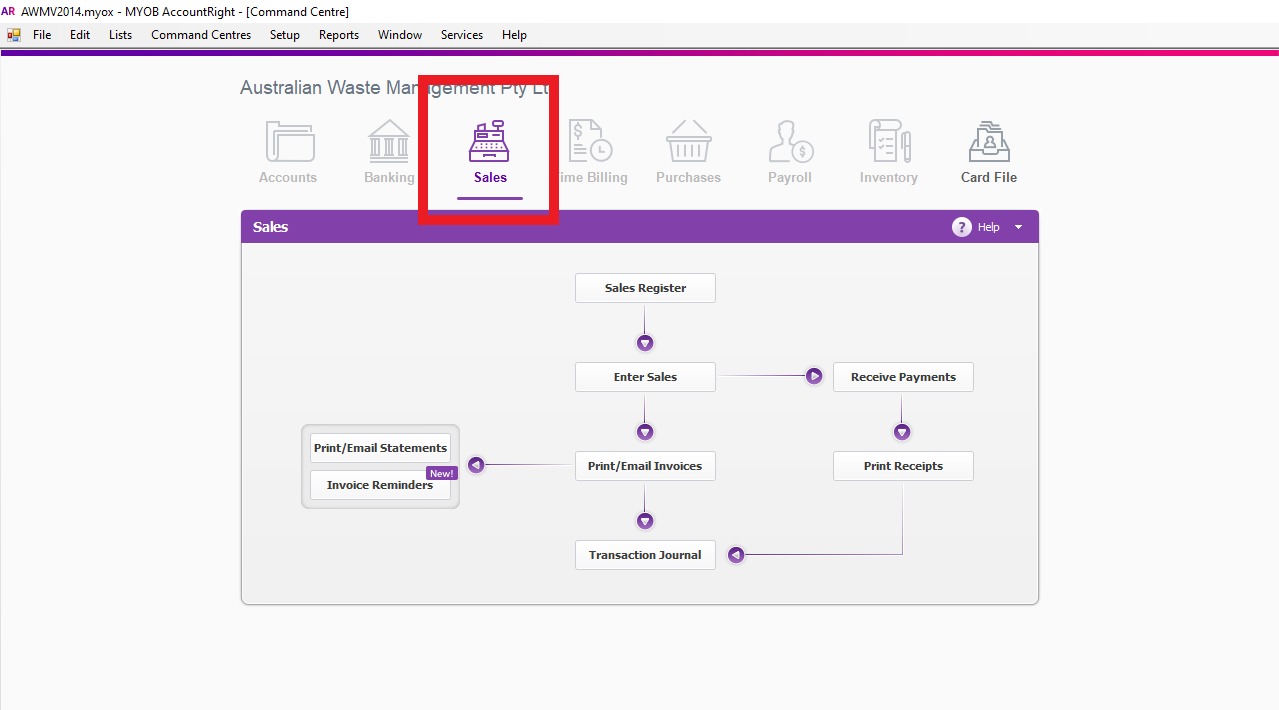
- Go to Myob to process Bin hire
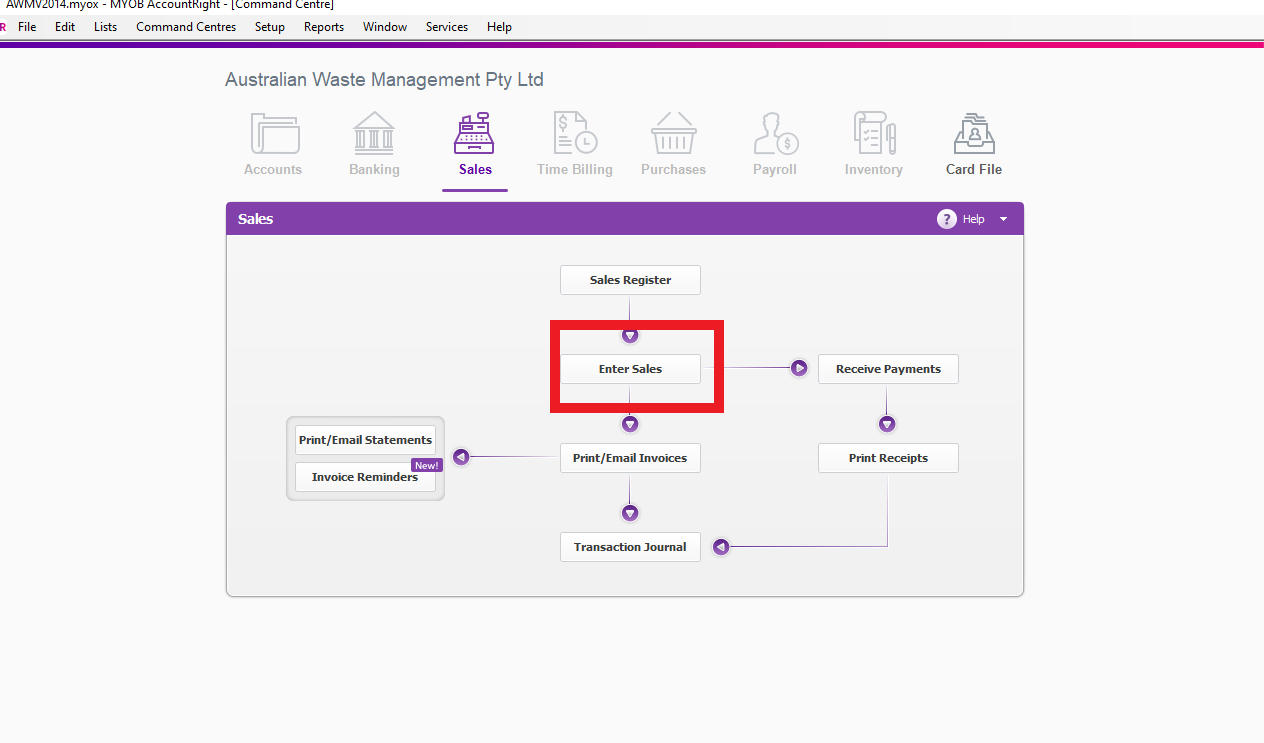
- Go to Sales tab, Enter sales
- Enter the customer's name
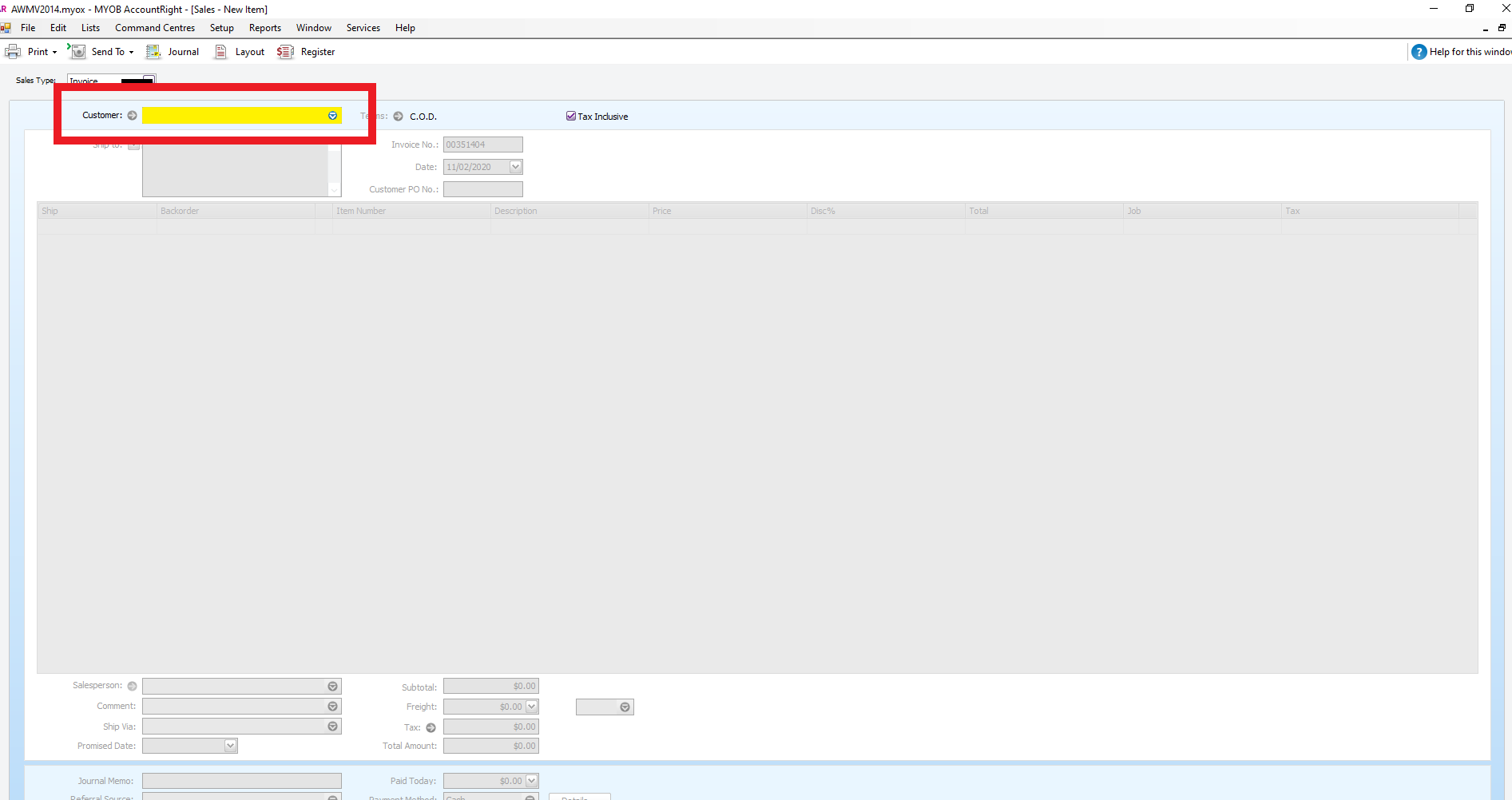
- Check if you have a correct address
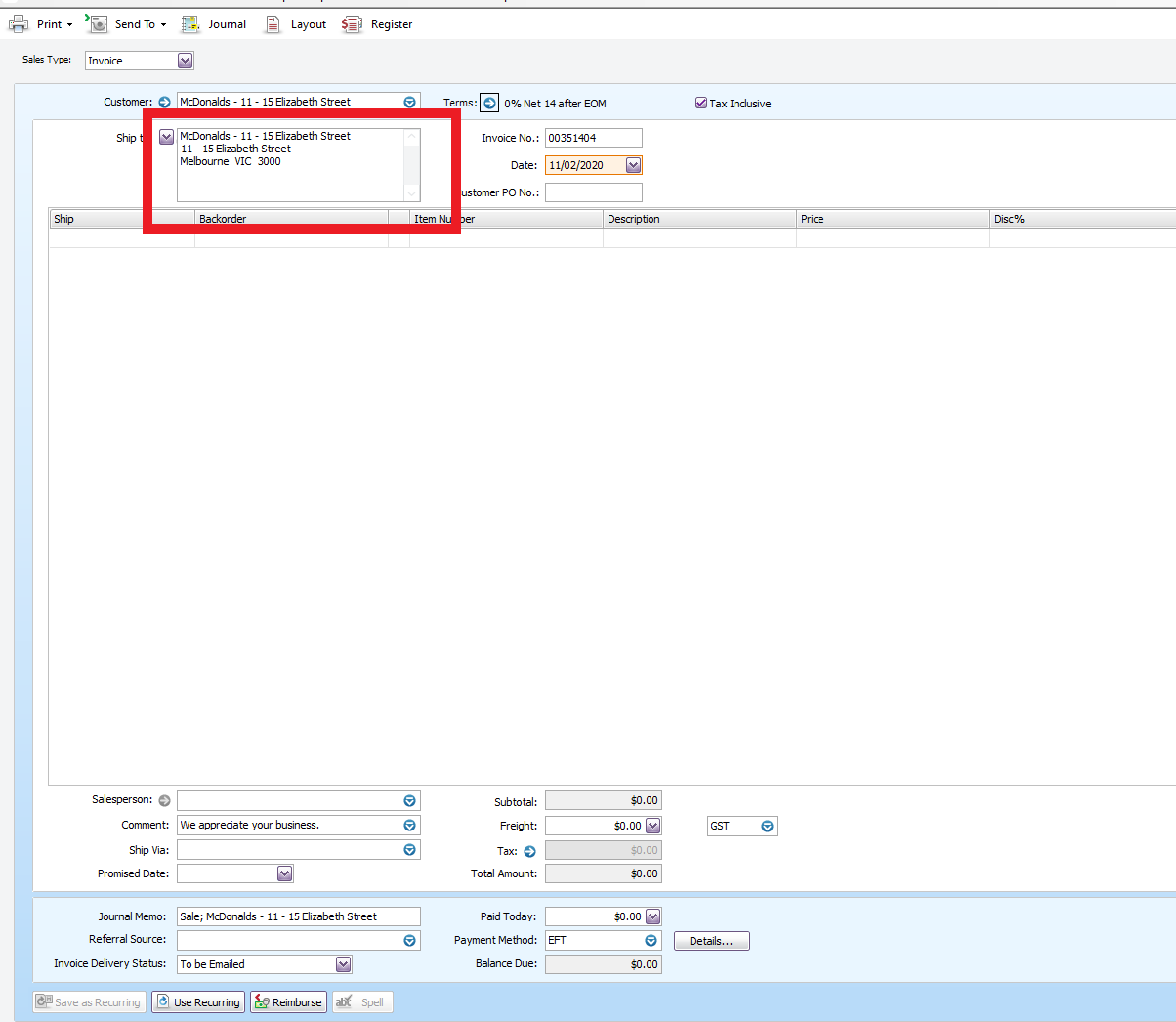
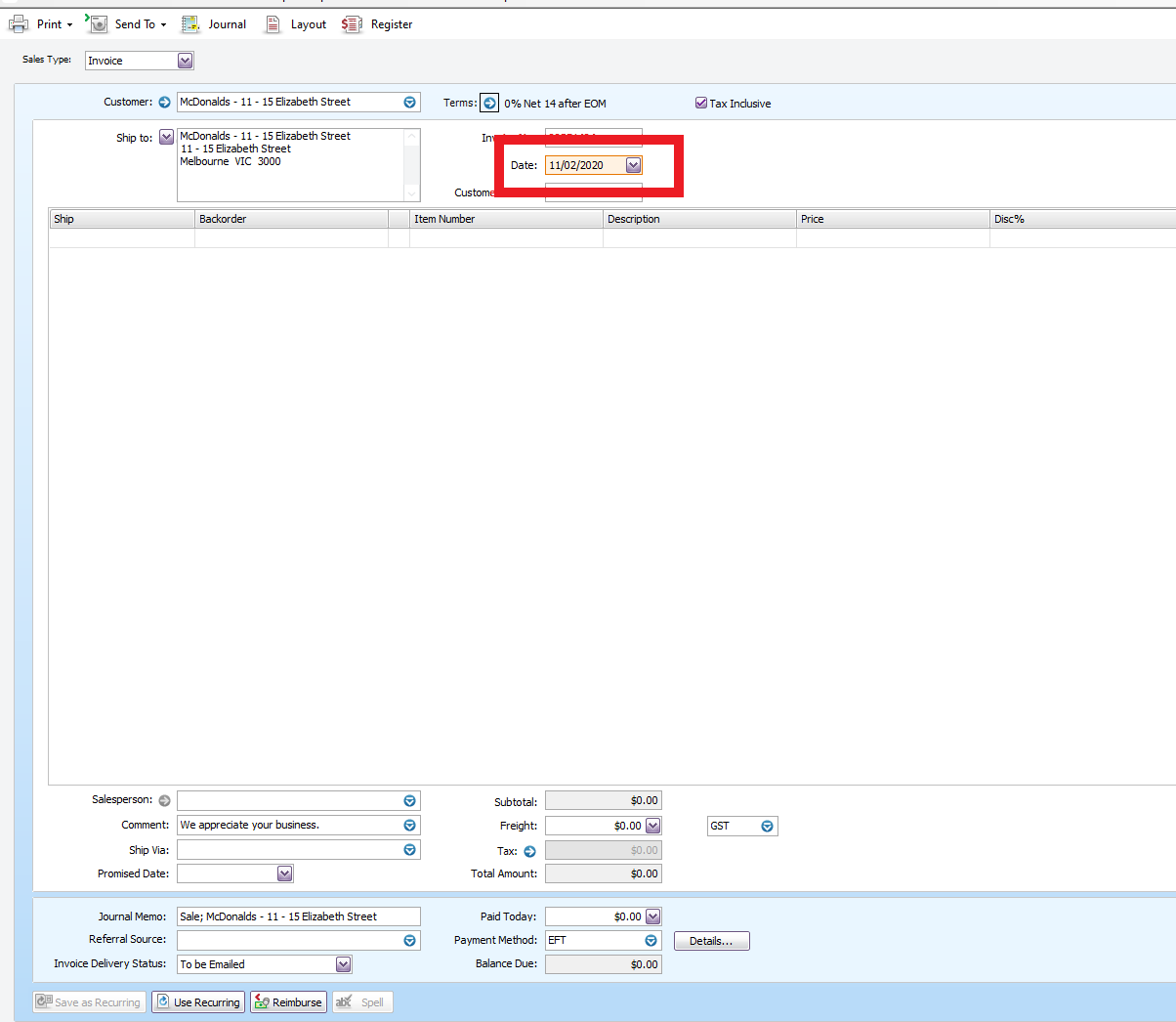
- On the date, tab enter the date today
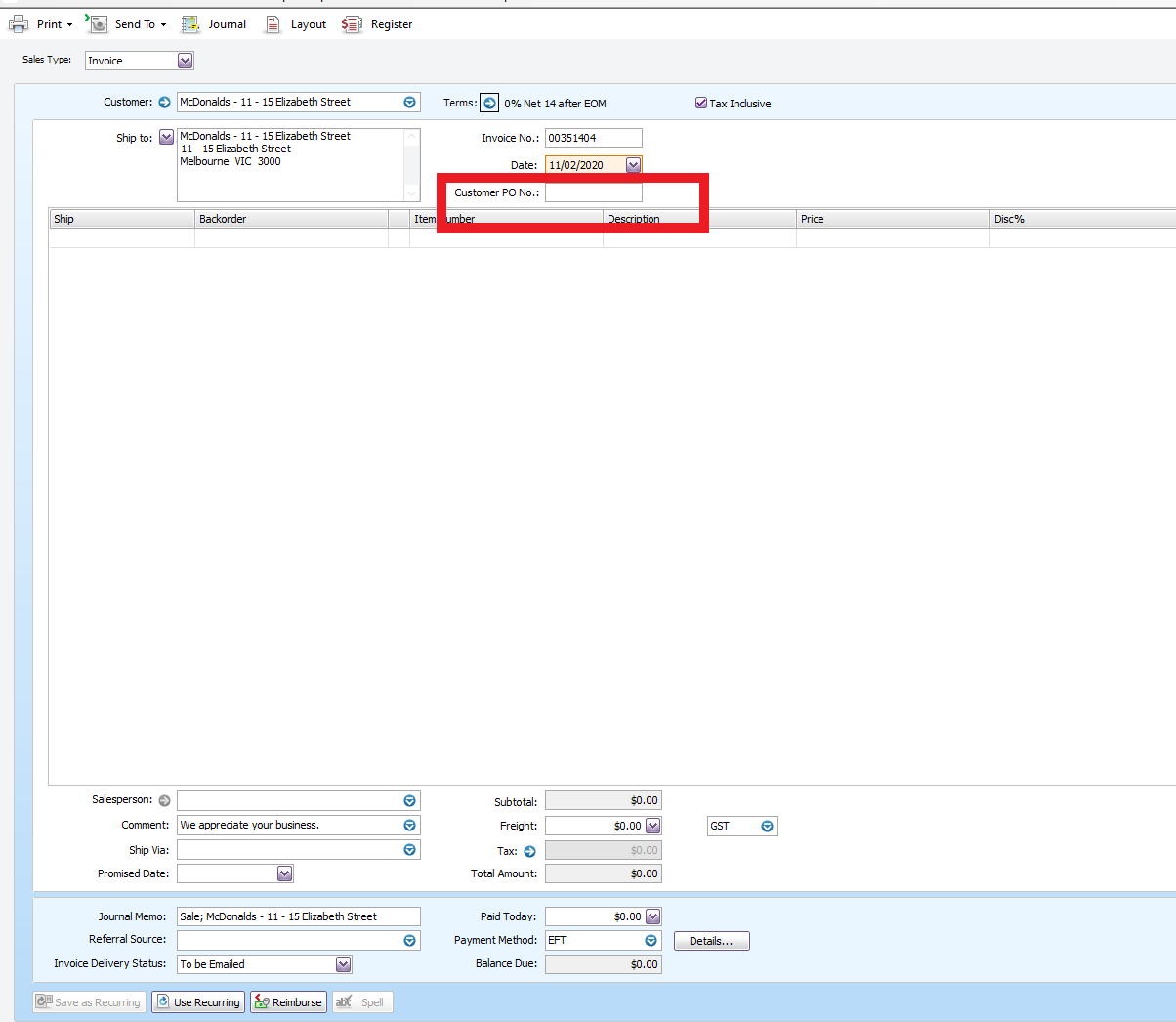
- On the customer PO NO. Tab, enter Po number id there is any
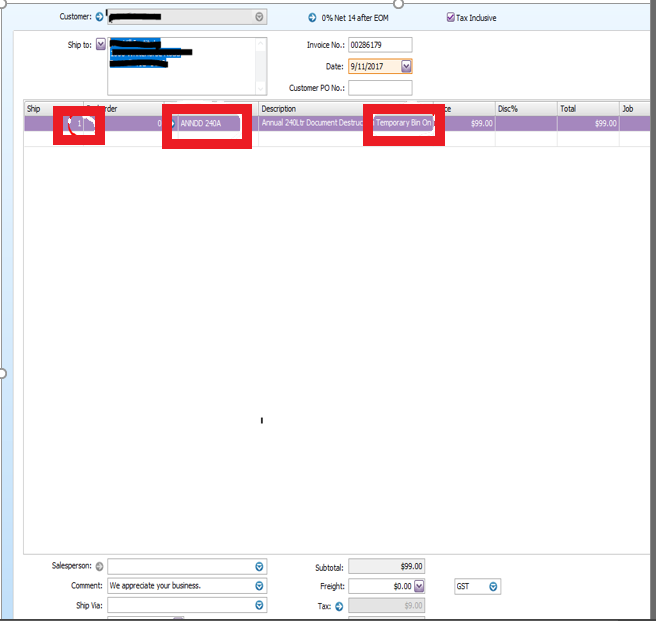
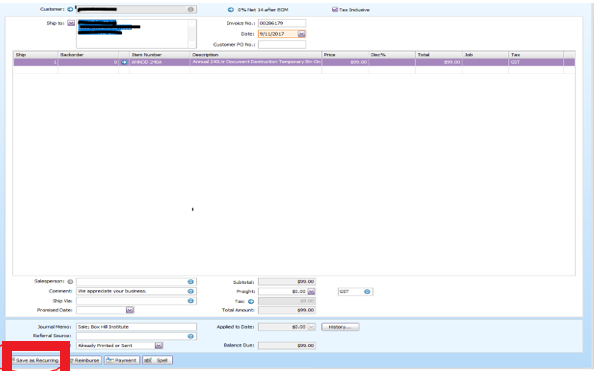
- On the Item Number enter the annual fee associated with the type of service the customer request E.g ANNDD
- Add the " Temporary Fee" on the annual fee description
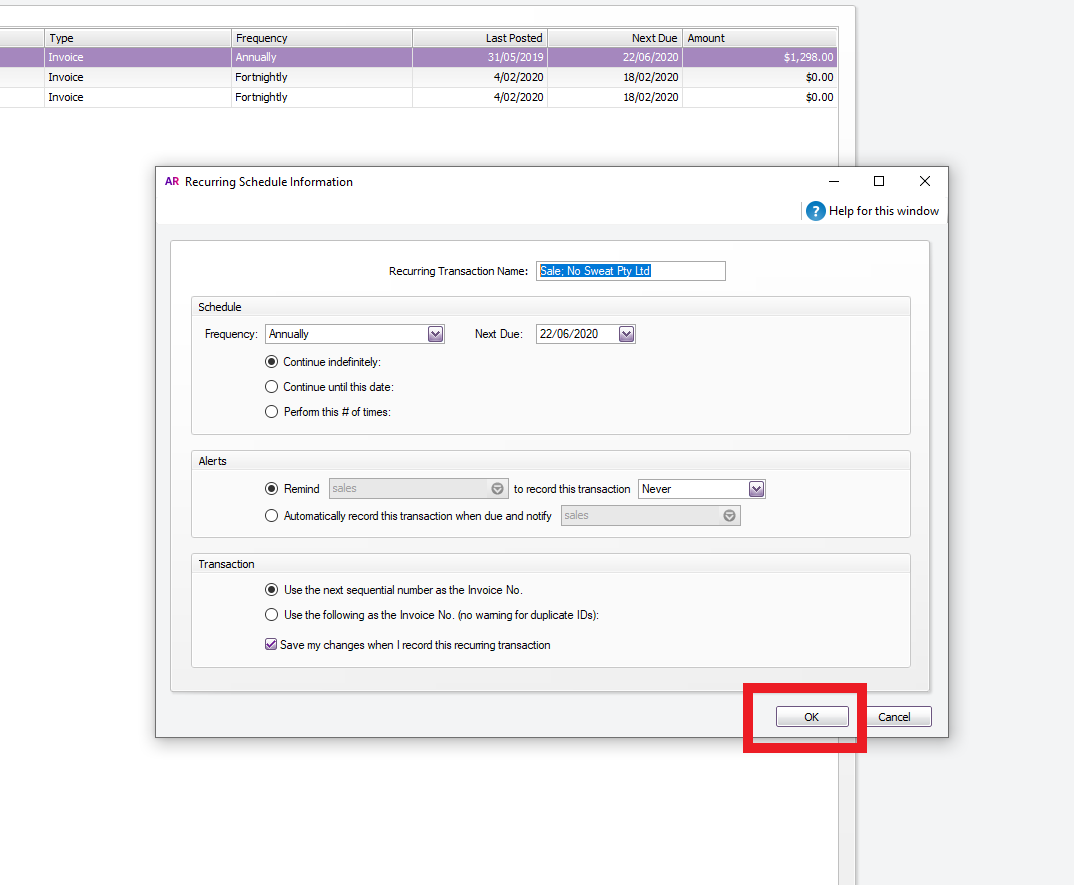
- Save as recurring
- Change the frequency to Annually
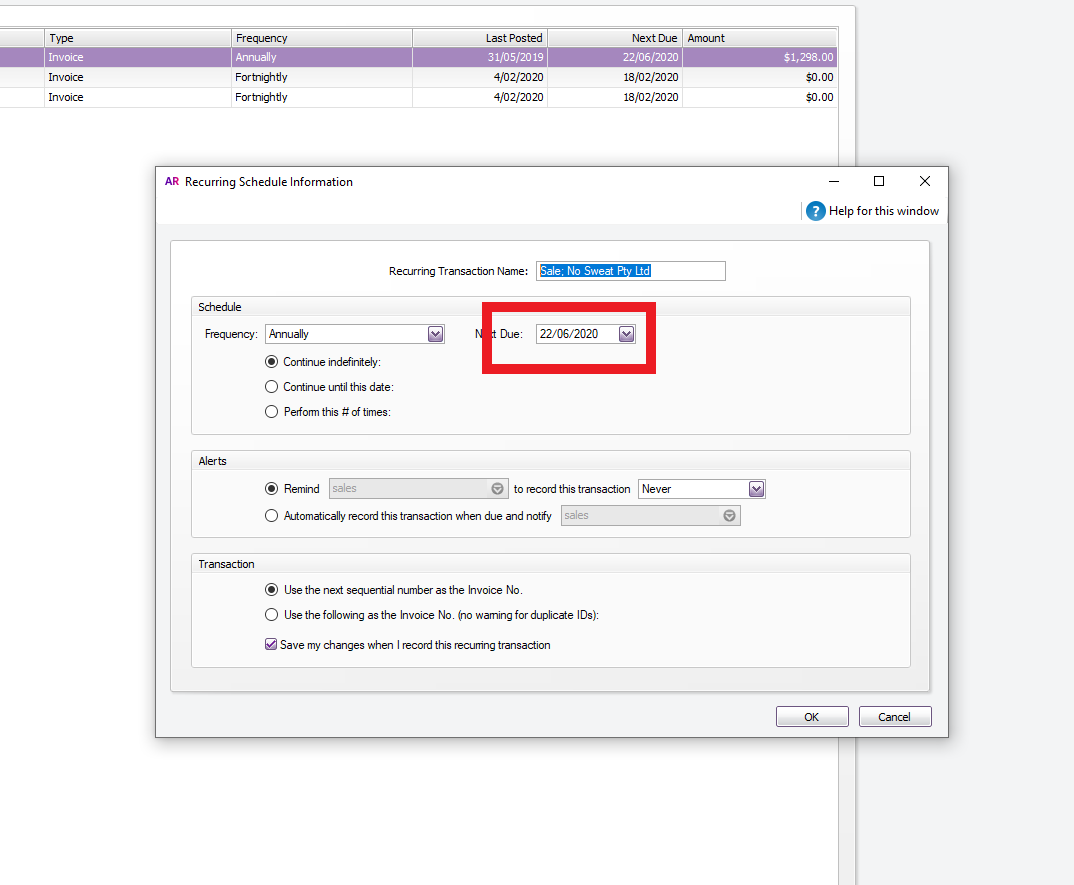
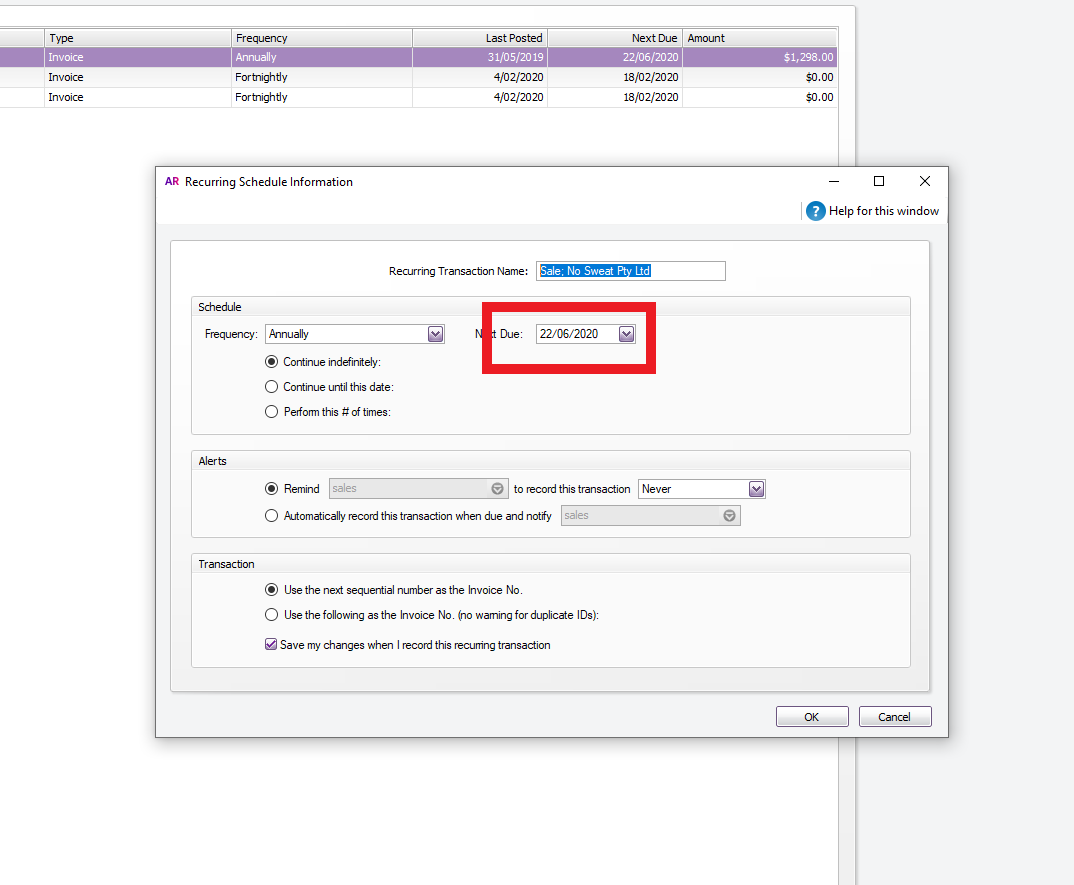
- Change the Date to Next Year
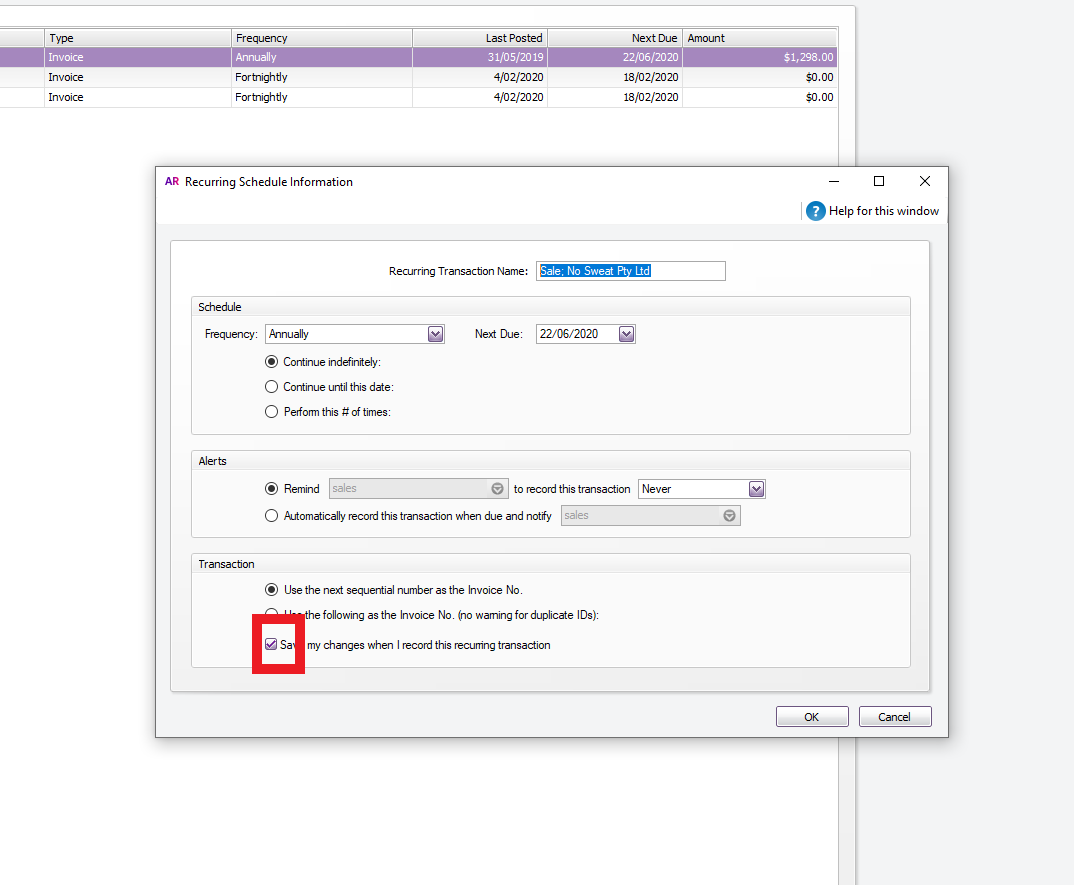
- Click Save my changes when I record this recurring transaction
- Click Ok
- Process the delivery for the Bin
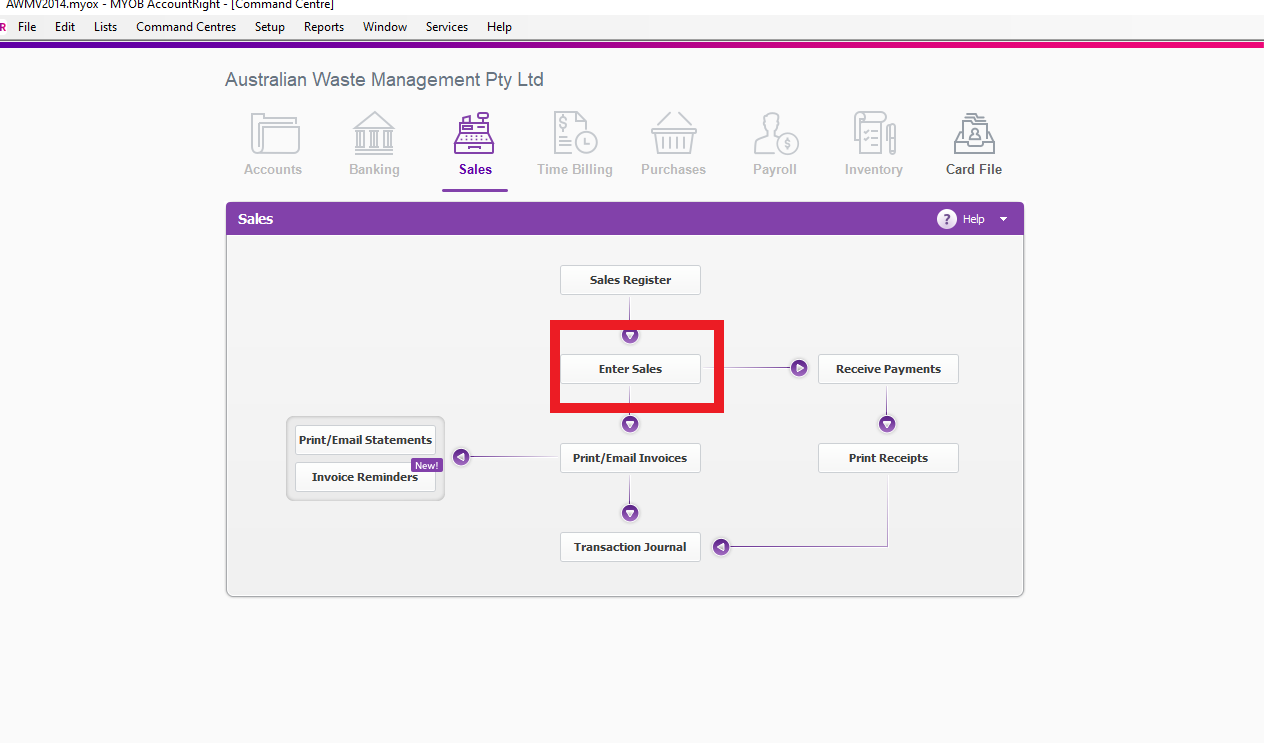
- Go Sales Tab, Go to Enter Sales
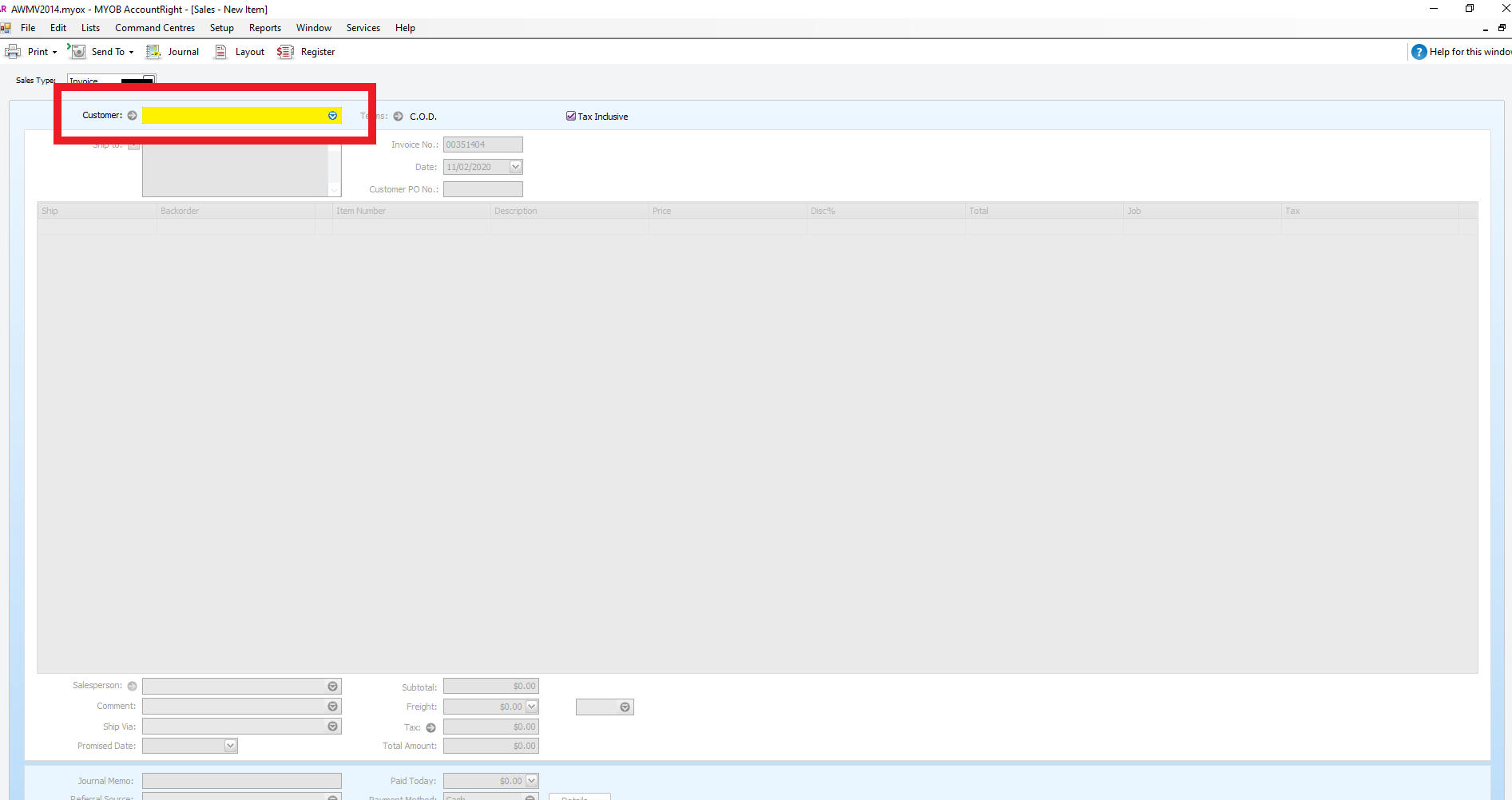
- Enter the Customer's Name
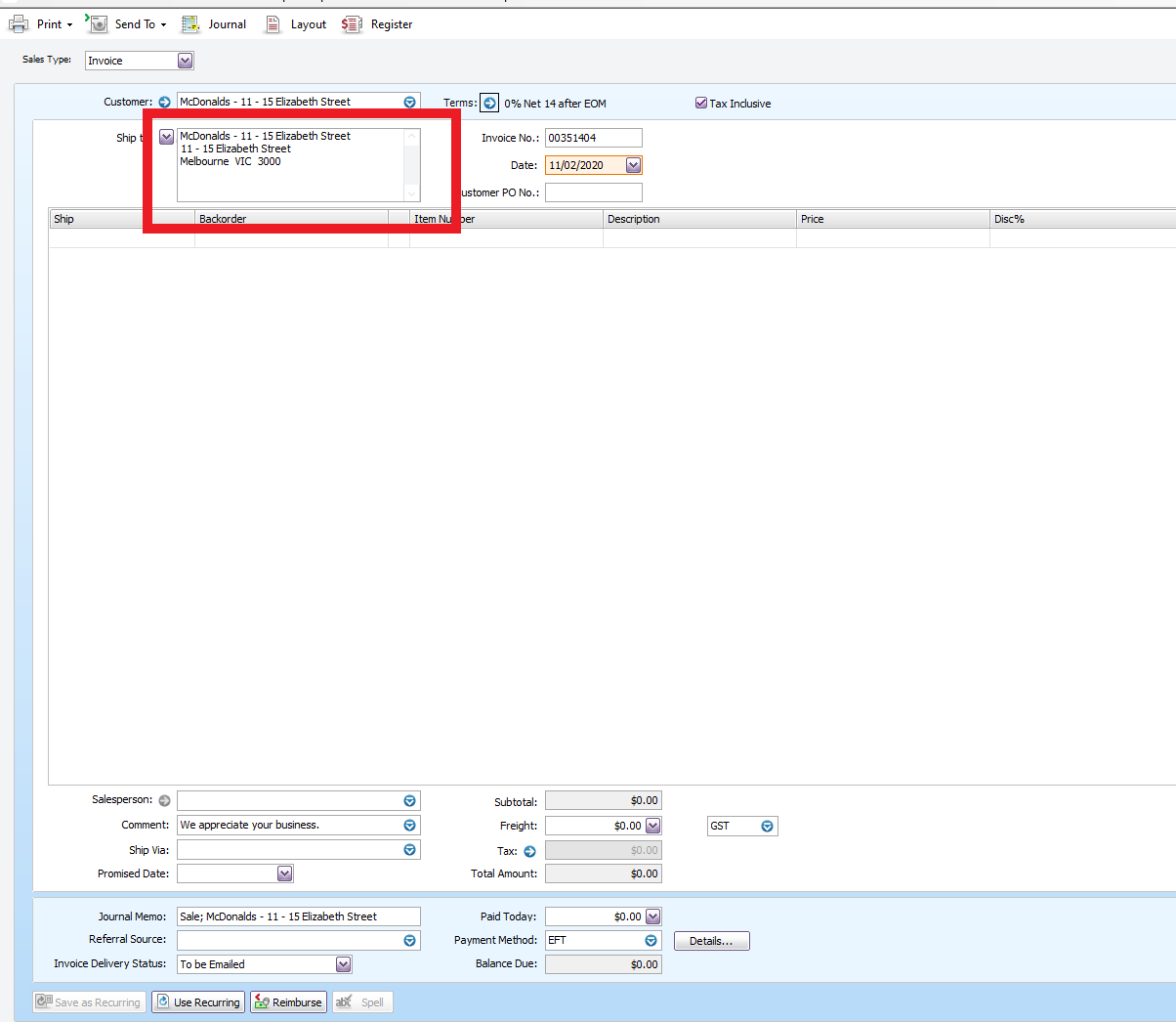
- Check if you have the right address
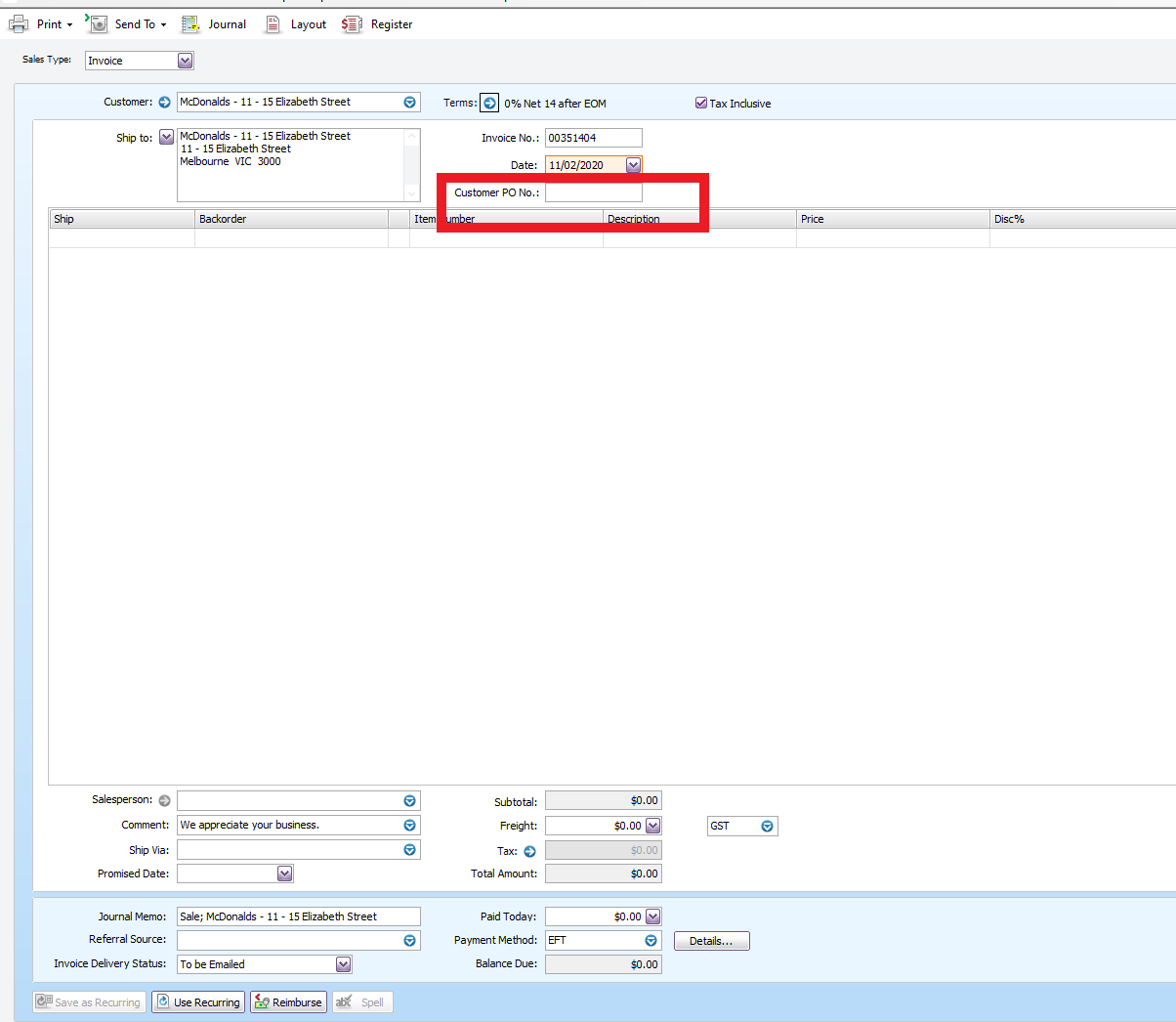
- On the Customer PO no. tab, enter Po number if there are any of the names of the person who signed the service agreement
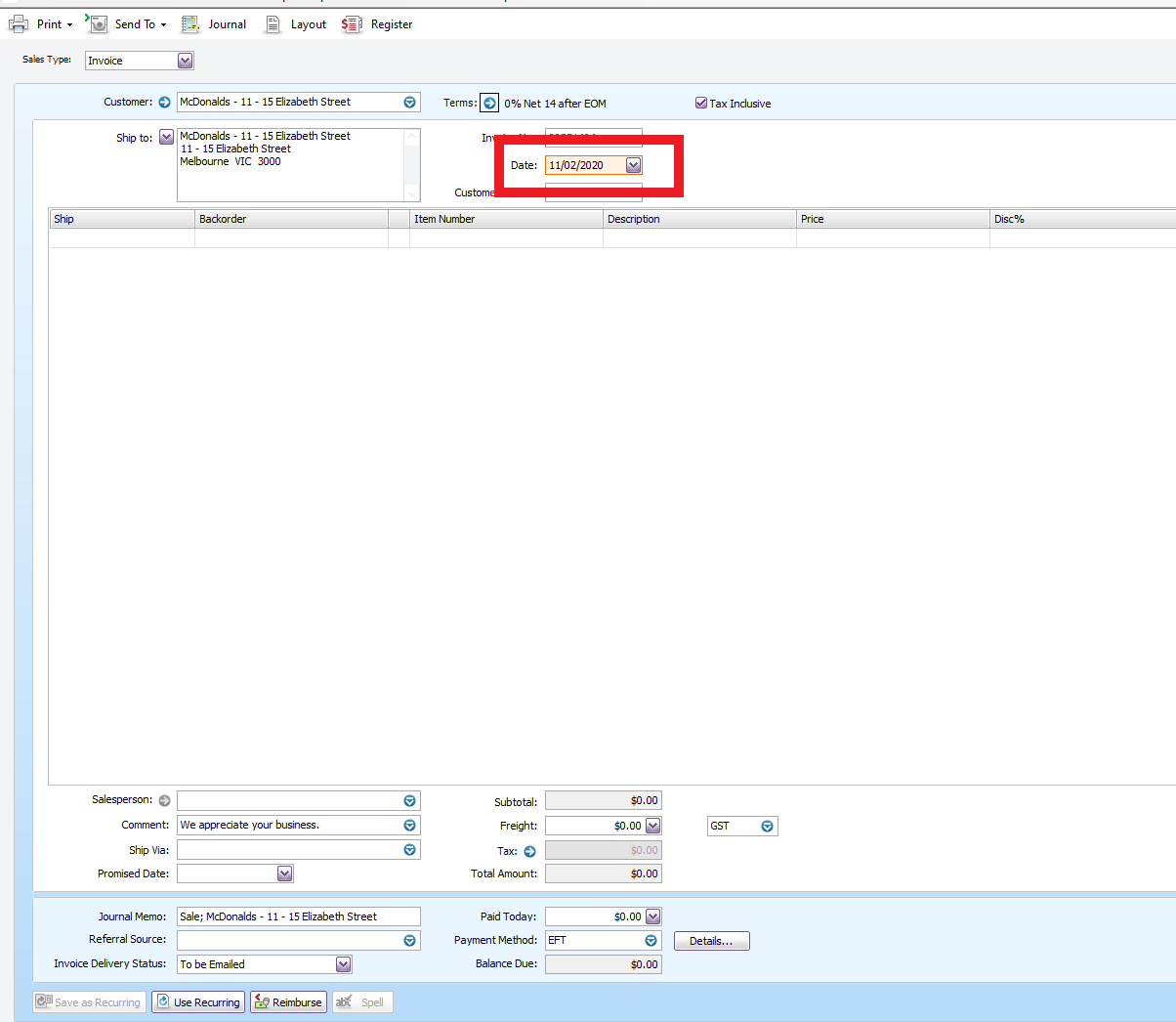
- Enter the date today
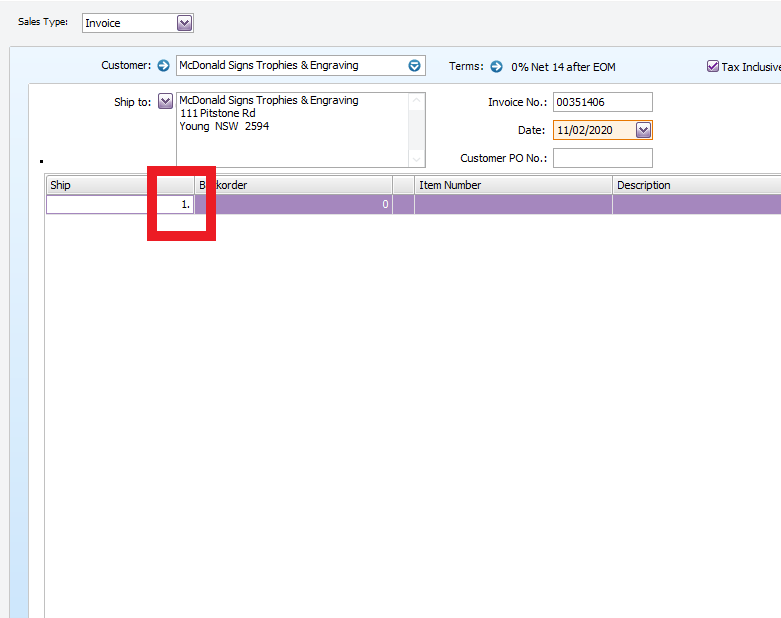
- Under Ship, enter the number of bins we need to deliver
- Under Item Number, type in Del_(DD for Document Destruction, GW for general waste, CM for commingle and PC for paper and cardboard)
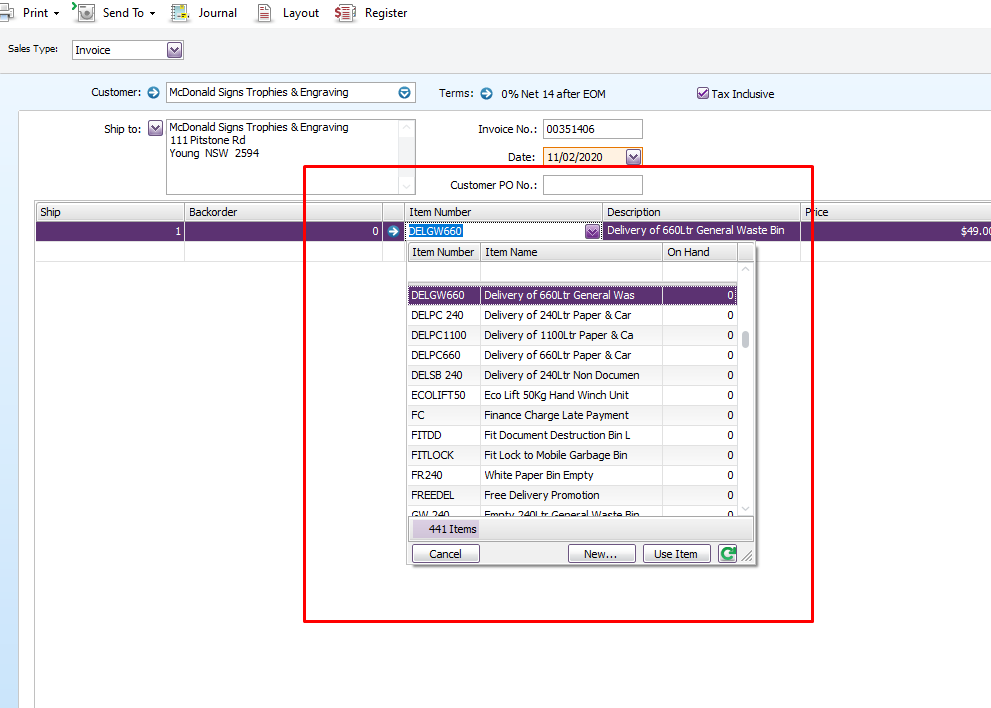
- For GW, GM and Pc Choose The bin size
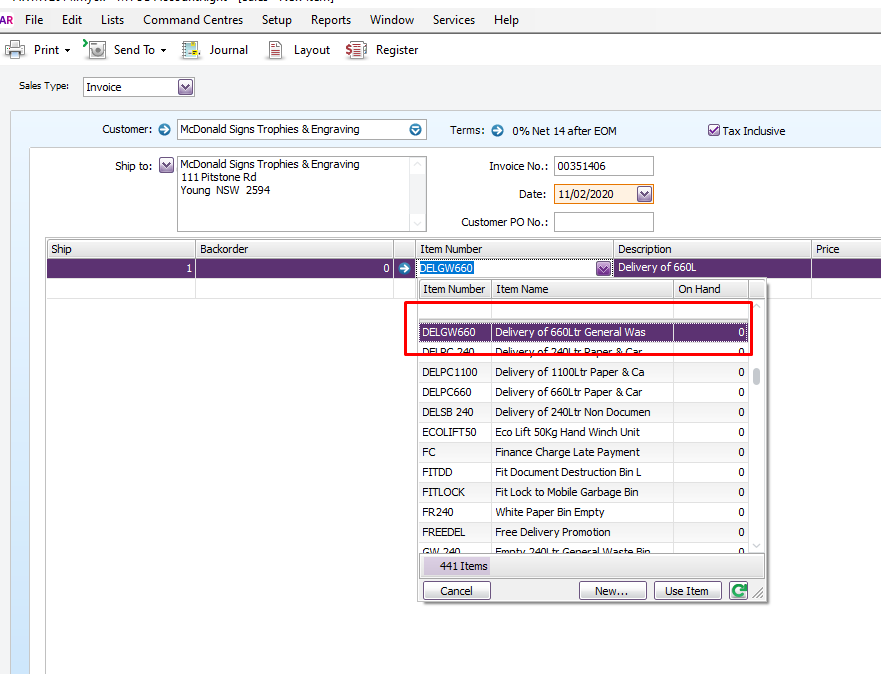
- Choose your Name on the salesperson
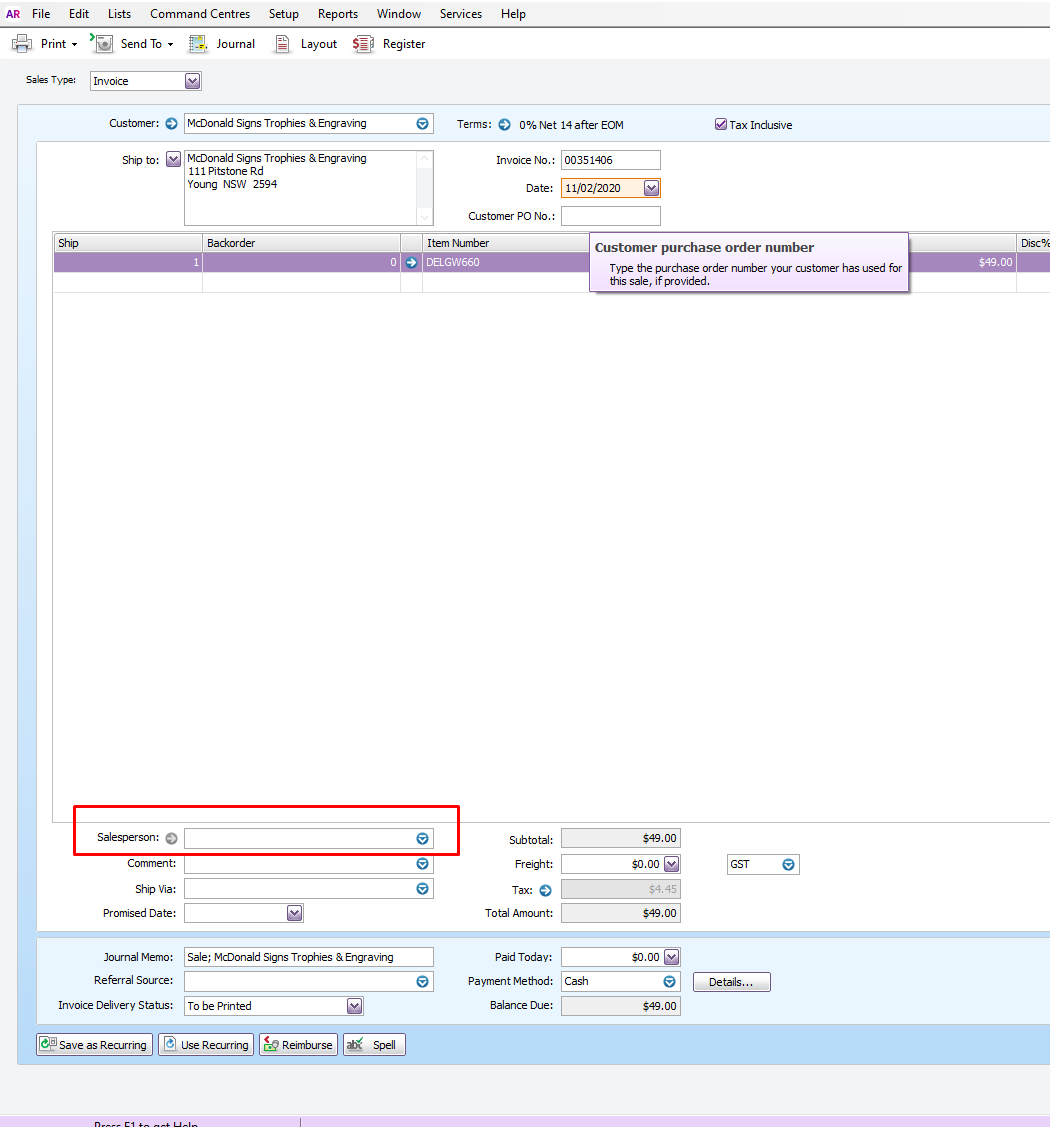
- Choose Internal Courier for ship via
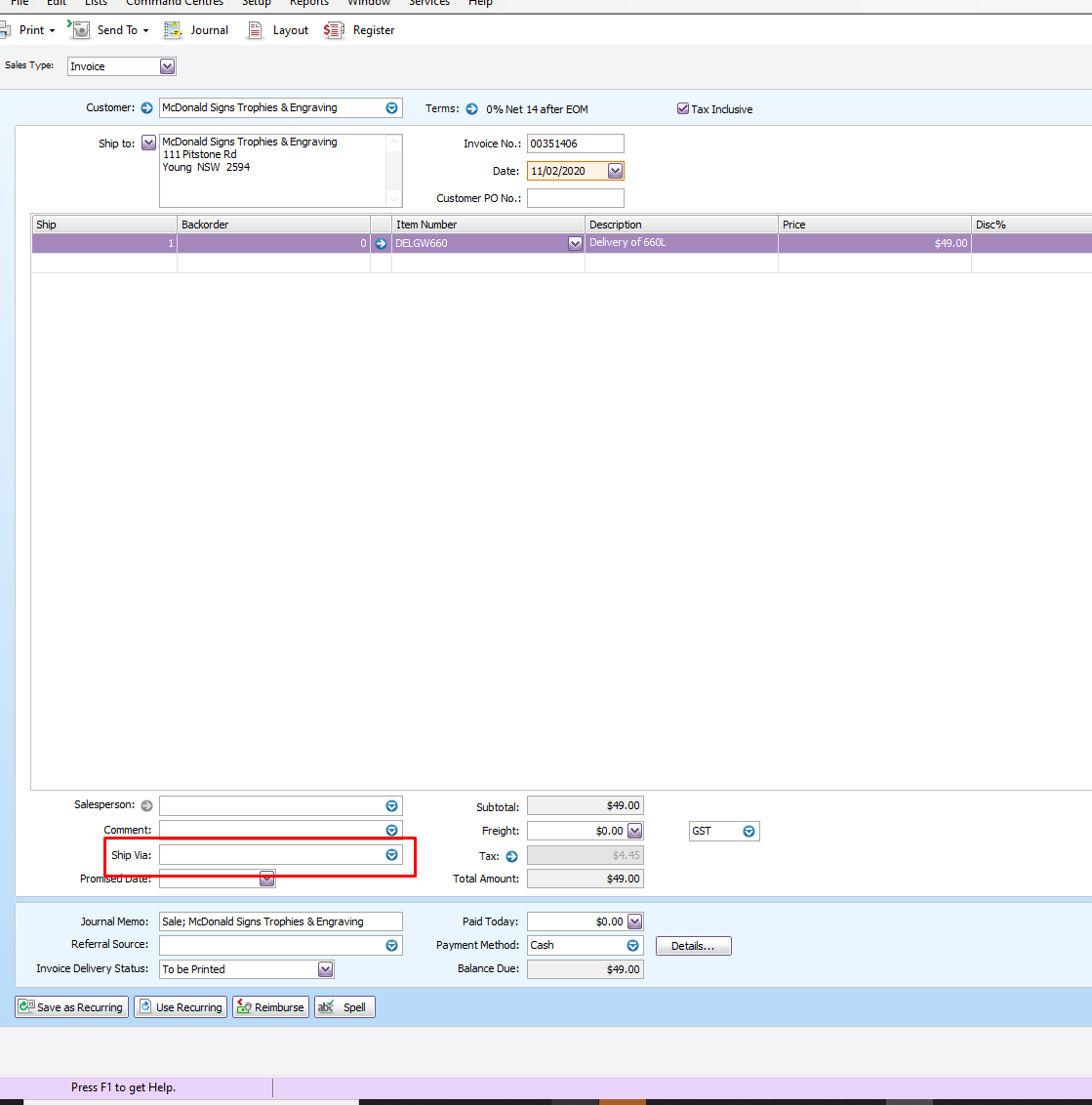
- Check The next day we will be on the area on AWM Manage page for the promise date
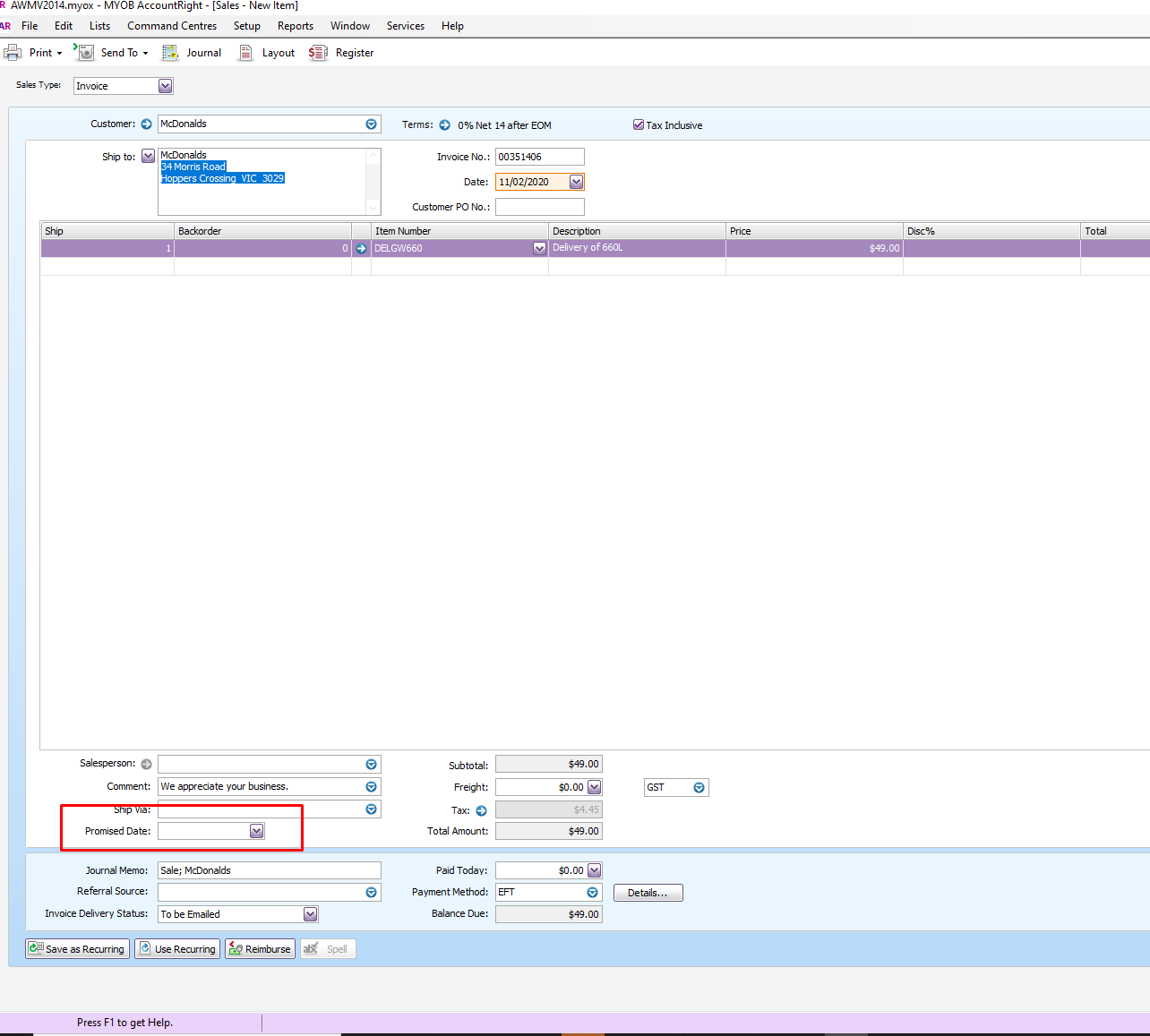
- Click Ok
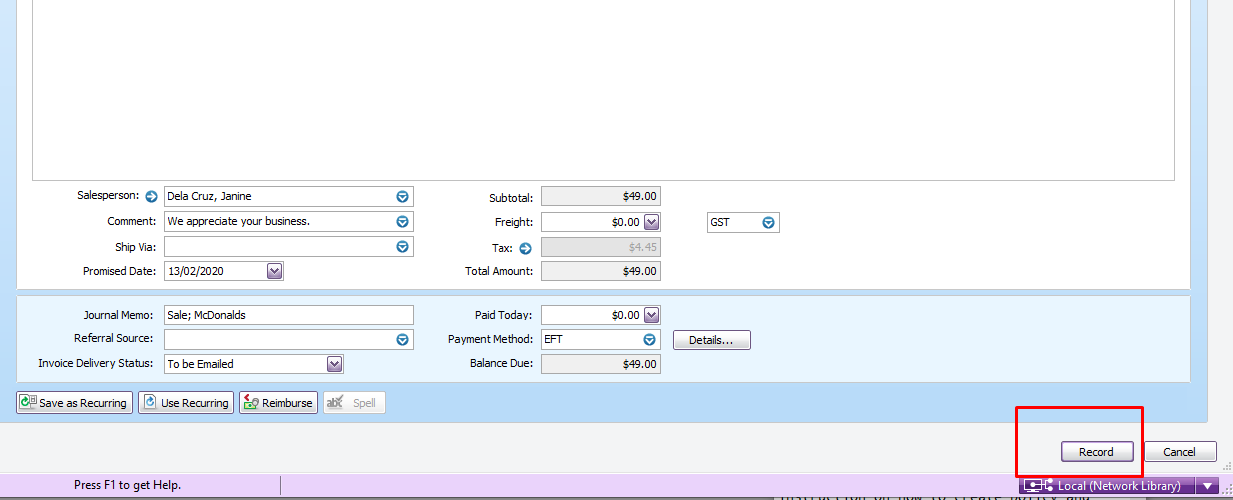
- If the Customer will pay using a credit card process the payment in AWM Manage Page.
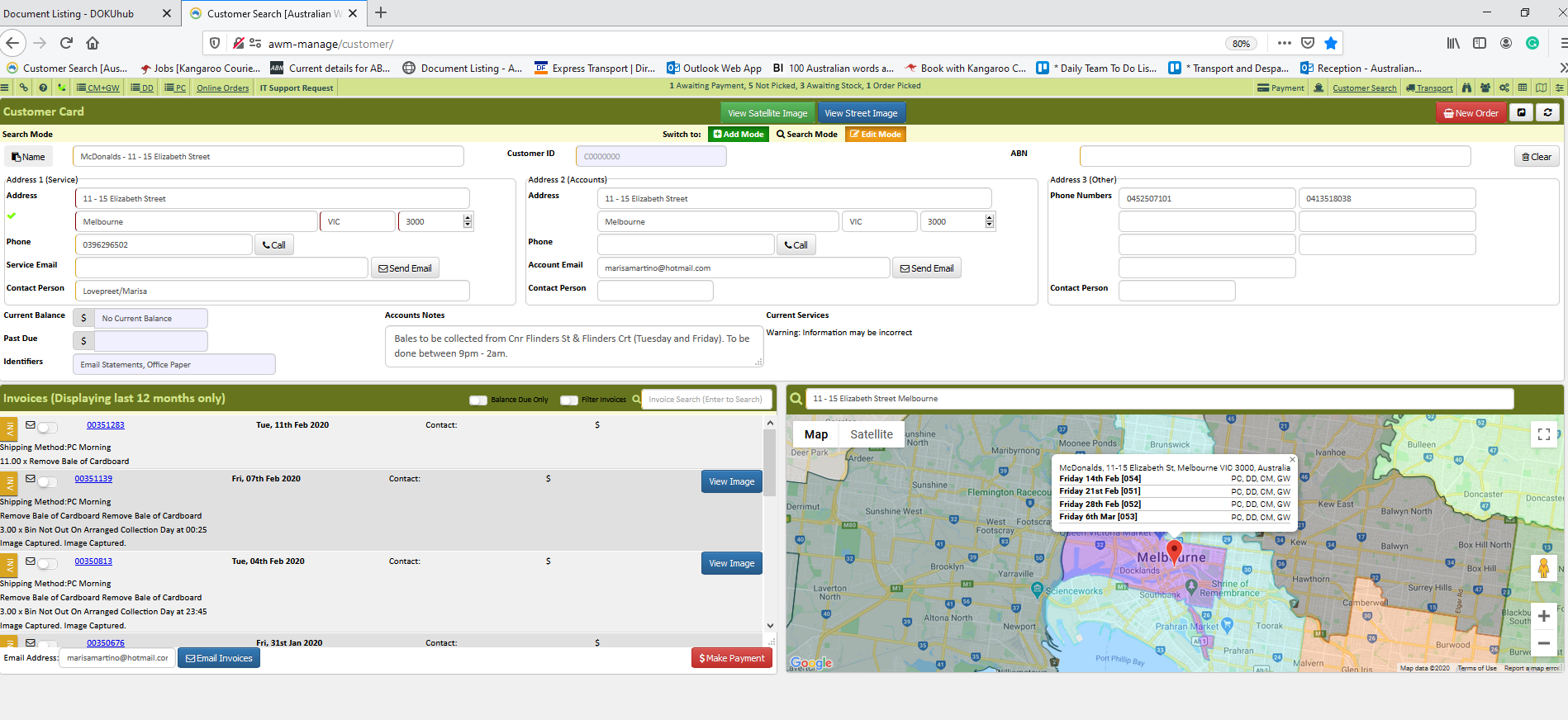
- Open customer's account
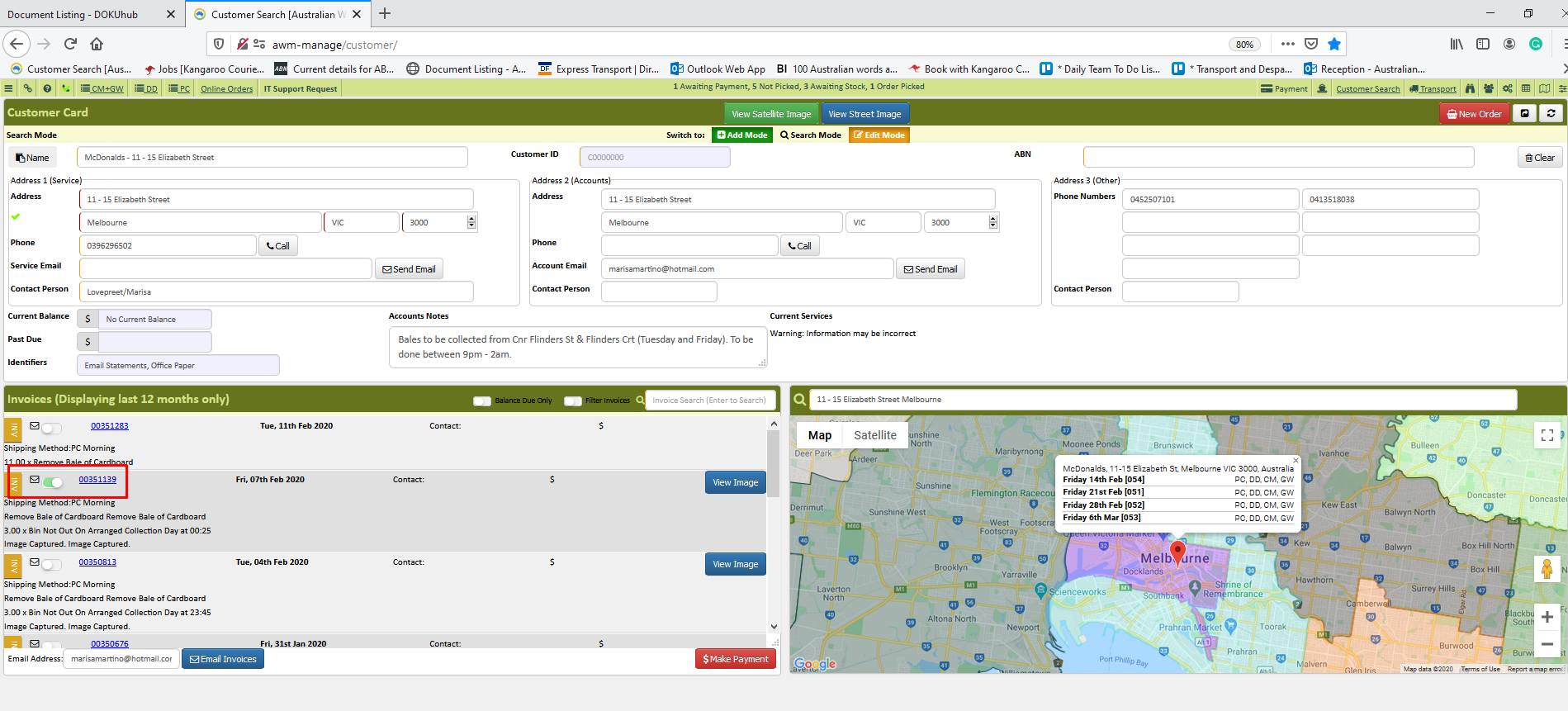
- Tick the invoice where the payment should be applied
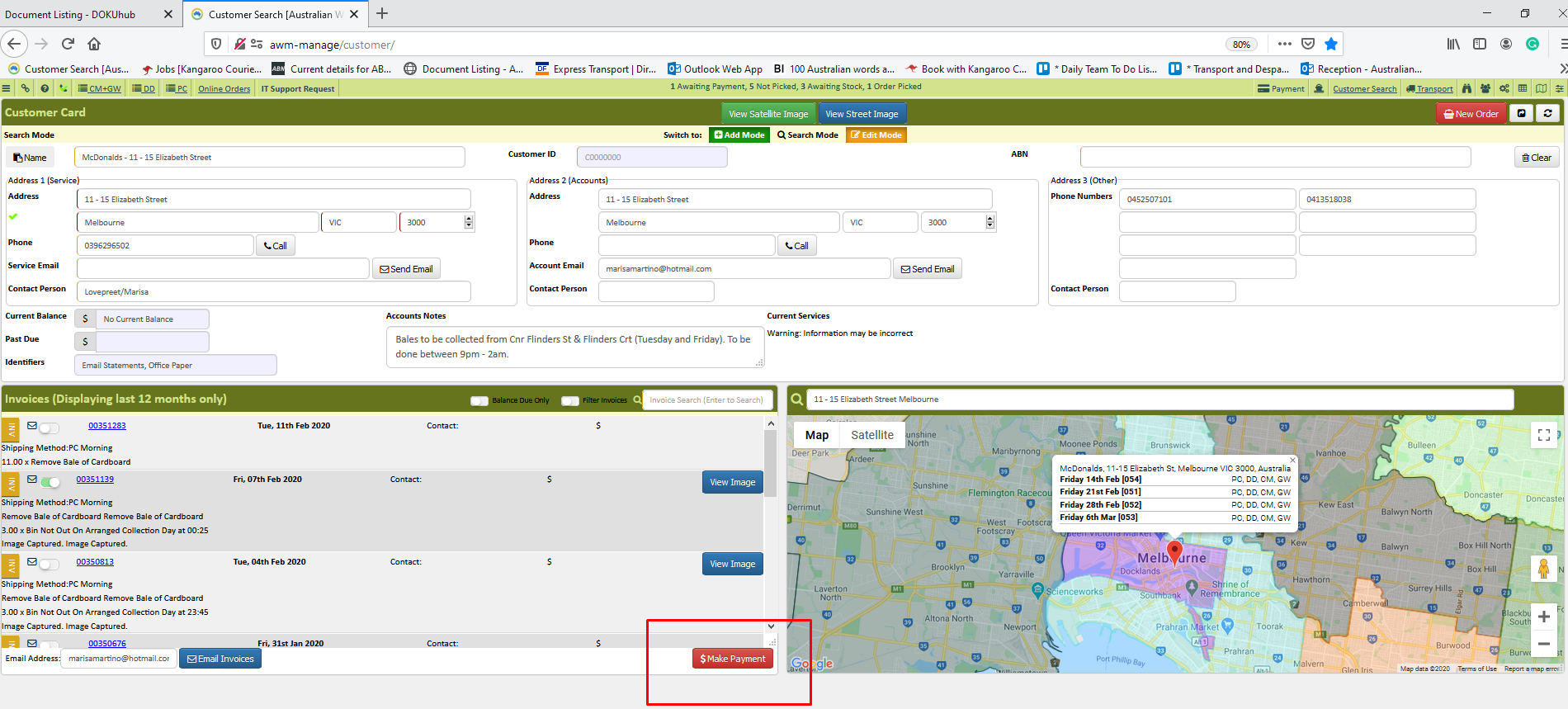
- Click Make a payment
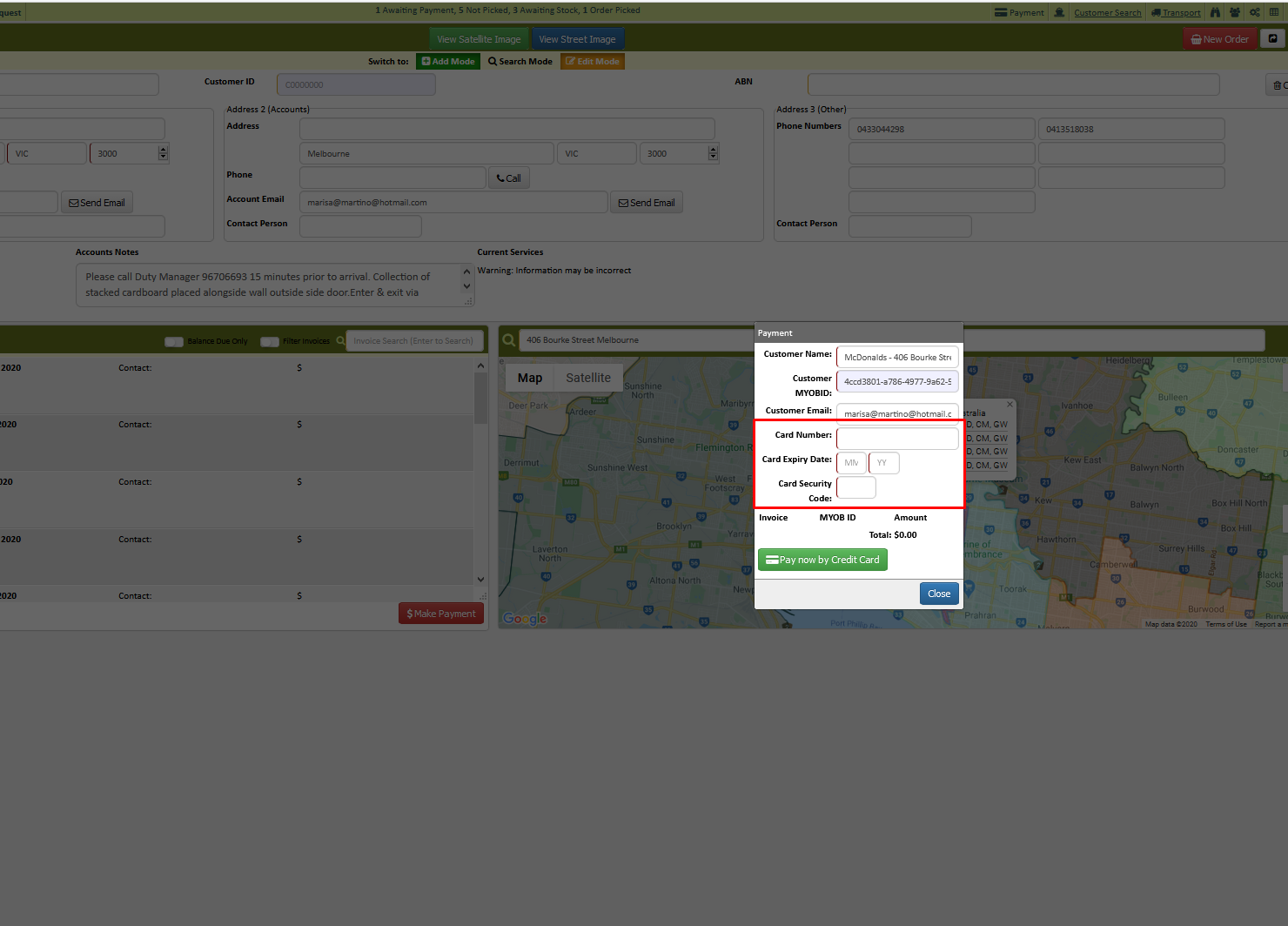
- Enter the credit card details
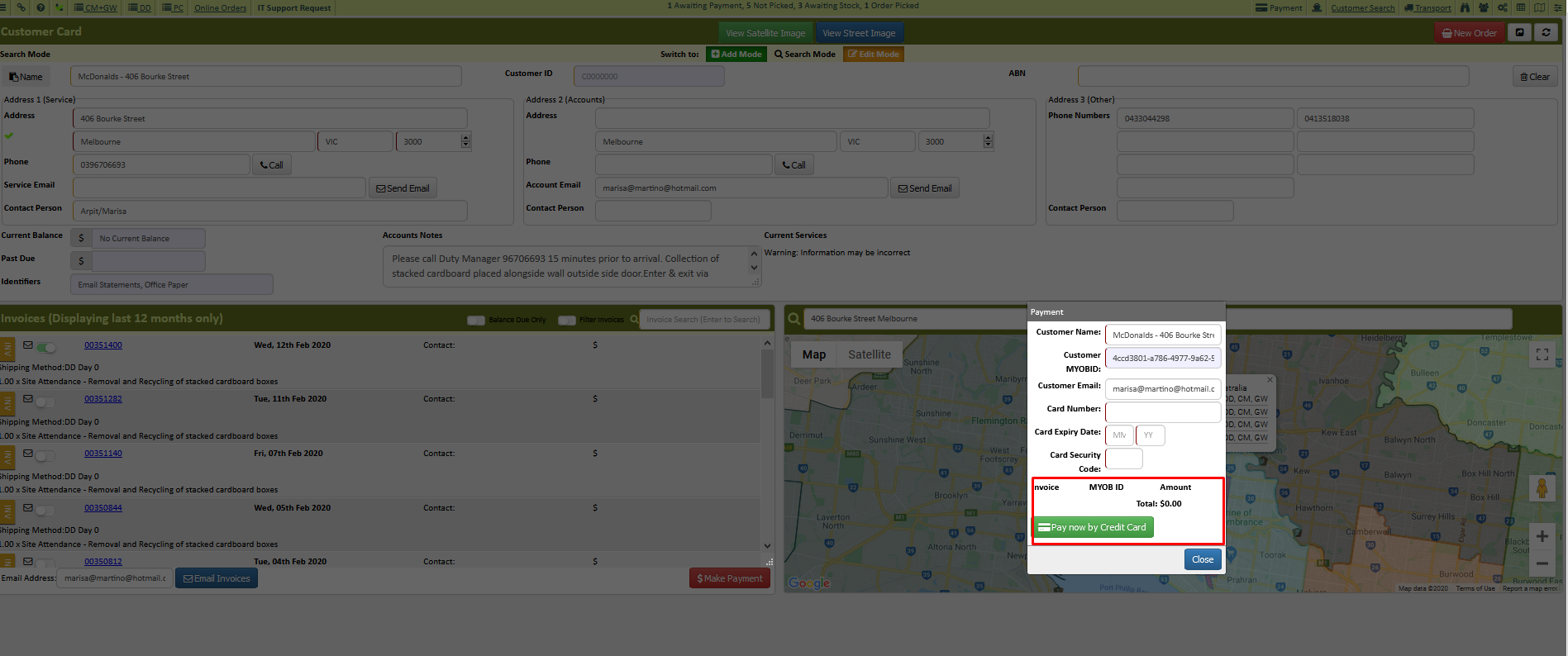
- Click the pay now by credit card process the payment
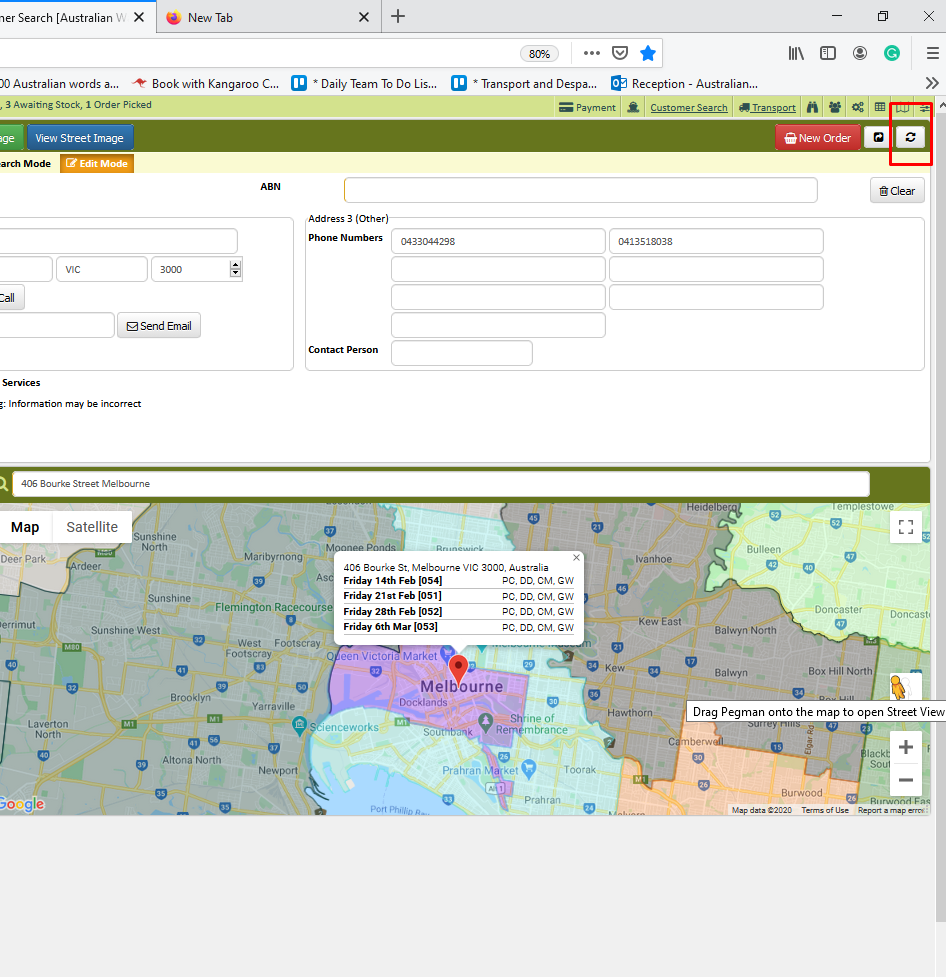
- Click refresh on the upper right side of the screen
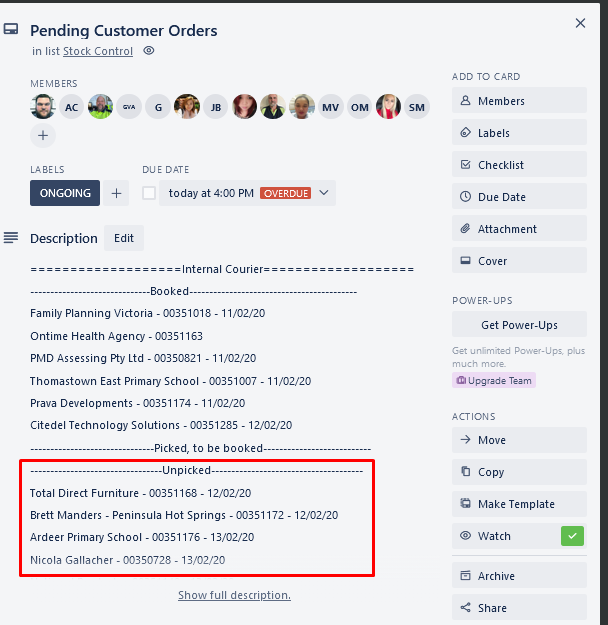
- Ask Kate to check the service agreement you process on the Trello card
- Print 2 copies of the invoice and send a chat to transport chat room
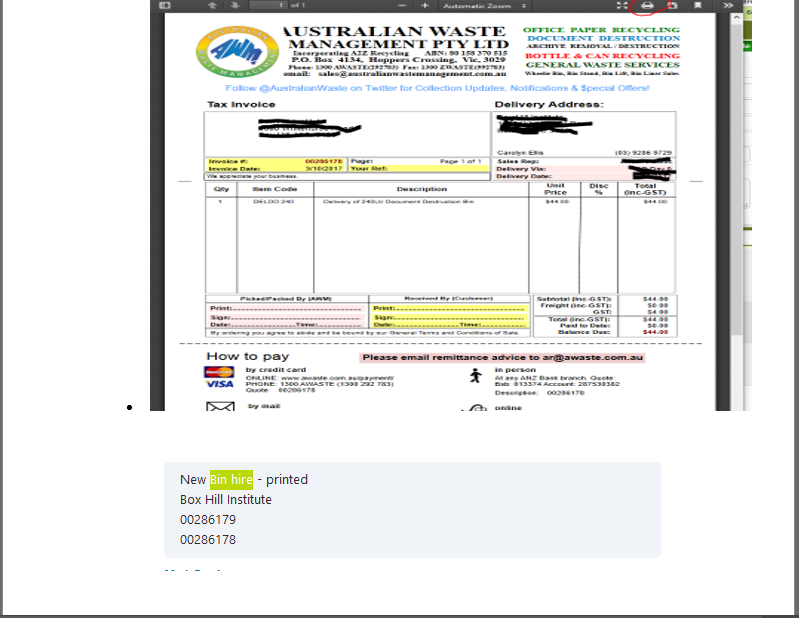
- Send email confirmation to the customer including the date of delivery.
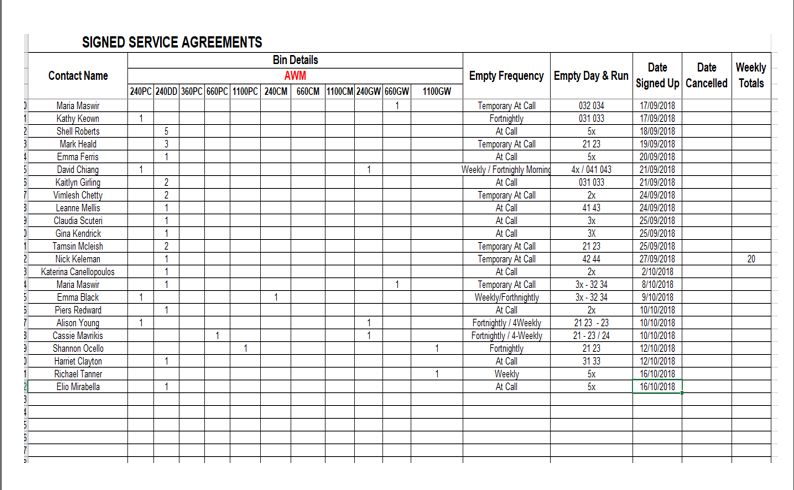
- Update the Excel file for Service Agreement in
- Drive (Z:\Australian Waste Management\Current Year\Saved Service Agreements)
Comments