FOR REVIEW - Follow-up Service Agreement
Posted at February 12, 2020 12:02 pm. Last updated at February 12, 2020 12:02 pm

Purpose:
The purpose of this document is to guide Sales Representatives on how they can follow up on the pending Service Agreement.
Procedure:
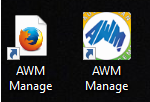
1. Go to AWM Manage Page.
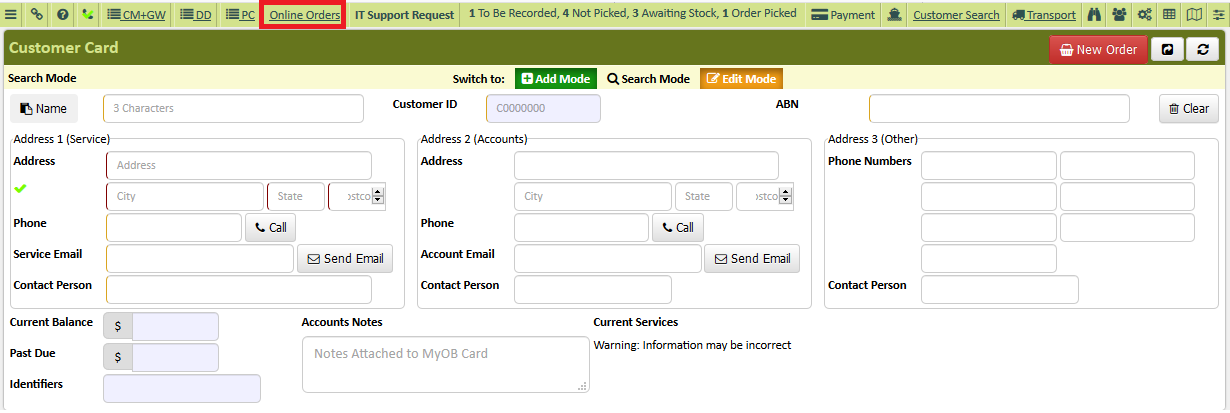
2. Click Online Order.
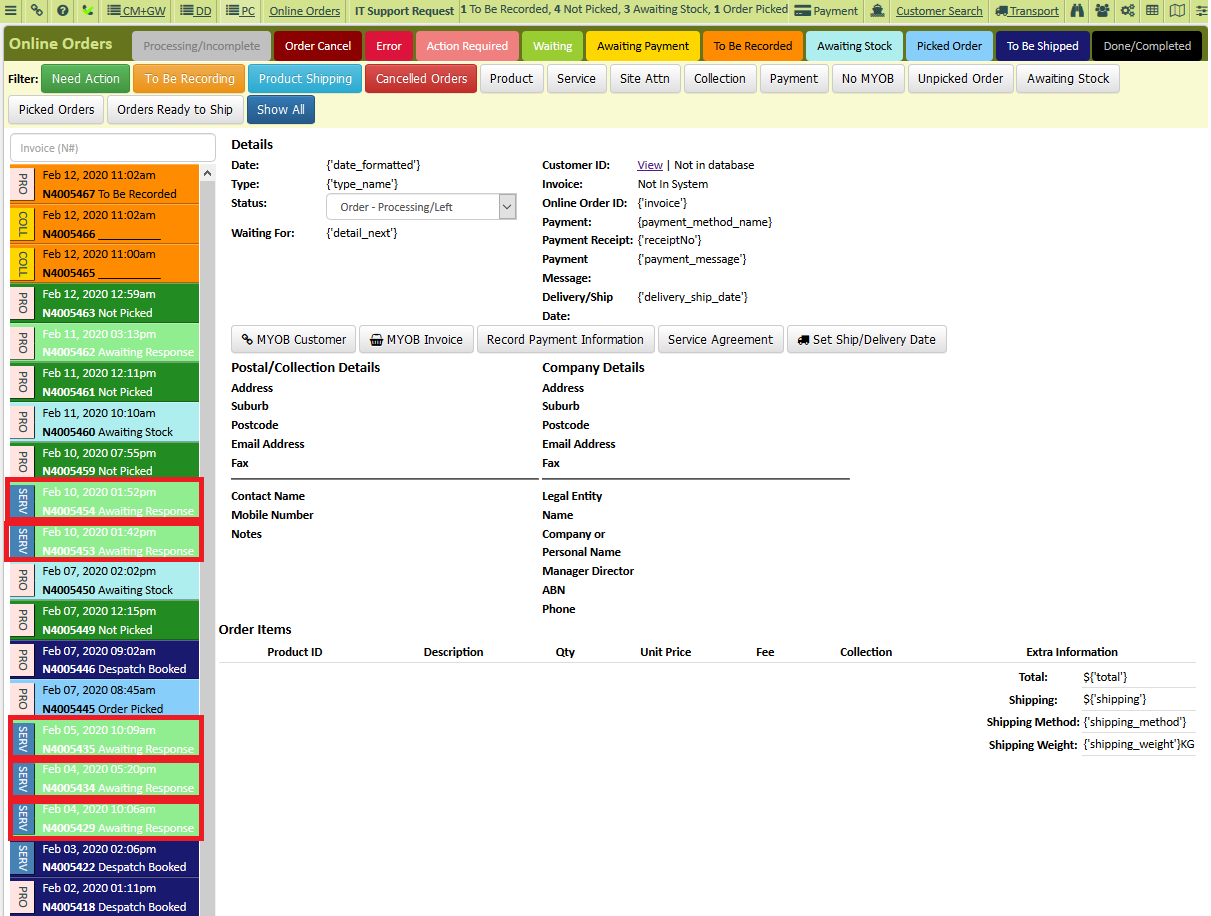
3. Locate and click the service agreement sent to the customers. (Mint Green in colour with the word “SERV” on the side.)
4. Verify/Check Sales email if we have not yet received a copy of the signed service agreement.
5. Check AWM-Manage page that the service agreement is not yet processed (to check you can use either the company name or the collection address).
6. Once verified that we have not yet received a copy of the signed service agreement call the customer and make a follow-up.
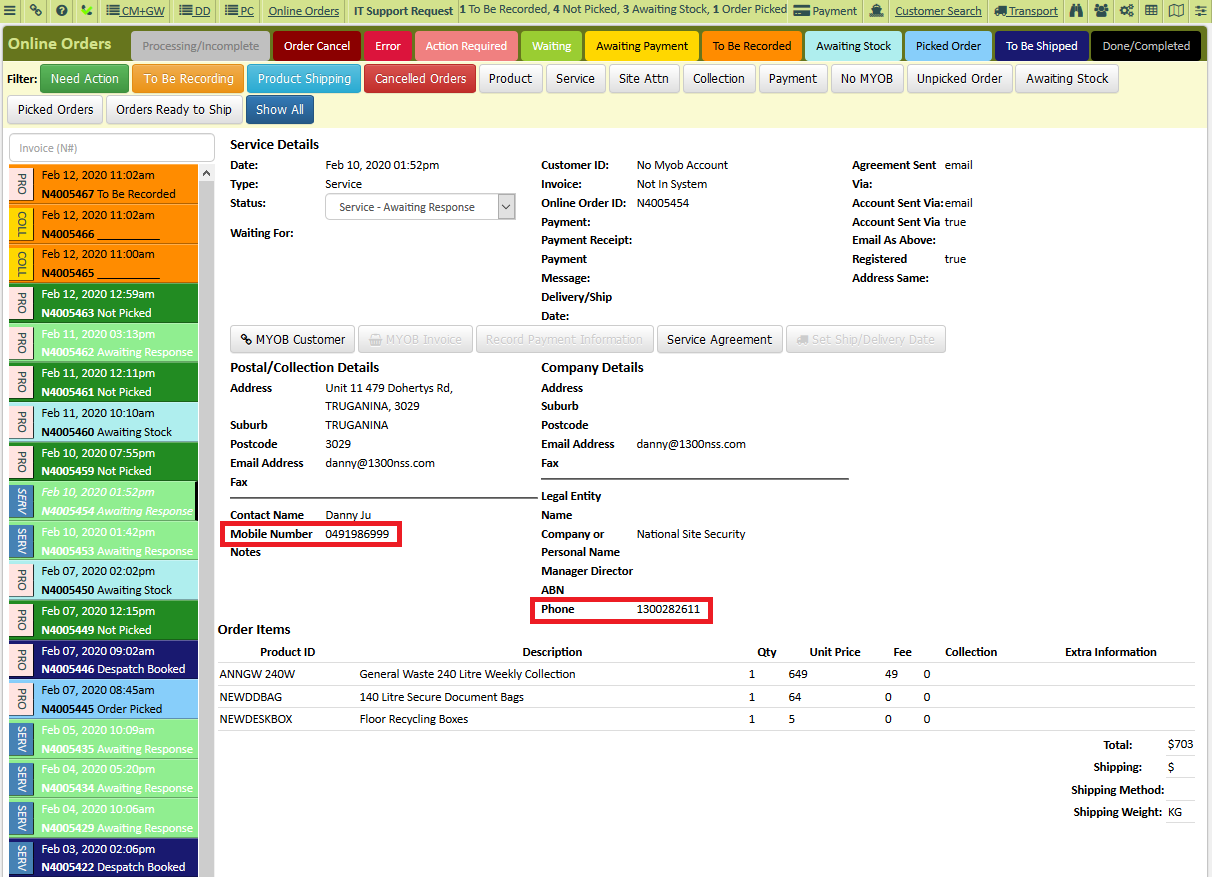
7. Verify with the customer if they have received the service agreement we sent and provide the date we sent the Service Agreement to their email address.
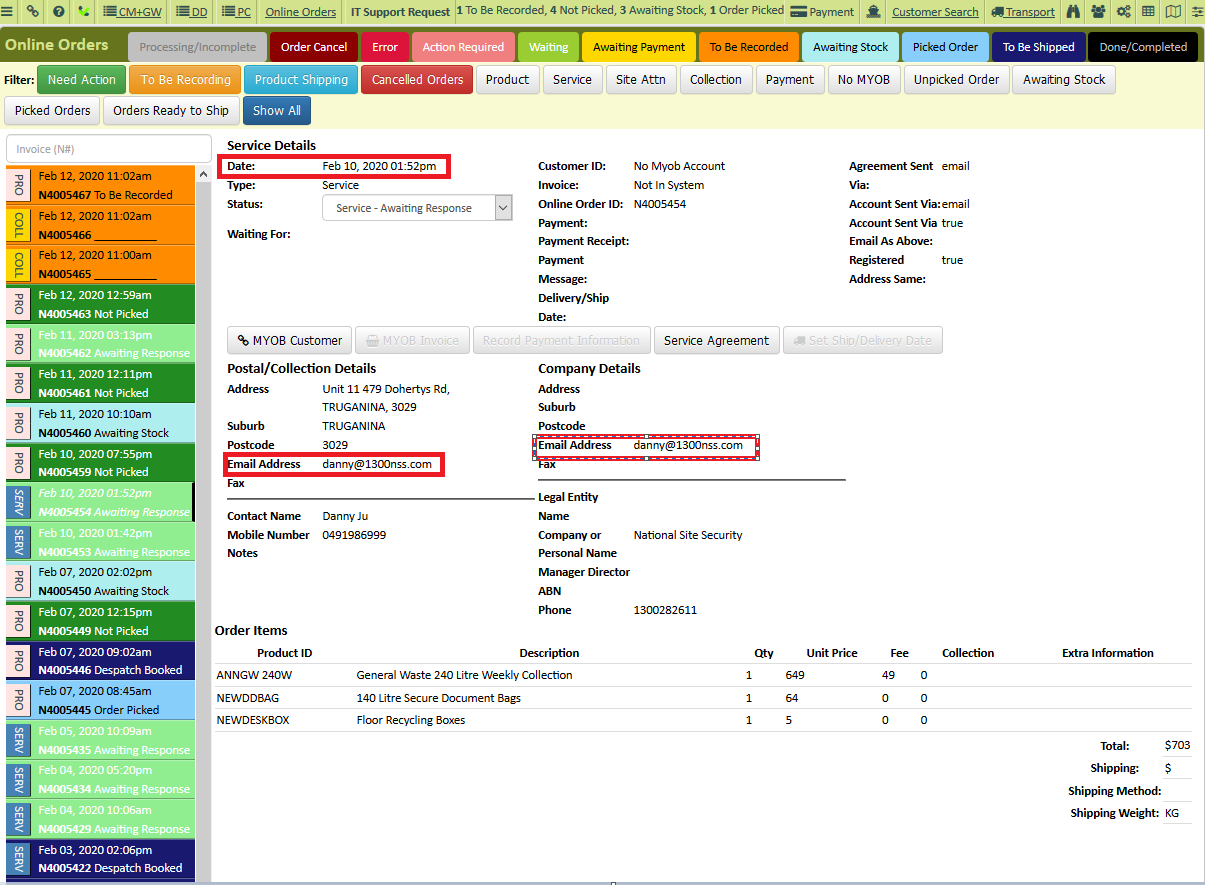
8. If the customer received the Service Agreement, advise them to sign it and send it back to us so we can commence the service the soonest. Also ask if there is something that you can do to complete the order and/or if they have any questions that they have regarding the service that makes them not sign the Service Agreement yet.
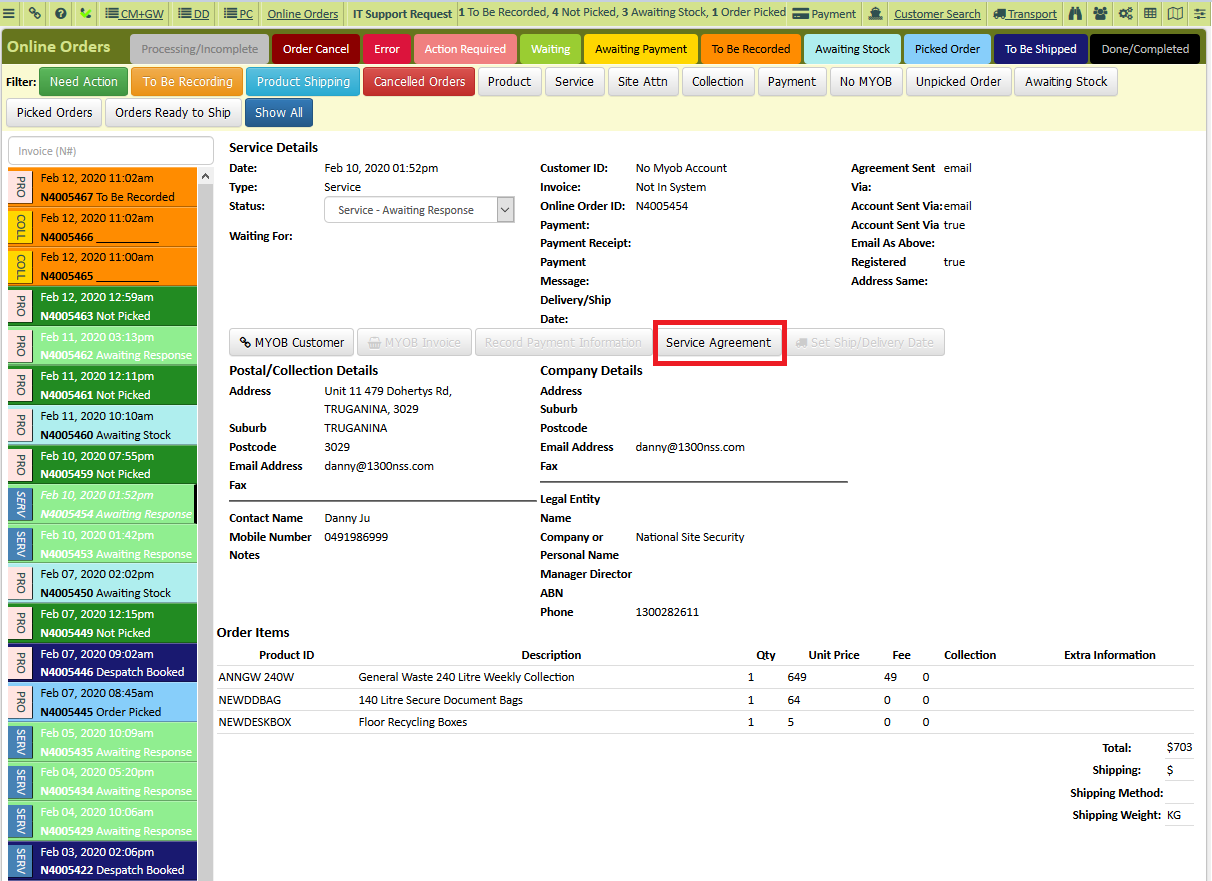
9. Click Service Agreement tab (if the customer wants another copy of the Service Agreement or if they want us to send it to a different email address).
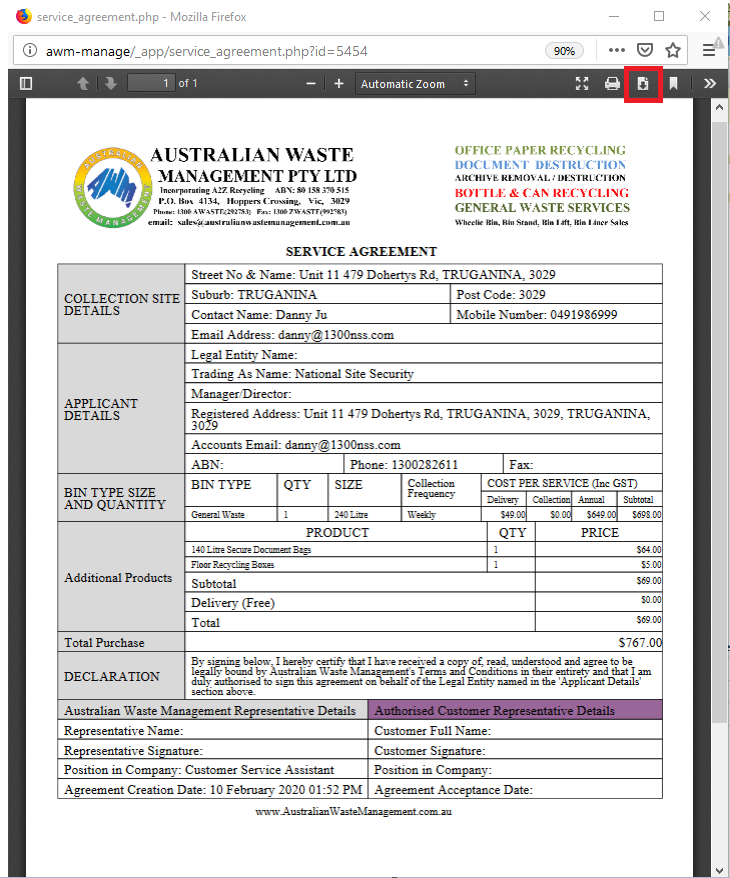
-This Window will Pop-up. Click Download.
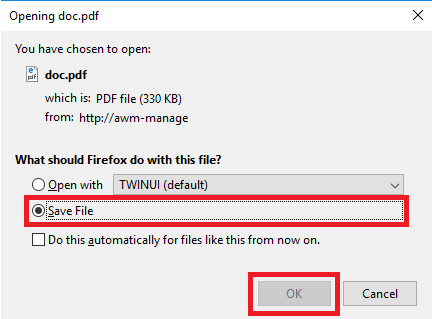
-Save file and click “OK”.
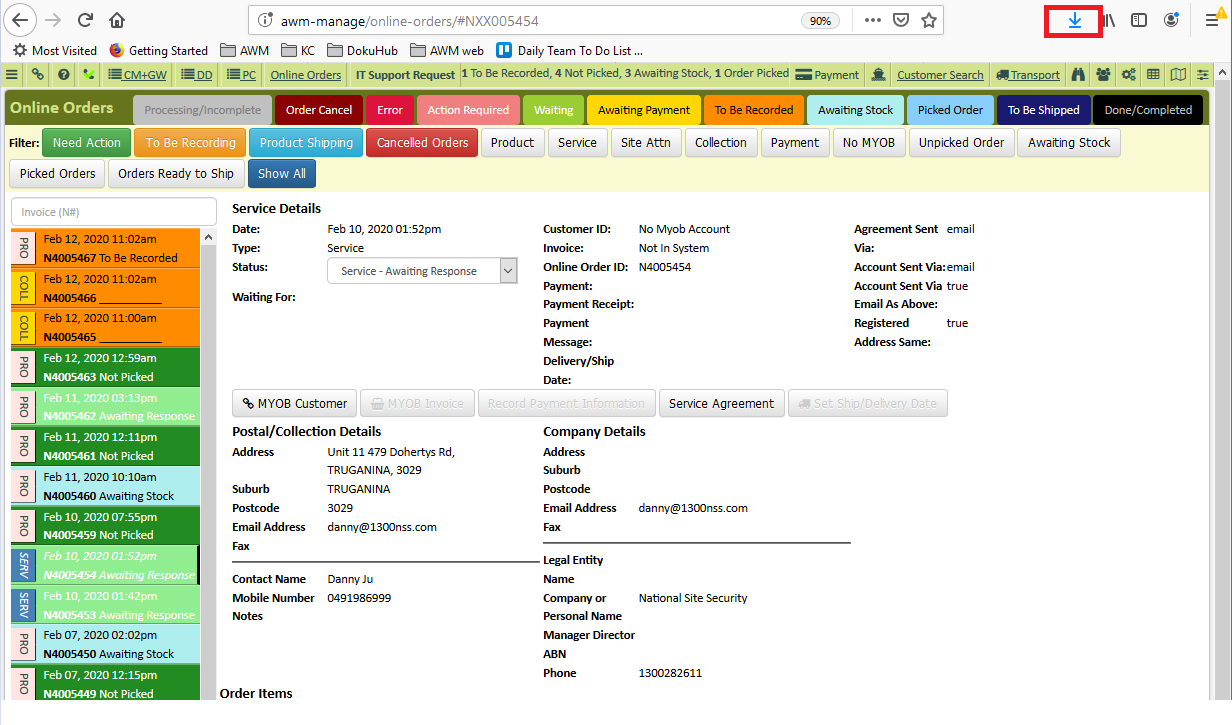
10. To open the document, click the Download arrow on your browser.
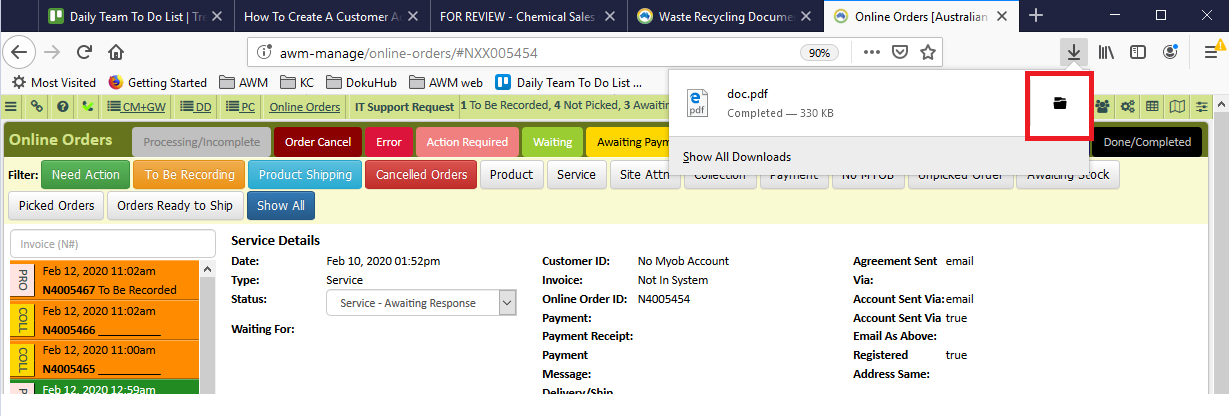
-Then click the folder icon on the pop up to open the location of the file.
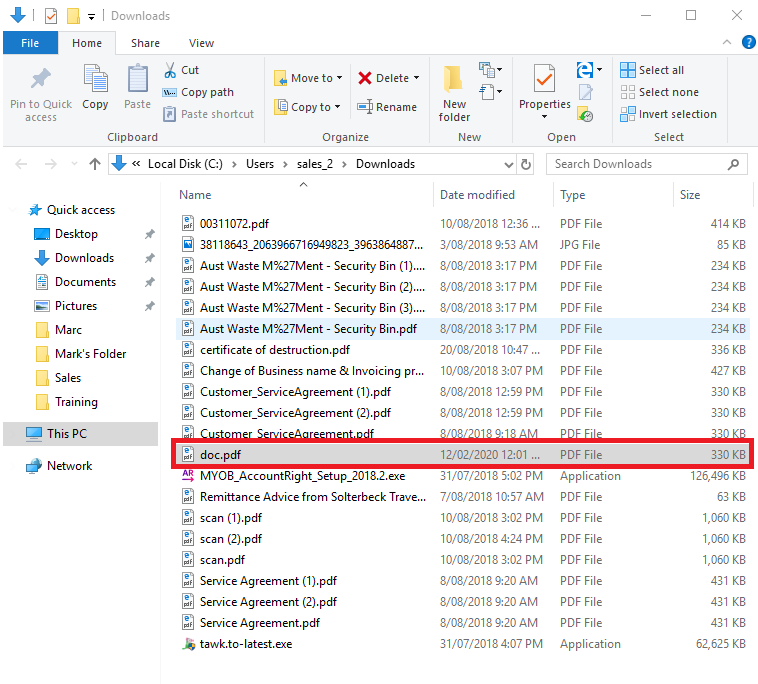
11. Open your email and send the email as an attachment.
12. If the customer said that they don’t want to proceed, ask for the reason why and overcome the customer hesitation. Ask if there is something that we can do.
13. If the customer did not receive the Service Agreement verify the email address, we might have an incorrect email address.
14. Resend the Service Agreement to the customer if we have an incorrect email address.
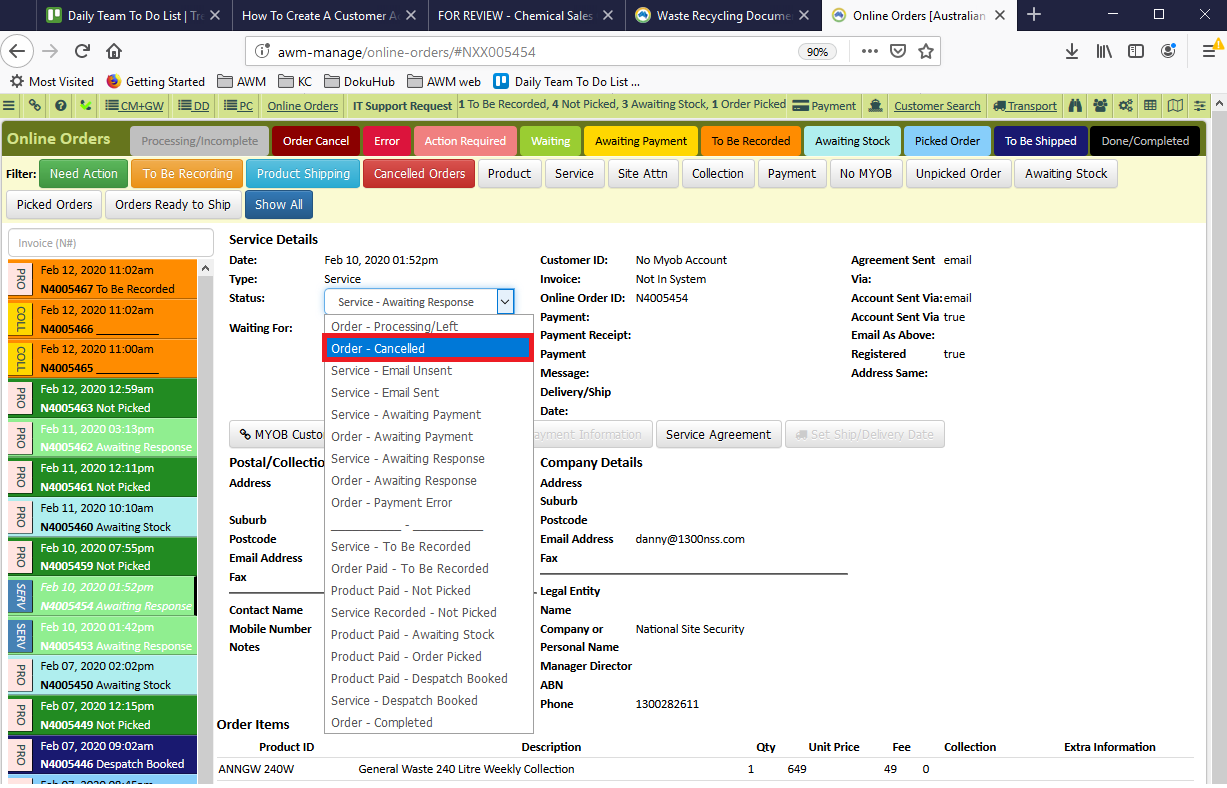
15. If the customer request to cancel the Service Agreement. Change the status to “Order Cancelled”.
Comments