How to Check When a Supplier Order Must be Picked Up by and if it can be Pushed Back or Not
Posted at February 14, 2020 10:02 am. Last updated at February 19, 2020 08:02 am
This procedure is to be used by Logistics to check if a supplier order needs to be picked up urgently or if it can be pushed back.
1. In Ontime, look up the Supplier Name and Order number/s that we were picking up. The order numbers are listed in the "Description" part of the KC job. In this case, we will be using Mastec Australia Pty Ltd.

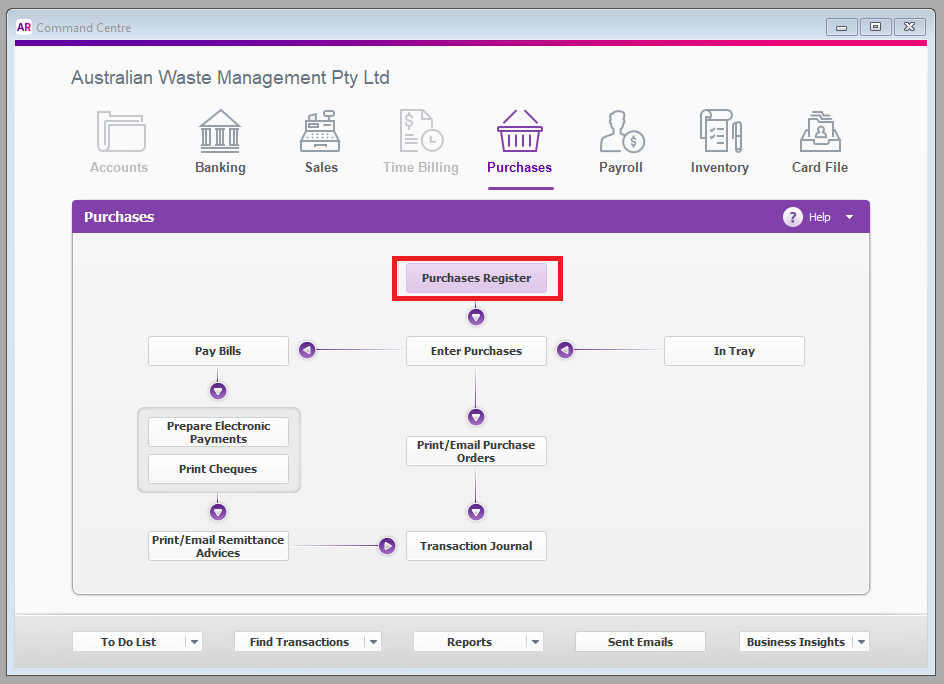
2. Open the order in MYOB. Under "Purchase", click "Purchase Register".
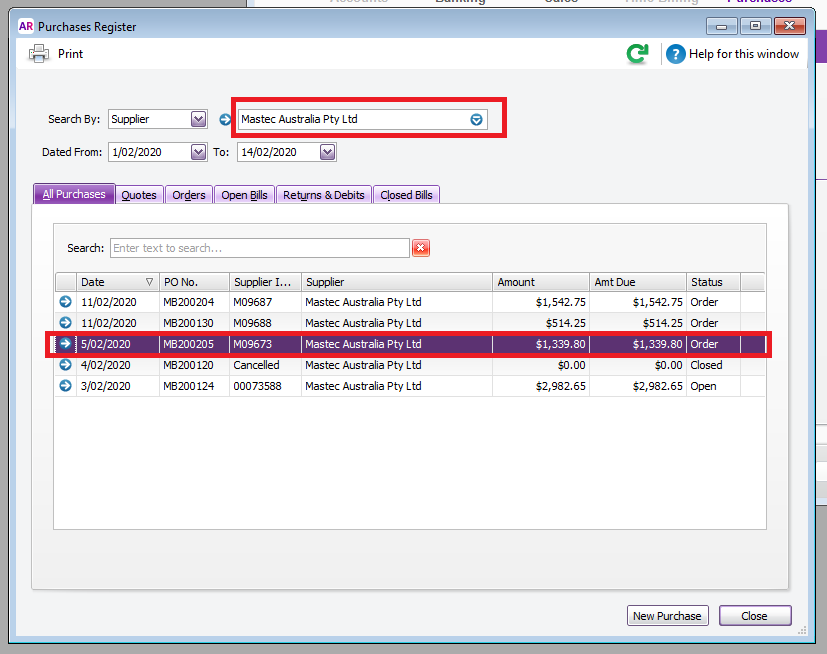
3. Search the Supplier's name. In this case, it is for Mastec Australia Pty Ltd. Double click the order listed in the KC job.
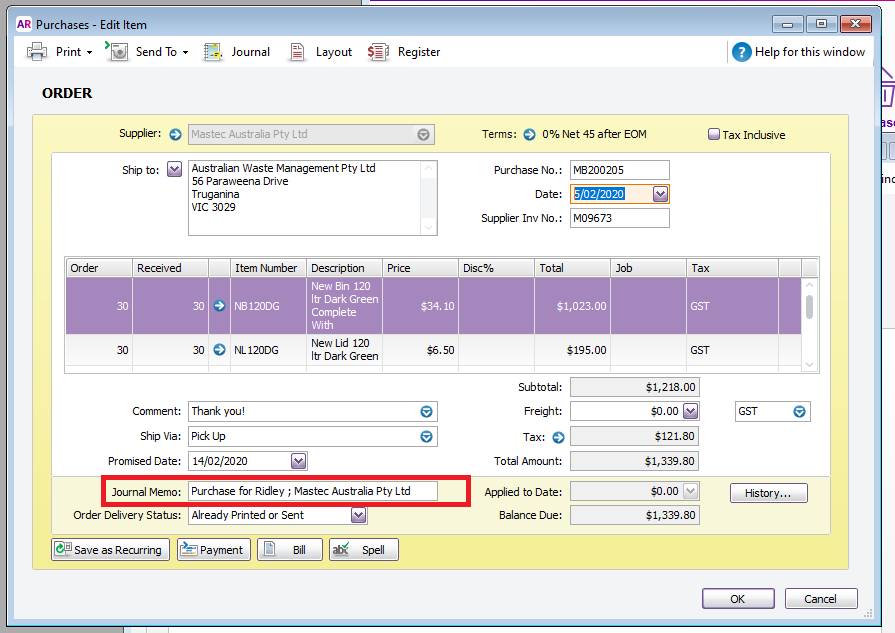
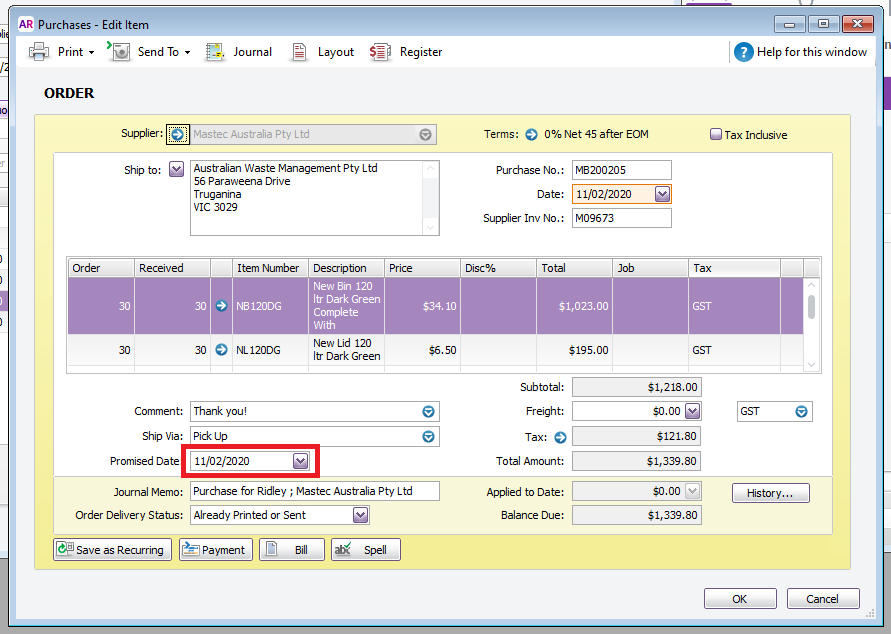
4. Look at the bottom memo section of the order, and see which customer the order is for.
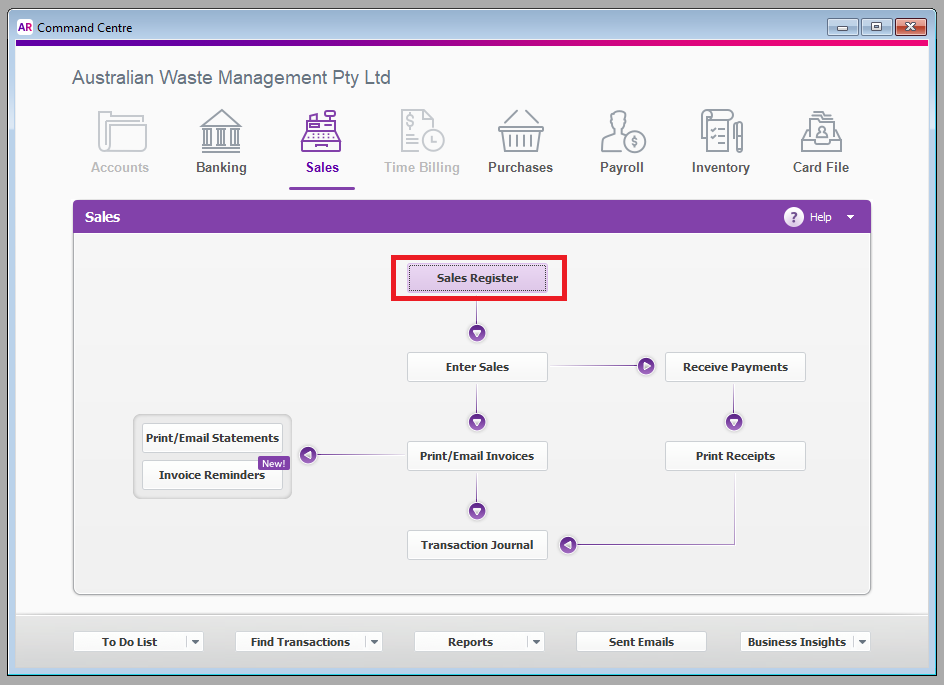
5. Then, look up the customer's order in MYOB. From the "Sales" Menu, select "Sales Register".
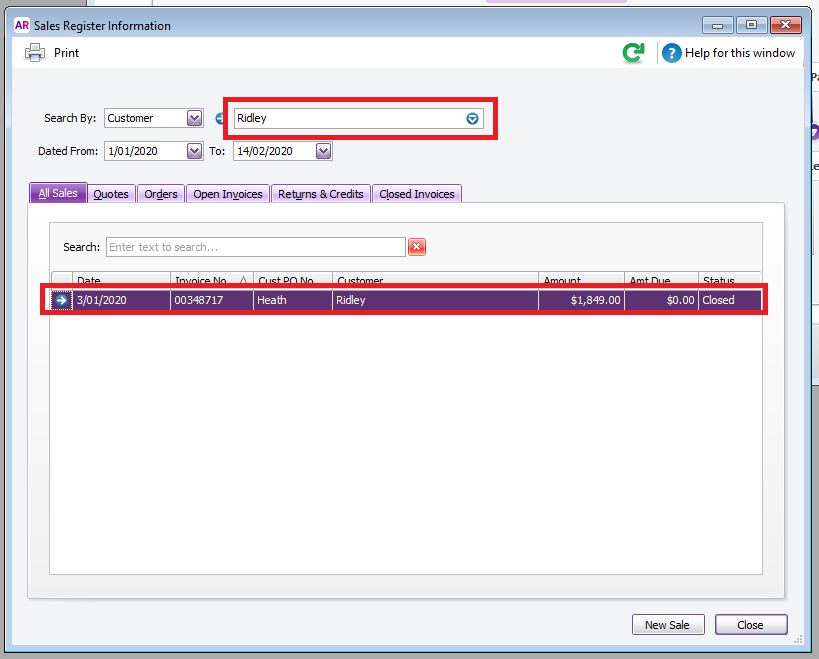
6. Search for the name of the customer, and double click the invoice/order.
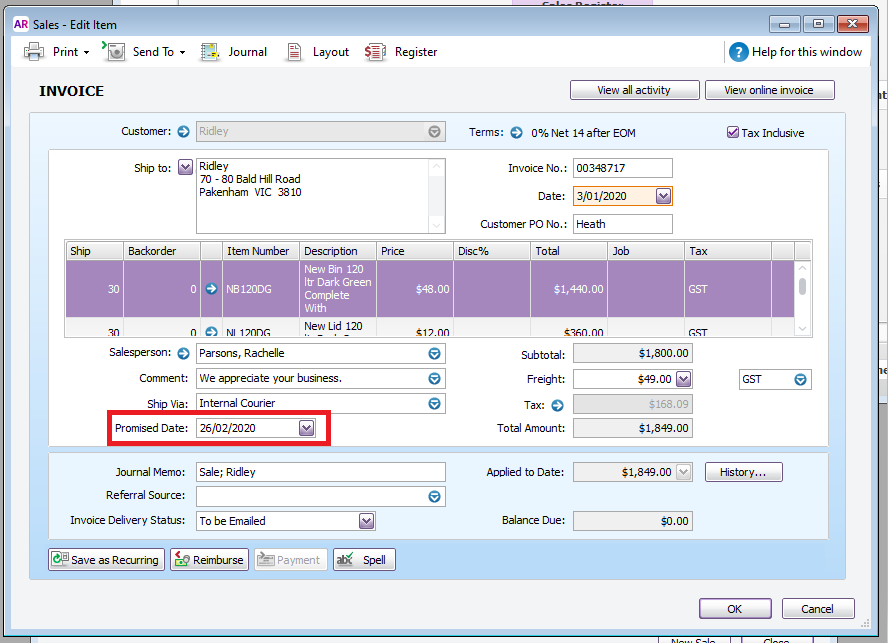
7. Check the "Promised Date" to see if it needs to be picked up urgently.
8. If it can be rescheduled, update the "Promised Date" in the Purchase from the supplier to reflect the new date that we will be collecting the order.
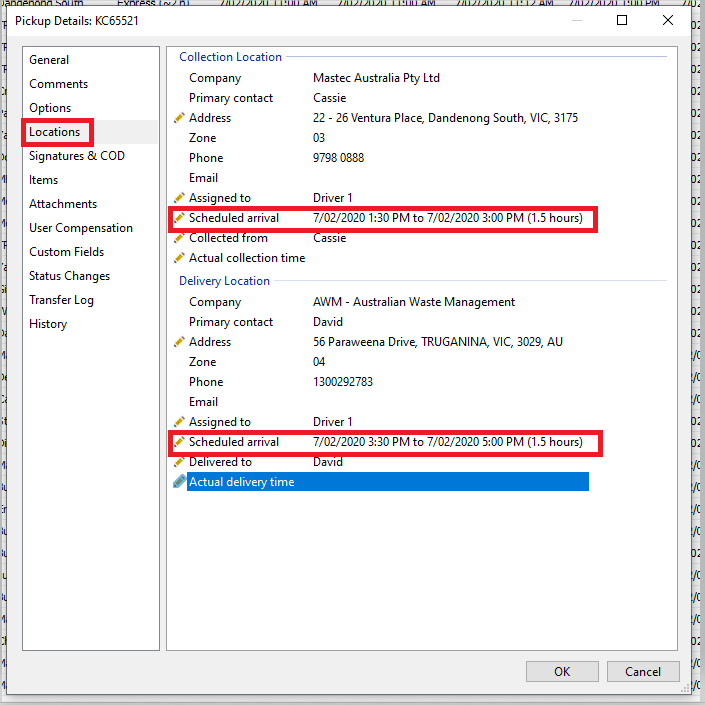
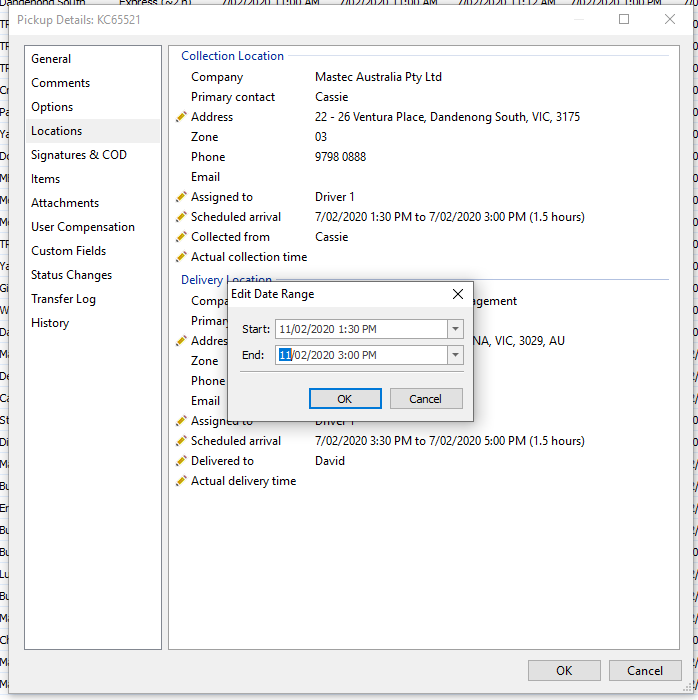
9. Then, open the KC job and change the date under "Locations" tab. Change the "Scheduled arrival" for both the "Collection Location" and "Delivery Location".
Comments