Extend Diskspace
Posted at October 16, 2023 12:10 pm. Last updated at February 10, 2025 11:02 am
Centos
Identifying the partition type
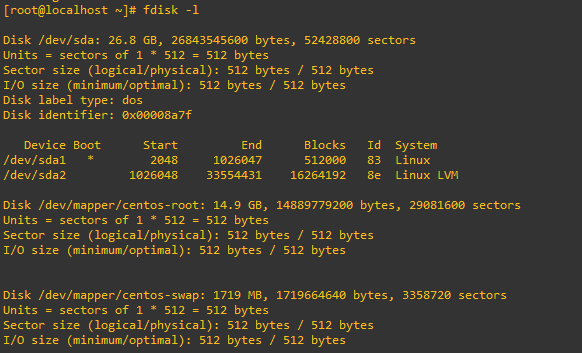
As this method focuses on working with LVM, we will first confirm that our partition type is actually Linux LVM by running the below command.
1. fdisk -l
Partition the new disk space
As outlined in my previous images the disk in my example that I am working with is /dev/sda, so we use fdisk to create a new primary partition to make use of the new expanded disk space. Note that we do not have 4 primary partitions already in place, making this method possible.
-fdisk /dev/sda
We are now using fdisk to create a new partition, the inputs I have entered in are shown below in bold. Note that you can press ‘m’ to get a full listing of the fdisk commands.
‘n’ was selected for adding a new partition.
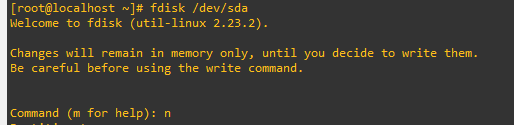
- n (new partition)

select p primary
select partition number. Select default
select partition number
first sector

change partition’s system ID
‘t’ is selected to change to a partition’s system ID, in this case we change to ‘3’ which is the one we just created.
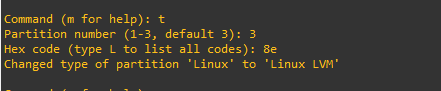
Select partition number select default
Hex code (type L to list all codes): 8e
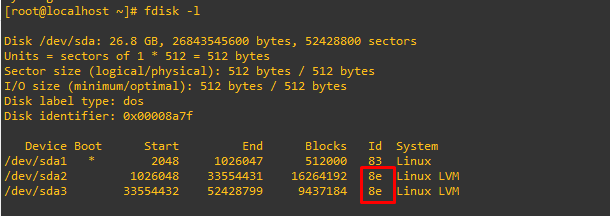
The hex code ‘8e’ was entered as this is the code for a Linux LVM which is what we want this partition to be.
‘w’ is used to write the table to disk and exit, basically all the changes that have been done will be saved and then you will be exited from fdisk.
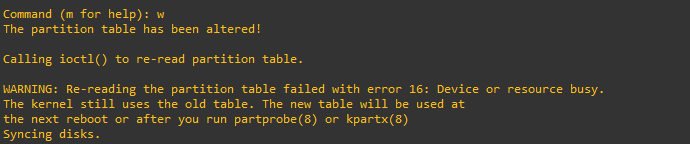
For CentOS/RHEL run a “partx -a /dev/sda3” to avoid rebooting later on.
That’s all for partitioning, we now have a new partition which is making use of the previously unallocated disk space from the increase in VMware.
Increasing the logical volume
We use the pvcreate command which creates a physical volume for later use by the logical volume manager (LVM). In this case the physical volume will be our new /dev/sda3 partition.
pvcreate /dev/sda3
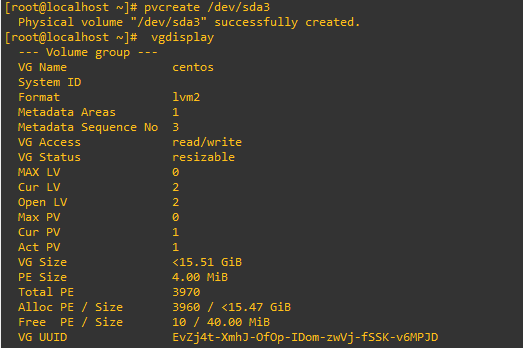
Now we extend the ‘centos’ volume group by adding in the physical volume of /dev/sda3 which we created using the pvcreate command earlier.

Using the pvscan command we scan all disks for physical volumes, this should confirm the original /dev/sda2 partition and the newly created physical volume /dev/sda3

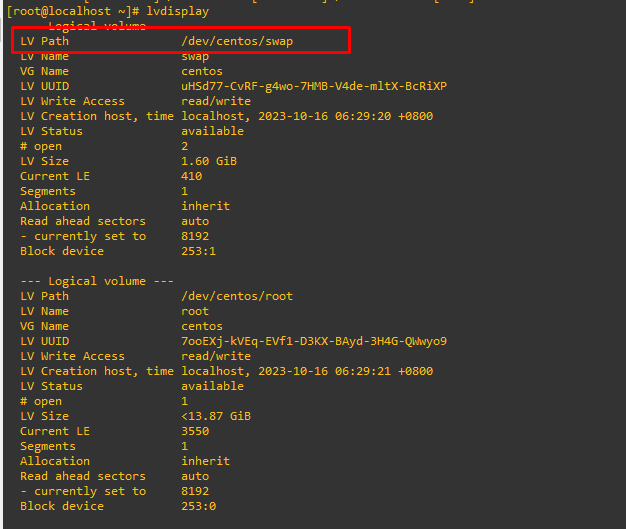
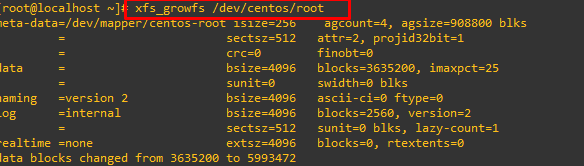
Perform an online resize to resize the logical volume, then check the available space.
xfs_growfs /dev/centos/root
https://serverfault.com/questions/972385/xfs-growfs-is-not-a-mounted-xfs-filesystem-when-trying-to-grow-ol-root
Comments