Adding Users to Email Groups
Emerson Tiamzon
Posted at January 04, 2024 11:01 am. Last updated at February 10, 2025 11:02 am
Adding Users to Email Groups
- Go to Admin Center here
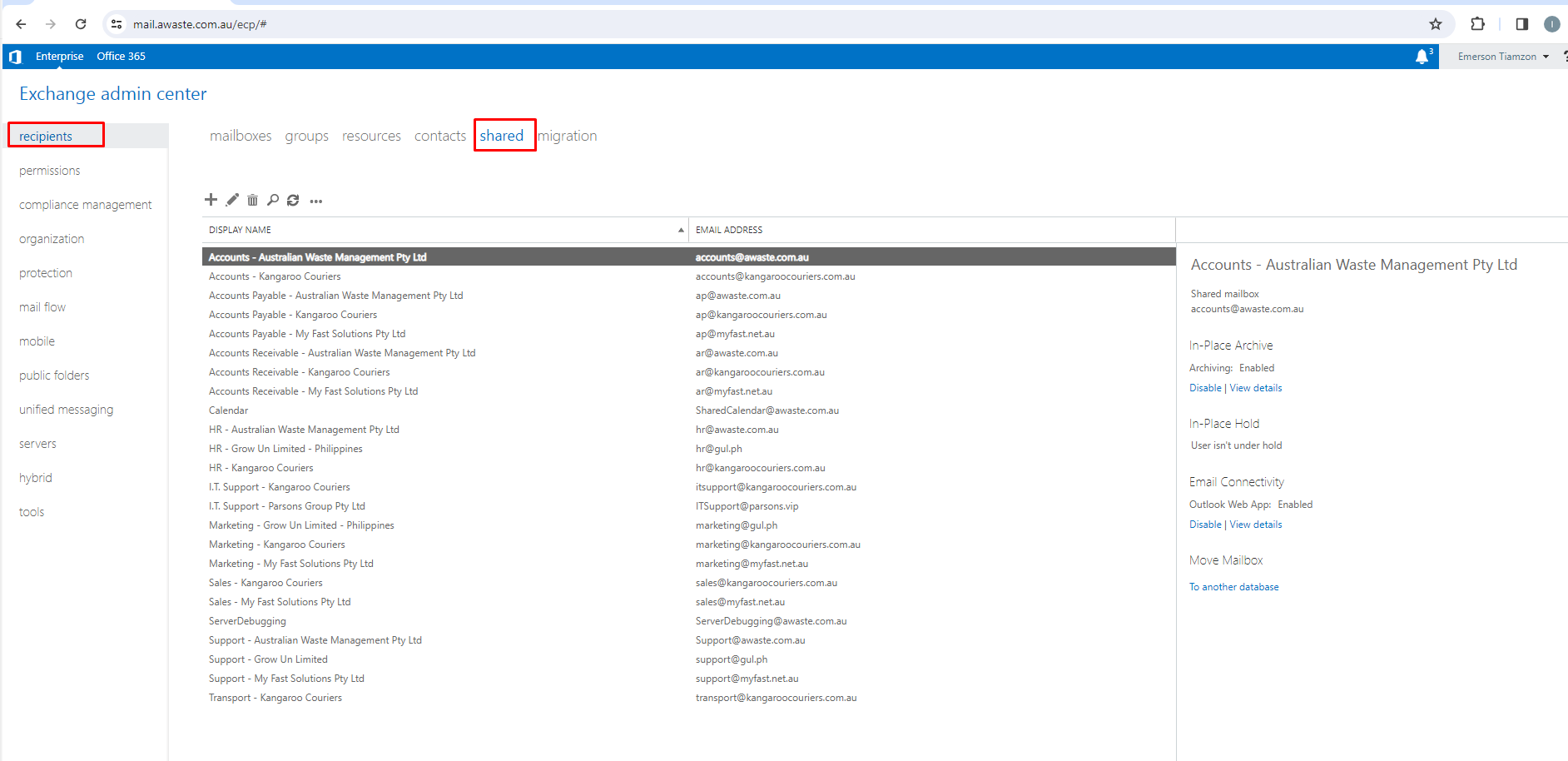
- Click recipients->shared
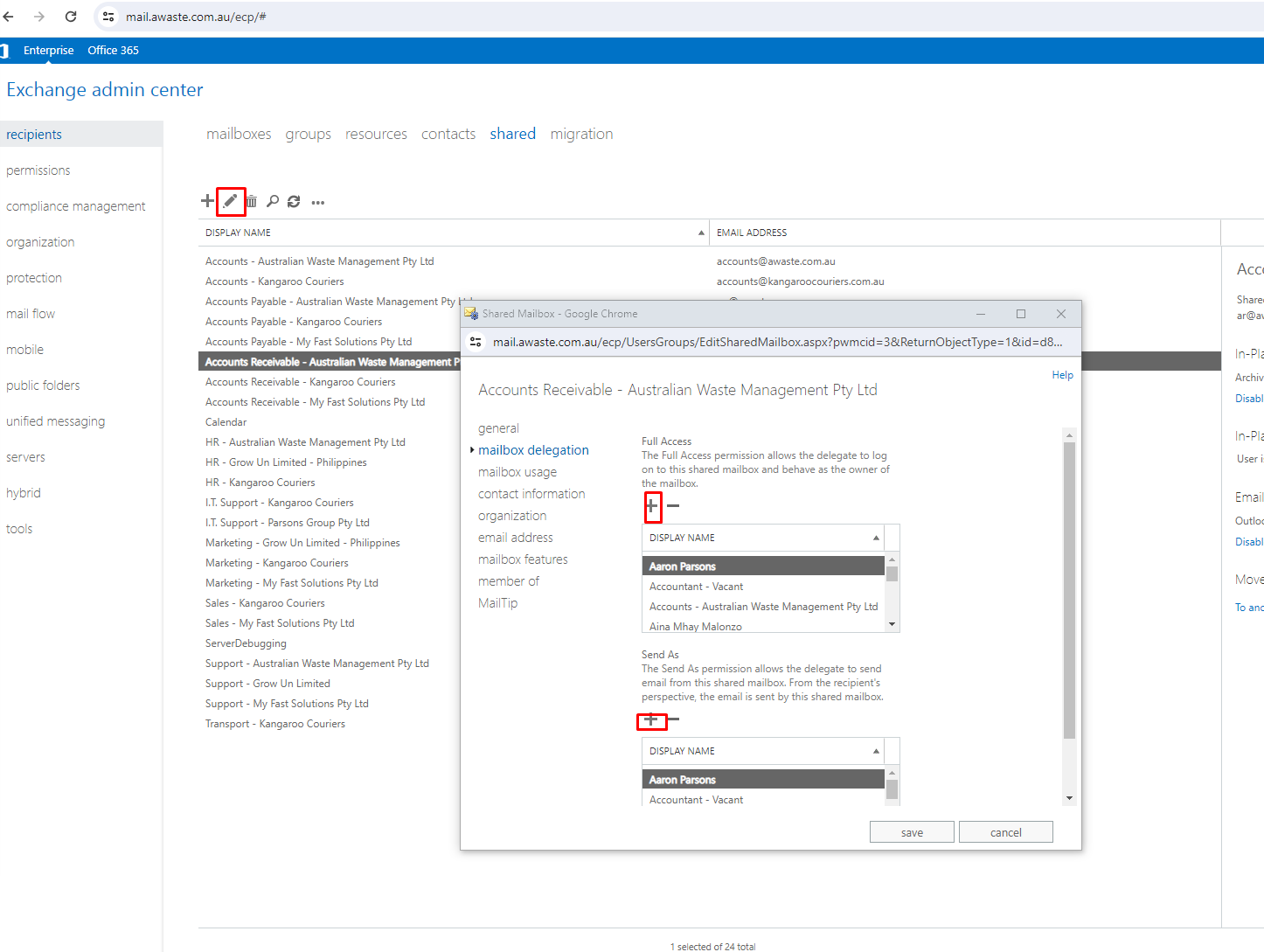
- Click Edit (Pencil Icon)
- Click mailbox delegation
- Add user on Full Access and Send As
Comments