Enable Location on Ipad and Safari
Emerson Tiamzon
Posted at March 04, 2024 10:03 am. Last updated at February 10, 2025 11:02 am
Enable Location on Ipad and Safari
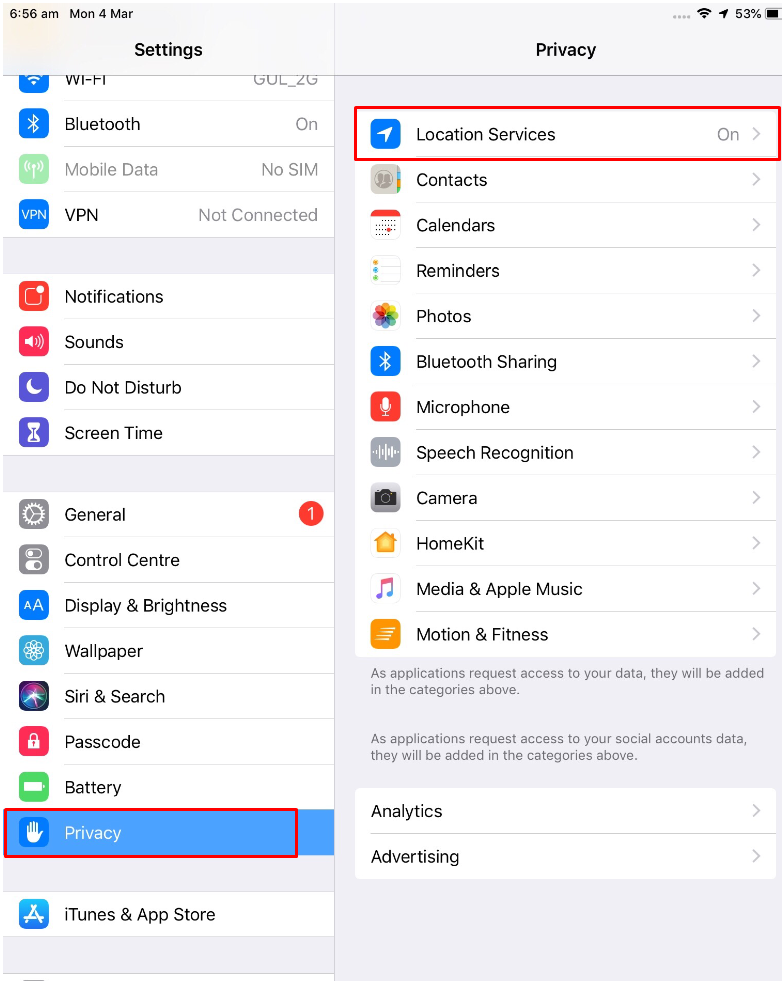
- Go to “Settings”
- Under “Settings” click “Privacy”
- Turn on or Slide on “Location Services”
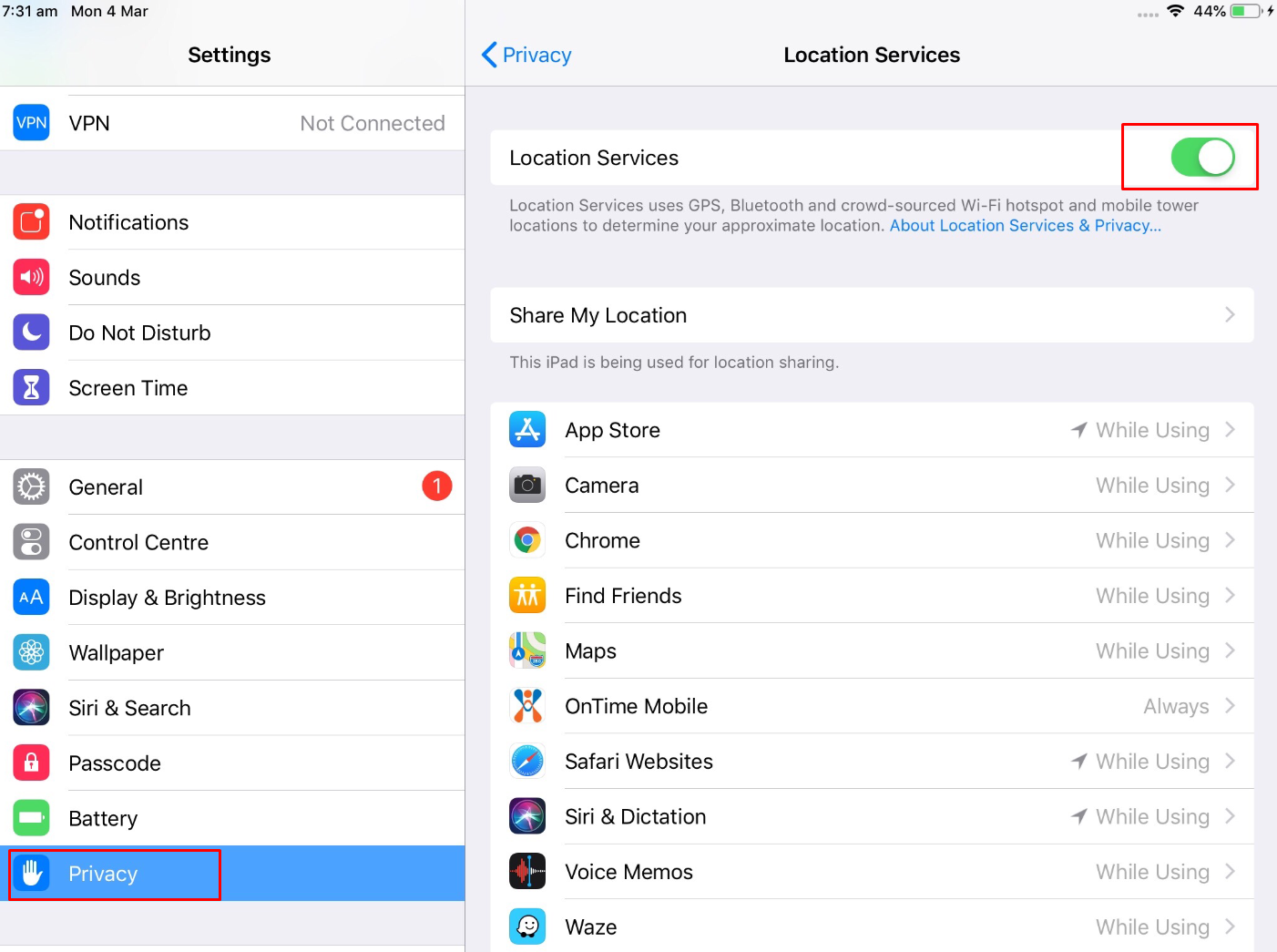
- Under again “Privacy” Click “Safari Websites”
- Click “While using the App”.
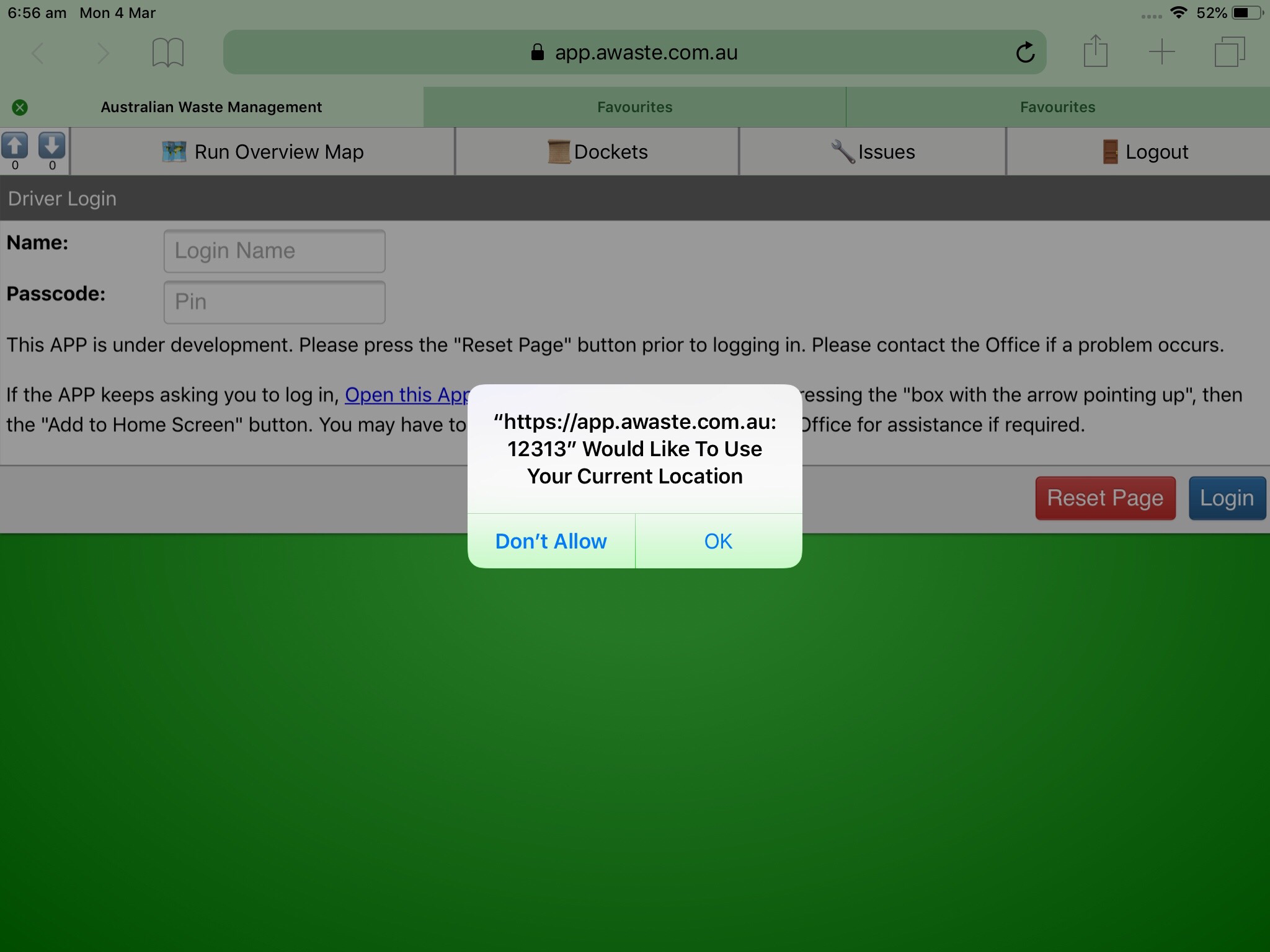
Enable on Safari “App Awaste”
- “https://app.awaste.com.au:12313” Would you like to use your Current Location.
- Click “OK”
Comments