Booking AWM Delivery job into Ontime
Karen Lacsamana
Posted at February 12, 2018 06:02 am. Last updated at February 26, 2019 03:02 pm

Booking AWM Delivery job into Ontime
Z:\Kangaroo Couriers\Procedure Videos\BookingAWMremovaljobintoontime360.flv
- Open Ontime Despatch software
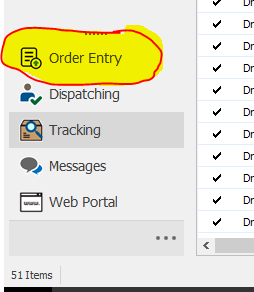
- Click “Order Entry” on the lower-left corner of the screen
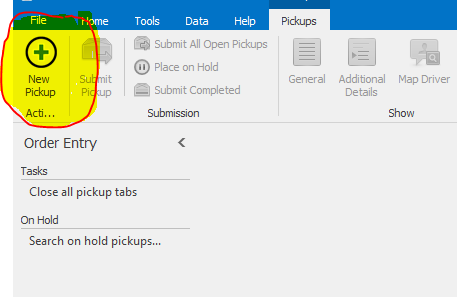
- Click “New Pickup” on the upper-left corner of the screen
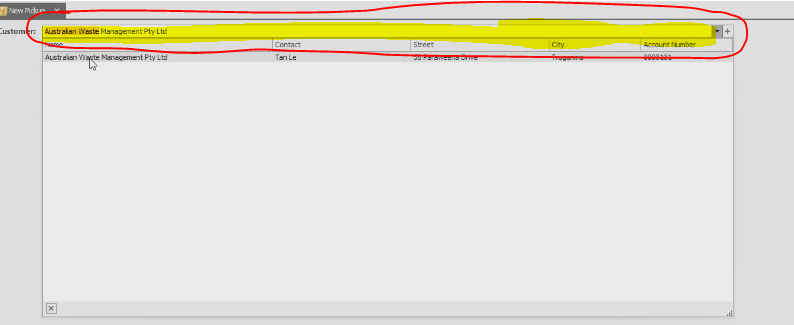
- On the “Customer Field”, type in Australian Waste Management
- On the “Requested By” field, type in your name

- In the “Collection Location” field, type in Australian Waste Management.
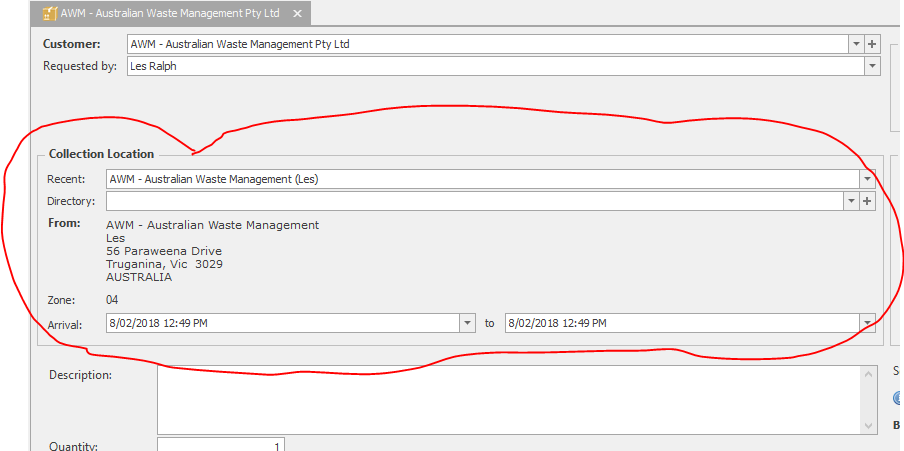
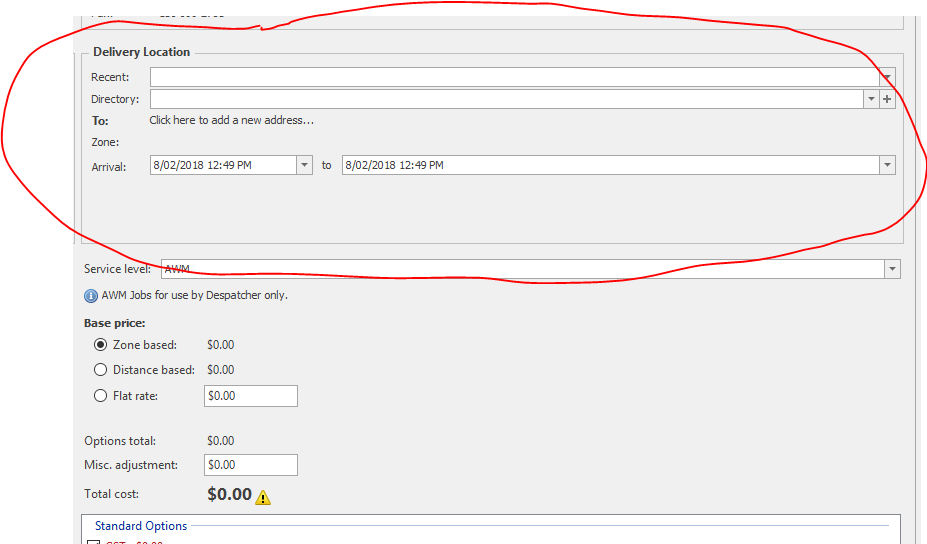
- In the “Delivery Location ” field, type in the Name, Phone number, Email address, Address and comments of Pickup location based on the removal job for AWM (Normally it is already recorded on the system, but you need to double check)
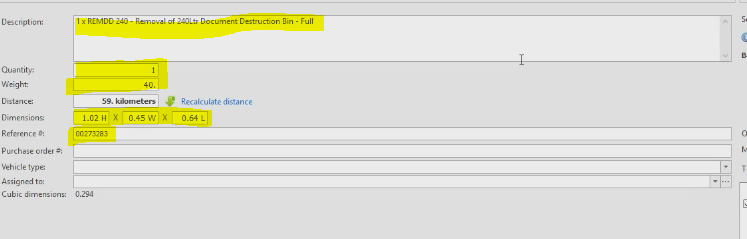
- On the “Description field”, type in how many and what type of bin/s is/are being removed. Make sure to include the quantity, weight and dimensions filled up as well.
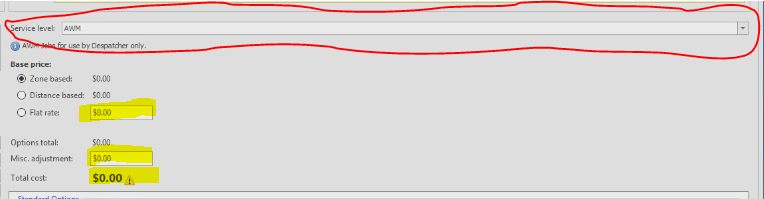
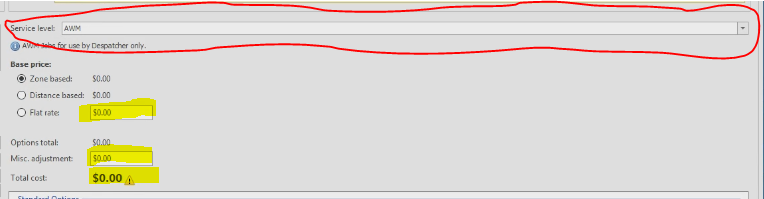
- Select the Service Level – AWM
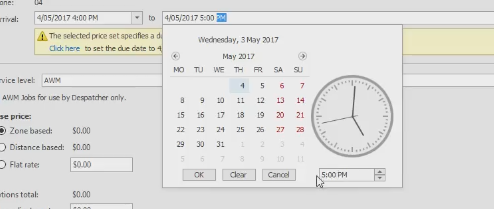
- There will be no time constrain for this. You can estimate what time the jockey will need to be at the yard
- Price will be zero.
Copy the Invoice Number on the “Reference #” field

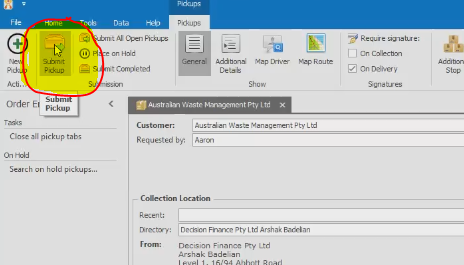
- Click on “Submit Pickup” on the upper-left corner of the screen that will generate the KC number/tracking number
Close the entry that has been created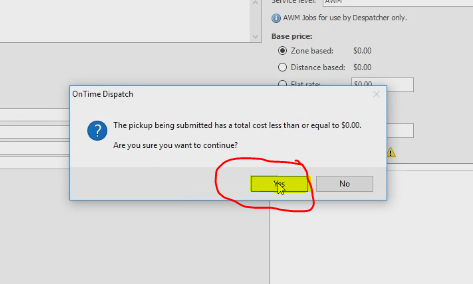
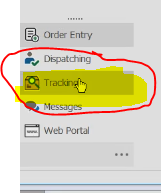
Click “Tracking” on the lower-left corner of the screen
- Click “OK” to record the changes.
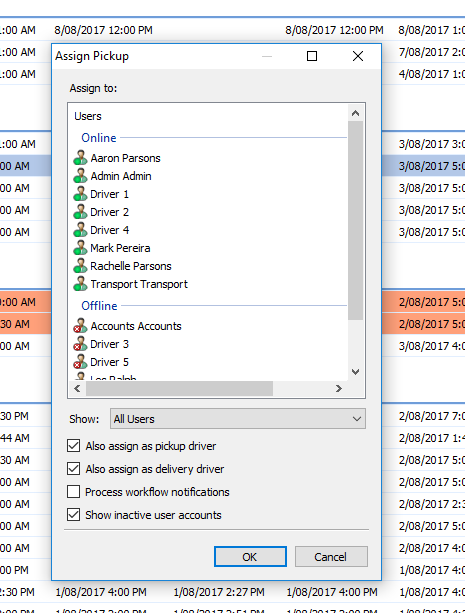
- Right click the job to assign the driver to do it. Click on “Assign To” and choose the driver. Then, Click “OK”.
Comments