How to download missing Australia Post Pricing Statements
Posted at March 08, 2019 02:03 pm. Last updated at March 18, 2019 04:03 pm

How to download missing Australia Post Pricing Statements
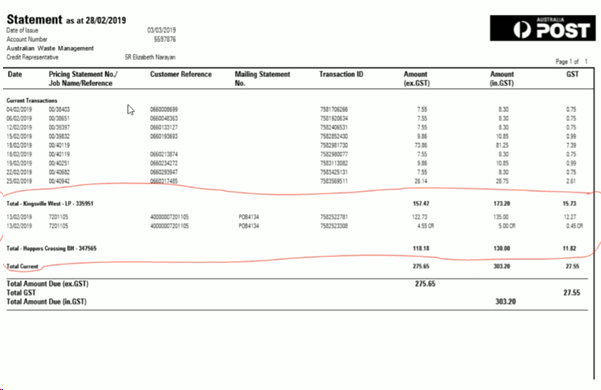
When we receive an invoice/statement from Australia post, if while reconciling the account we notice there are transactions on the statement that are missing in MYOB, we must get a copy of these transactions to allow us to enter them.
These are normally called pricing statements by the post office.
Normally driver is provided with a "receipt" when they lodge the post and this is used to enter the transaction into MYOB, however sometimes they are not provided by the post office, or they are misplaced by the driver or the Melbourne Transport Office.
If the "receipt" is not provided, or if it is misplaced, we must follow this process to obtain a copy.
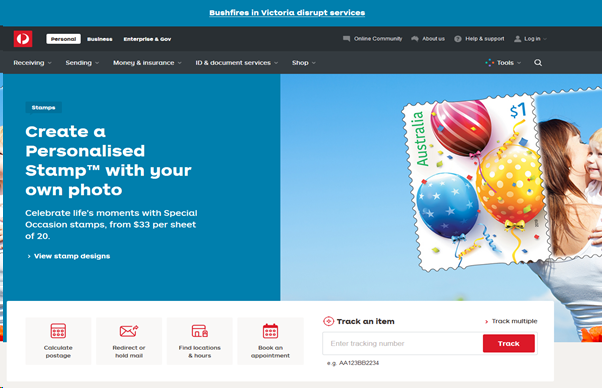
- To get a copy of the missing statement we Log in to https://auspost.com.au

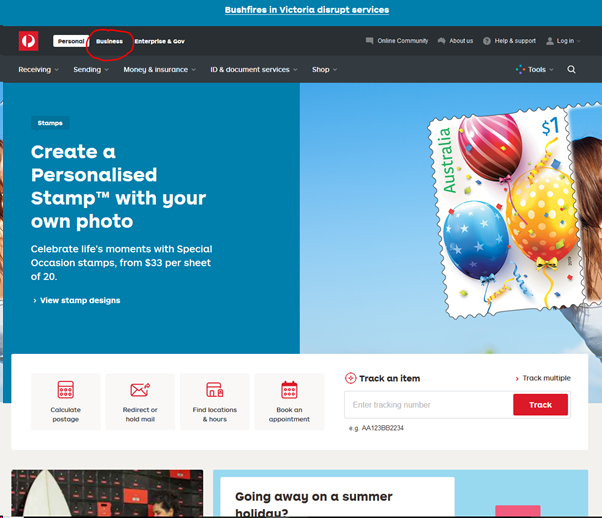
- Go to the "Business" tab
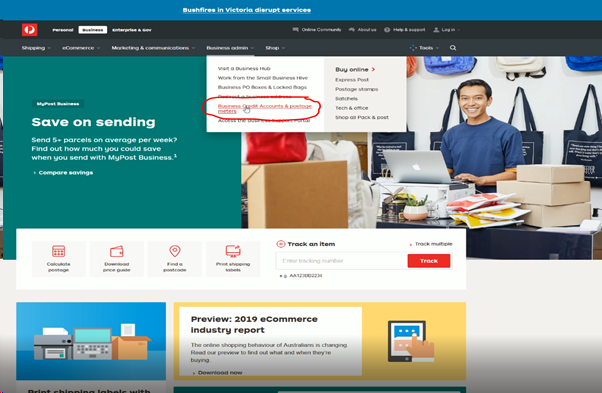
- Go to the "Business Admin" menu and from the drop down list choose "Business Credit Accounts & Postage Meters"
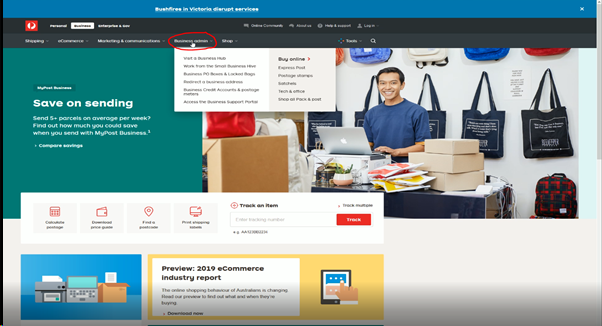
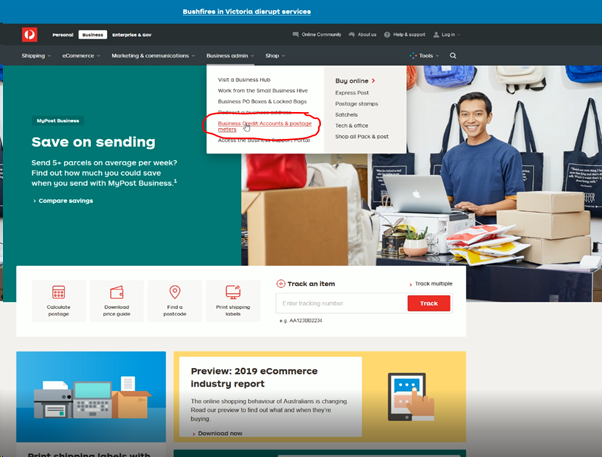
- Do not use the "Log in" option from the Main Menu, as it has completely different options compared to where you need to be
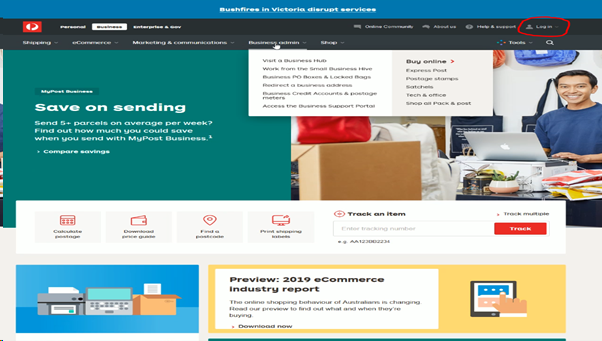
Make sure that you only log in to "Business Credit Accounts & Postage meters"
- Go to "Open a Business Credit Account"
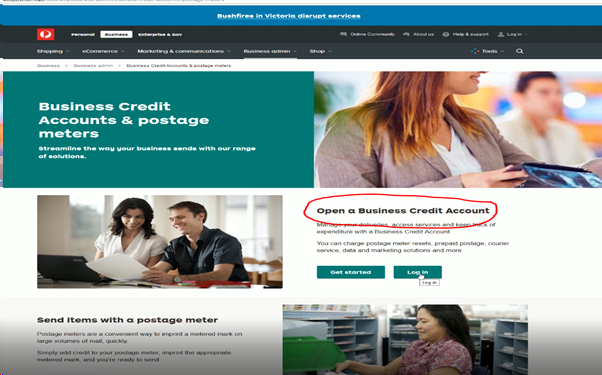
- Click "Log In"
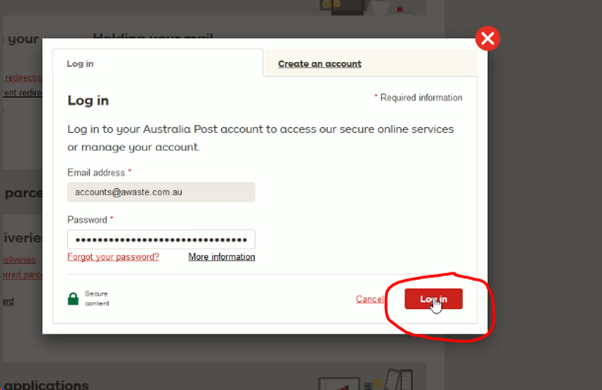
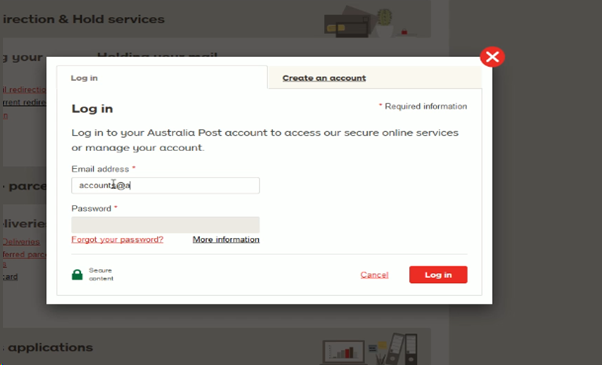
- Enter your credentials (Email address is accounts@awaste.com.au , password will be provided as necessary)
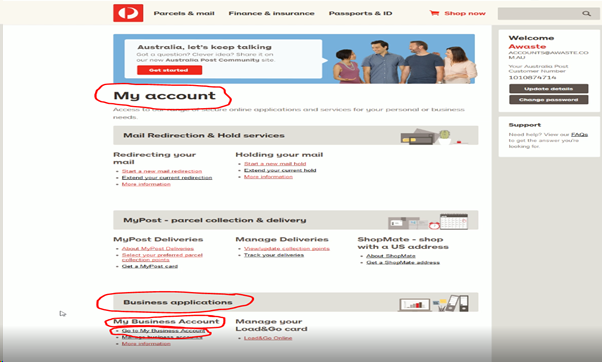
- From "My Account" page, go to "Business Applications" then "My Business Account" and click "Go to My Business Account"
- If you have you have not logged in recently, another window may pop up. It will ask for information of an old bill to prove that you have access to the account. If you logged in recently this will not pop up
- To get the information go the archive directory "Z:\Australian Waste Management\Current Year\Archiving\Accounts\Payables\Australia Post\Invoices"
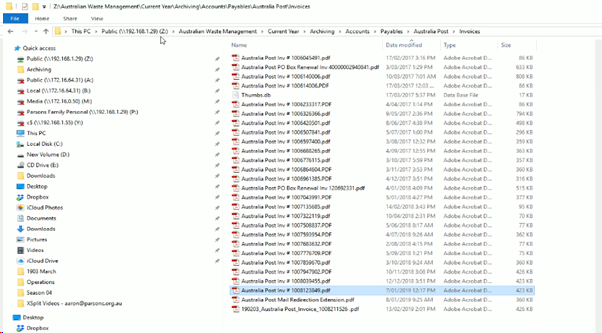
- Open the most recent invoice. The Australia Post site will usually ask for the date of issue, the account number and the tax invoice number.
- Once you enter the information needed, you will be directed to this window
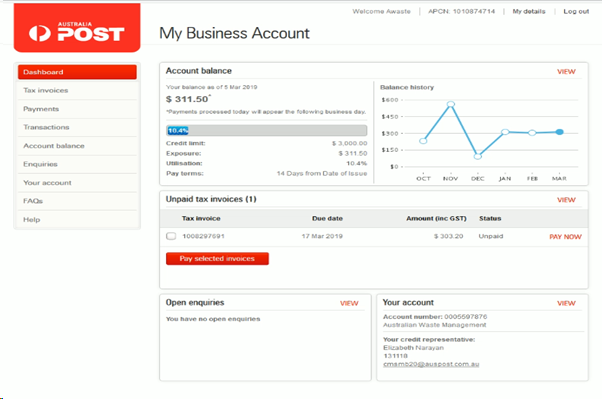
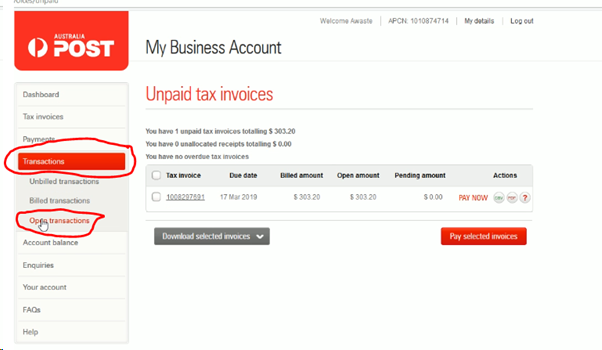
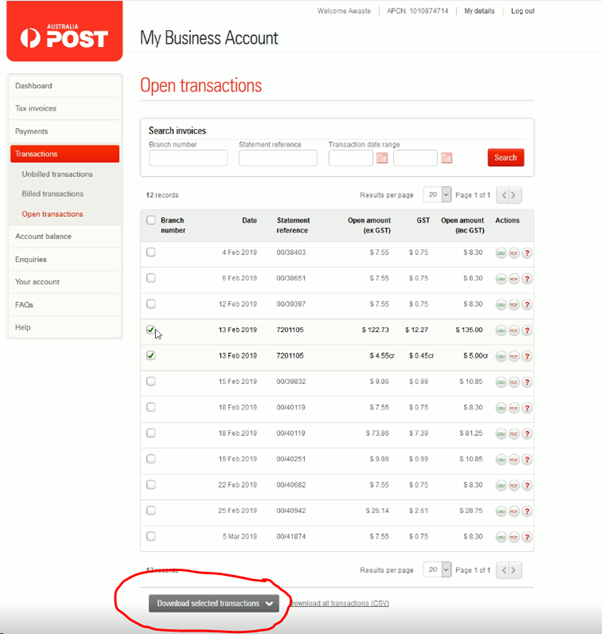
- Go to "Transactions", then click "Open Transactions"
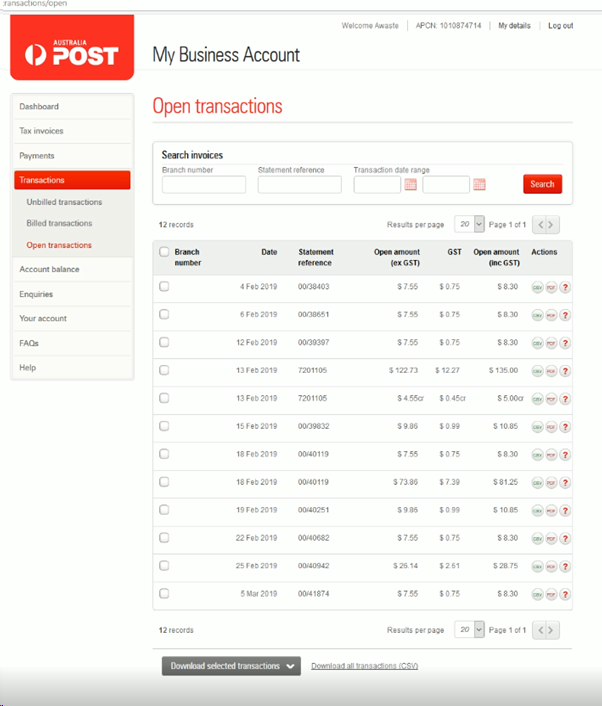
- It will list the open transaction we have with Australia Post. Find the missing transaction.
- Once you find the missing transaction, click the corresponding "PDF" button from "Actions Column". This will download the document as a PDF.
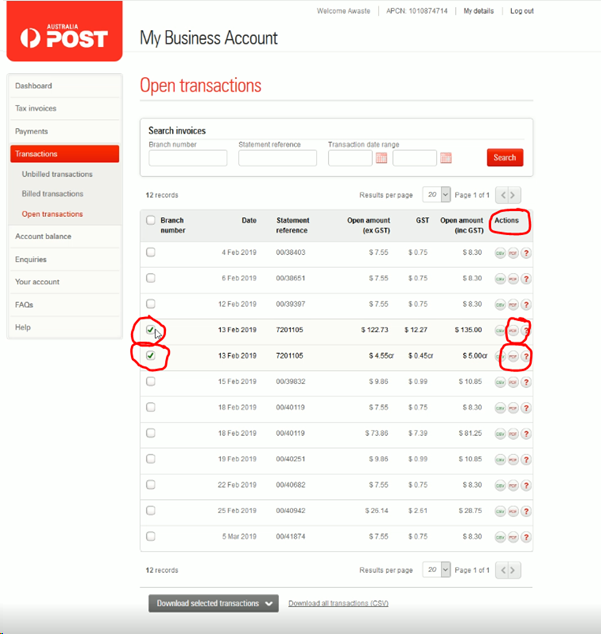
- DO NOT click the Download tab on the bottom of the screen as this will archive the files and you will have to unarchive them once you receive them.
- Go to your "downloads" directory to access the file and move and rename theme them to the correct location in the archive directory following the Standard Naming Scheme.
- From here you can enter the transaction in MYOB.
Comments