Daily Completion and Uploading of Sales Telesheet
Posted at April 04, 2019 02:04 pm. Last updated at July 01, 2019 06:07 pm

Everyone that answers Sales Calls, please make sure to complete all fields in, and save the Sales Telesheets (Excel Spreadsheet Versions) on a daily basis.
The process should be:
- Open the Blank Telesheet spreadsheet template Z:\Australian Waste Management\Current Year\Archiving\Sales\Test & Measuring Daily Telesheets\Daily Tally Sheet Form.xlsx
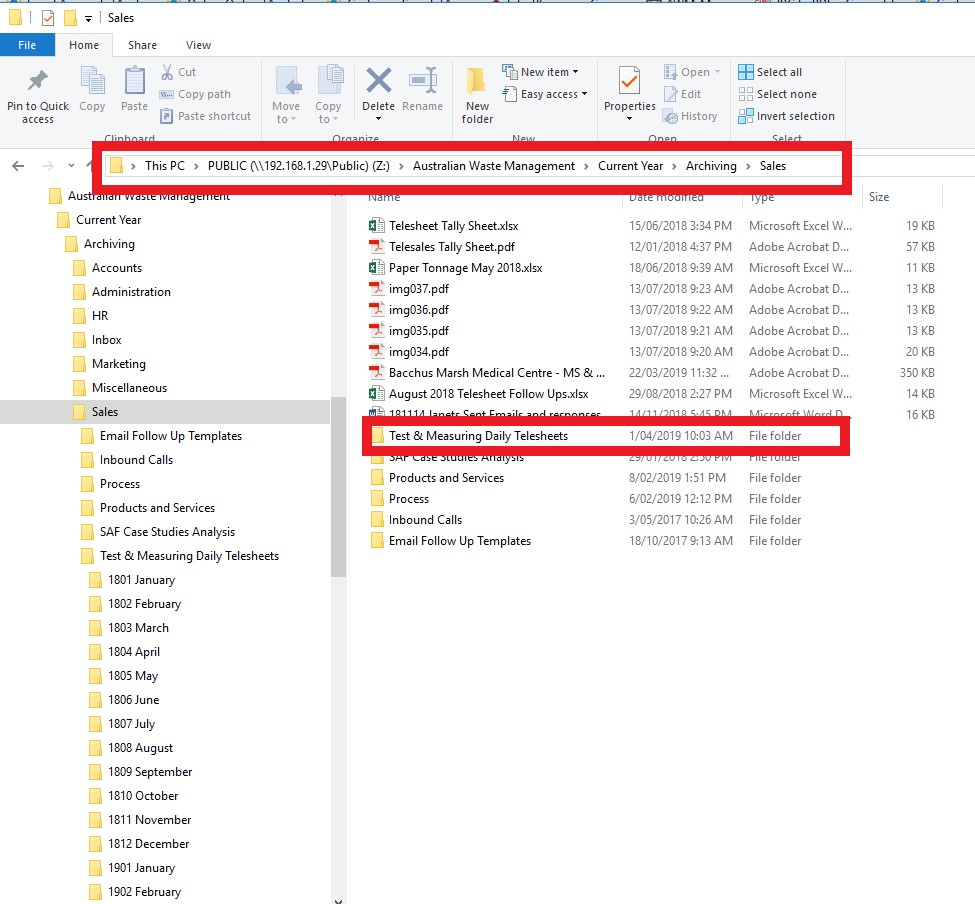
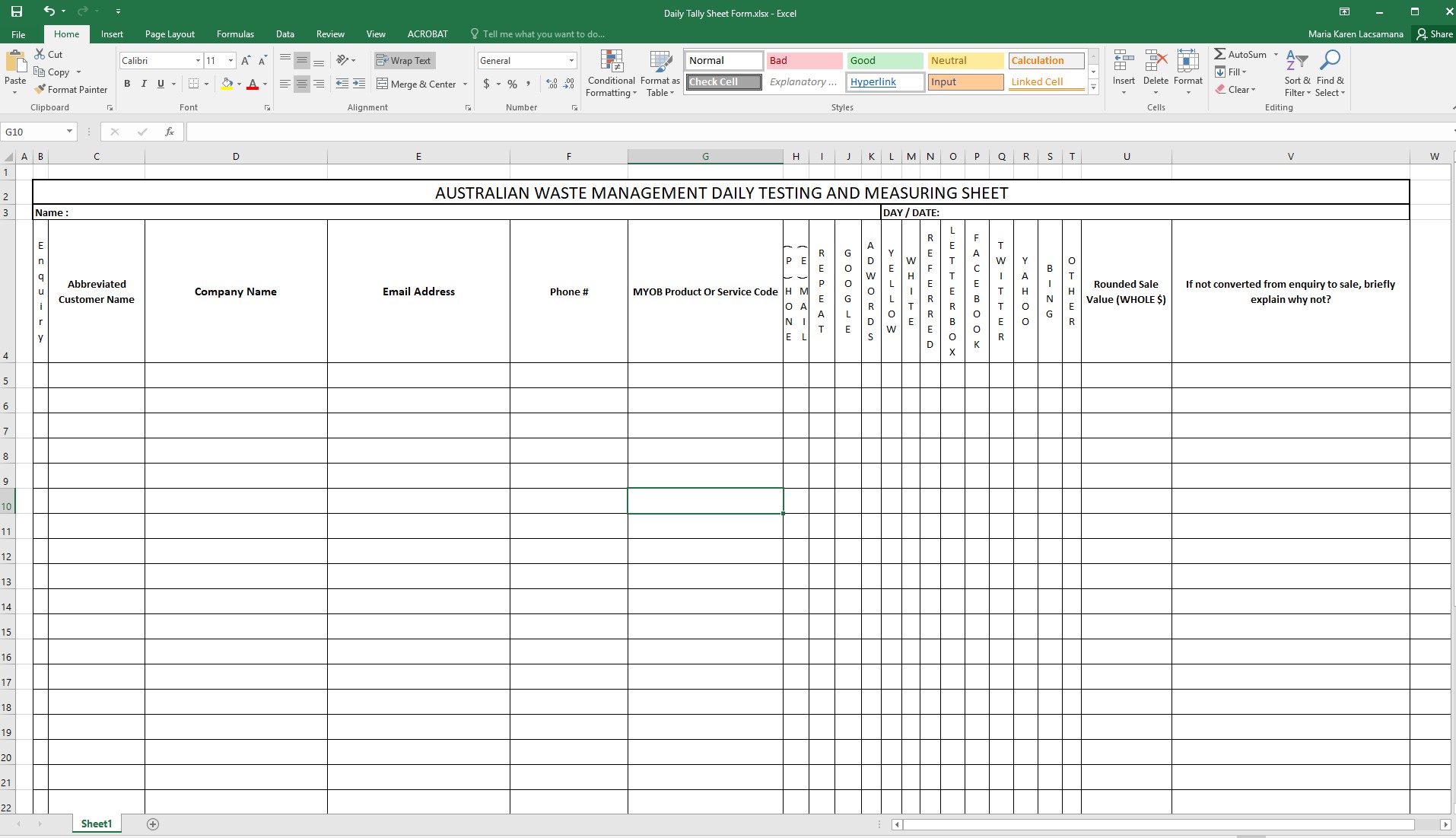
- Click Save As.
- Save a copy of the blank spreadsheet in the correct folder for the month and year in this location "Z:\Australian Waste Management\Current Year\Archiving\Sales\Test & Measuring Daily Telesheets"
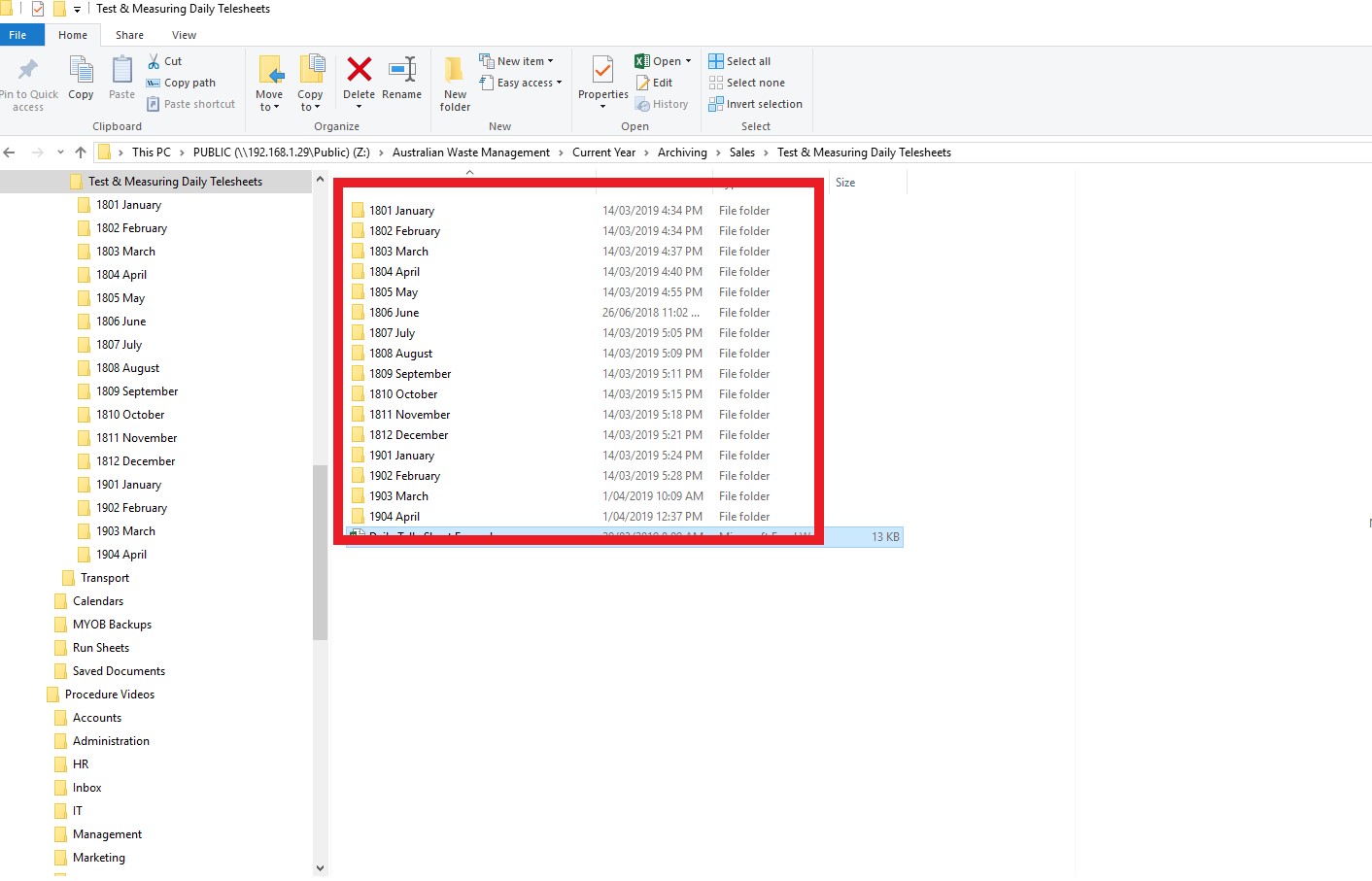
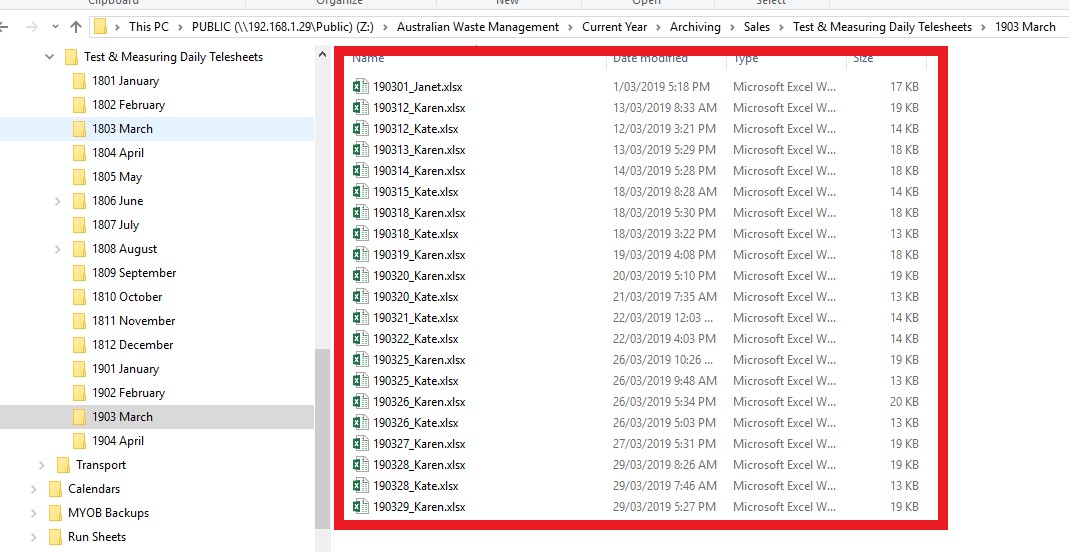
- Use the naming scheme <Date Backwards>_<Name>.xlsx so in Kate's case for today the file name would be 190328_Kate.xlsx
- As a call or email comes in, ensure to obtain and record all details requested in the Telesheet. This is especially important for email addresses as we need to be able to follow customers up. The best way to obtain the customers email address is to let them know you will be sending an email to summarize the call. Please ensure to send the customer a summary email after each call.
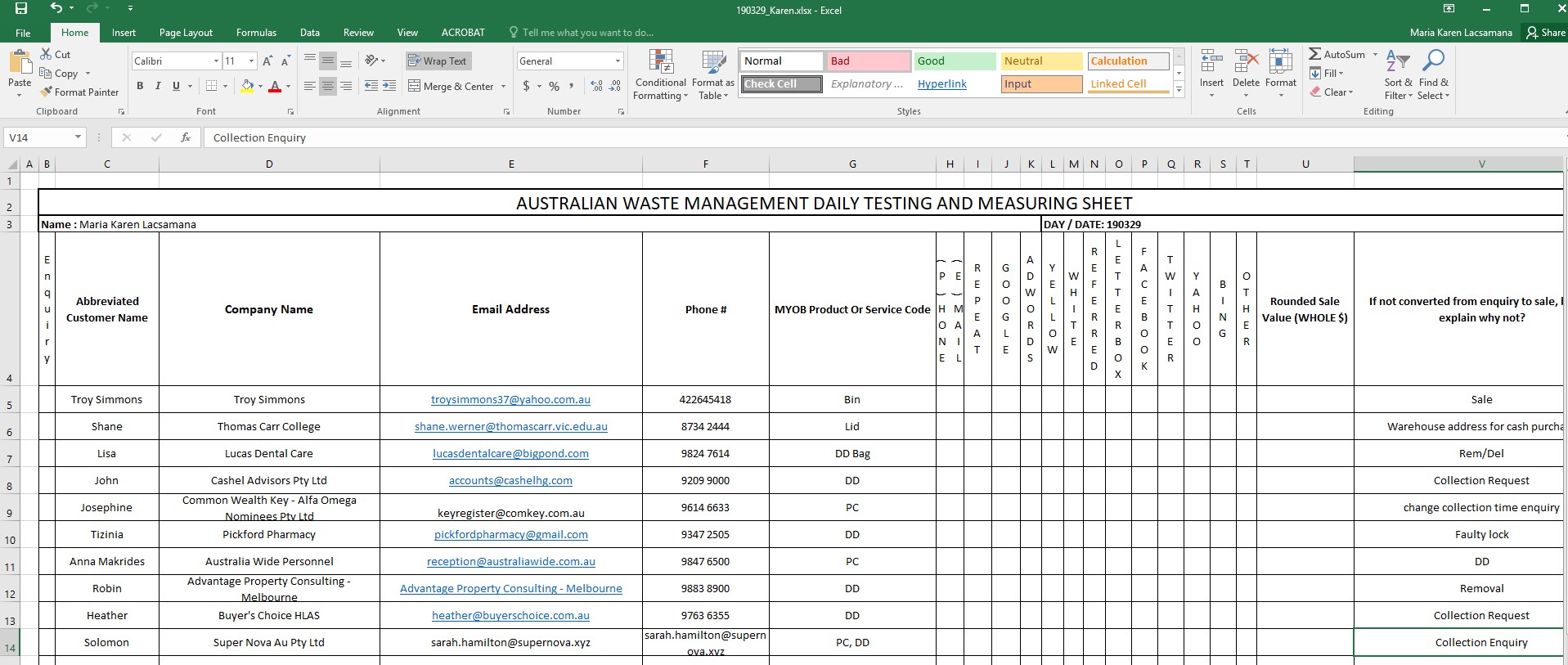
- After each new entry, be sure to click "Save" to ensure the information is not lost in case of power outage or other issue.
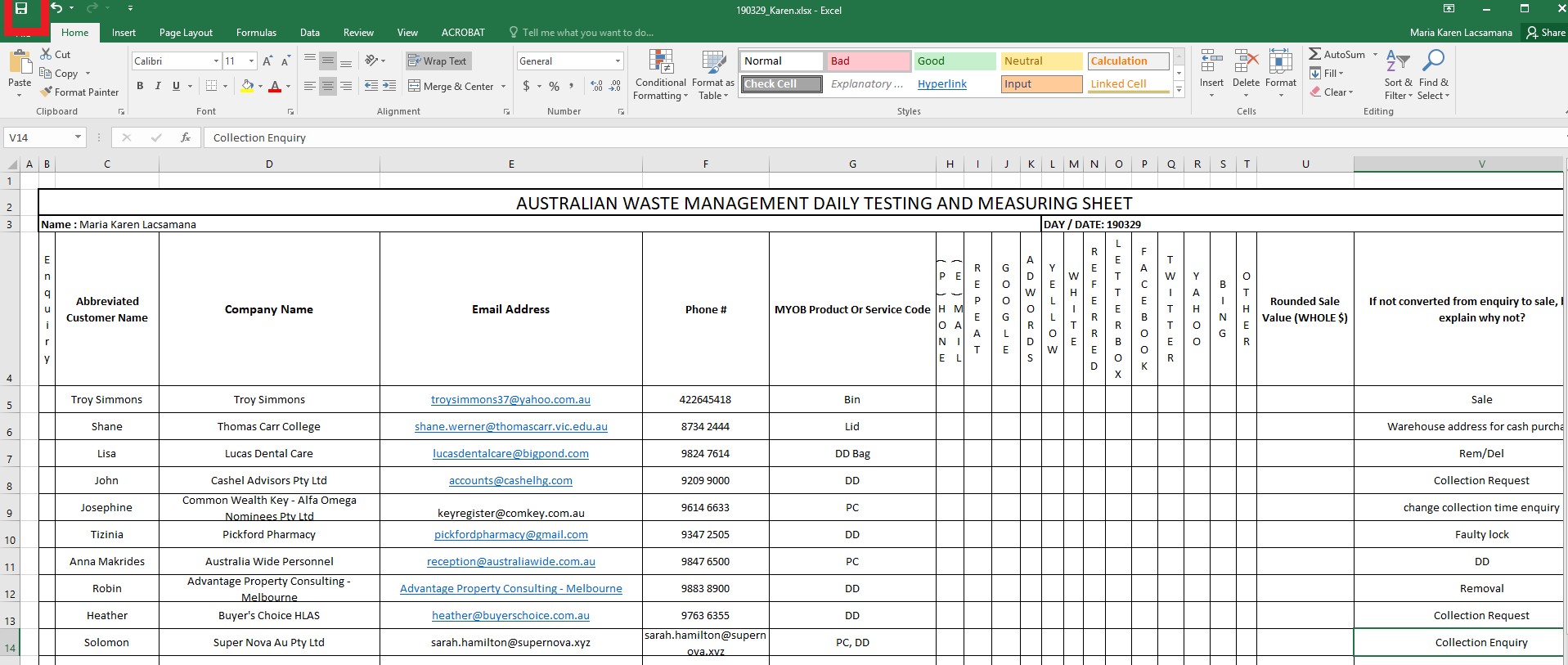
- At the end of your shift, click "Save" one final time and close the spreadsheet.
- Every morning, the Sales Manager will review the previous days Telesheets and check which accounts need to be followed up.
Comments