Processing A Partial Outstanding Customer Credit Against Open Invoices
Karen Lacsamana
Posted at April 09, 2019 12:04 pm. Last updated at April 09, 2019 12:04 pm

Processing A Partial Outstanding Customer Credit Against Open Invoices
We follow this process when a customer has an outstanding credit and we are applying part of that credit to the outstanding invoices.
To apply part of the Credit amount to the outstanding invoices, follow this procedure
- Open MYOB
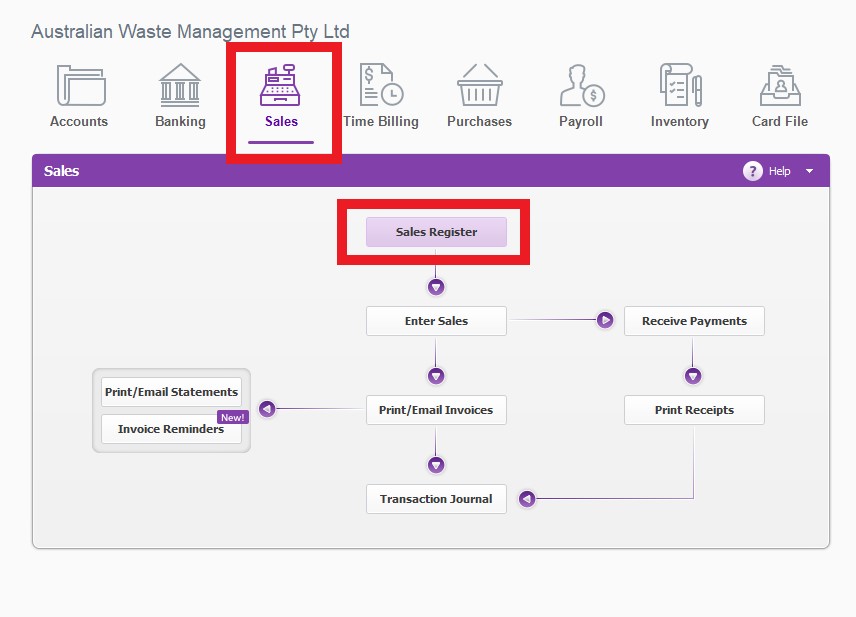
- From the Sales Page, Go to Sales Register
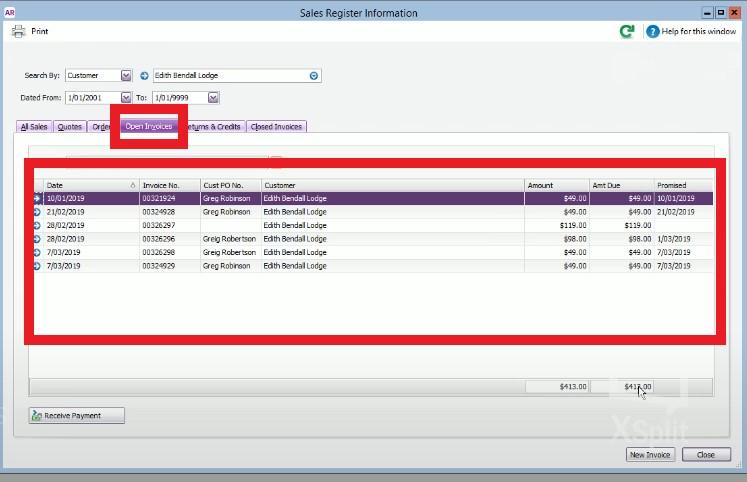
- On the Search by customer enter the customer’s name

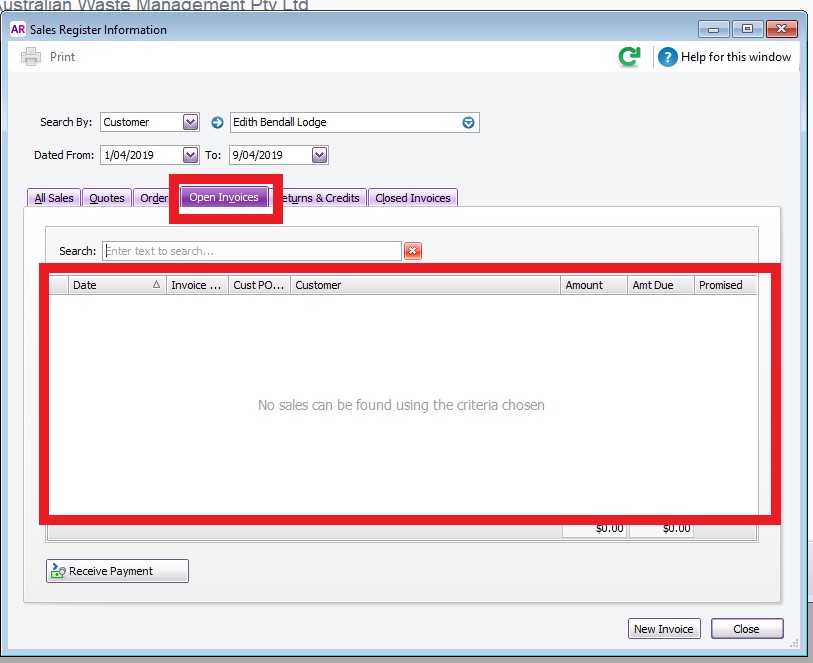
- Click Open Invoice to see all the outstanding invoices
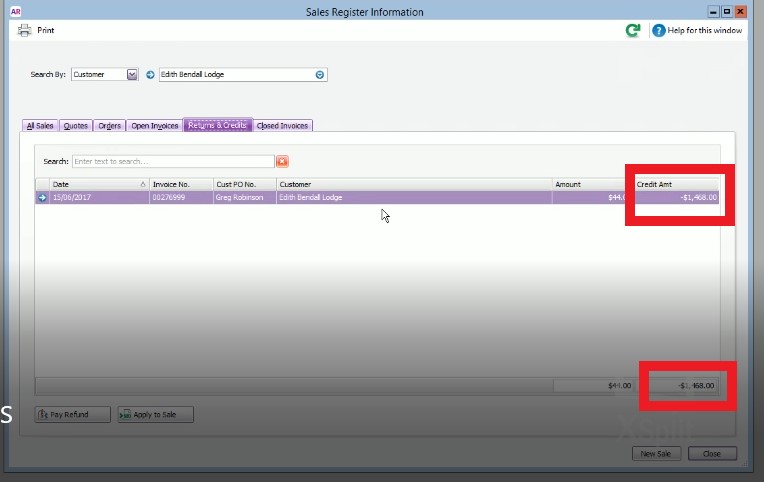
- Click Returns and Credit to verify if the customer has an outstanding credit.
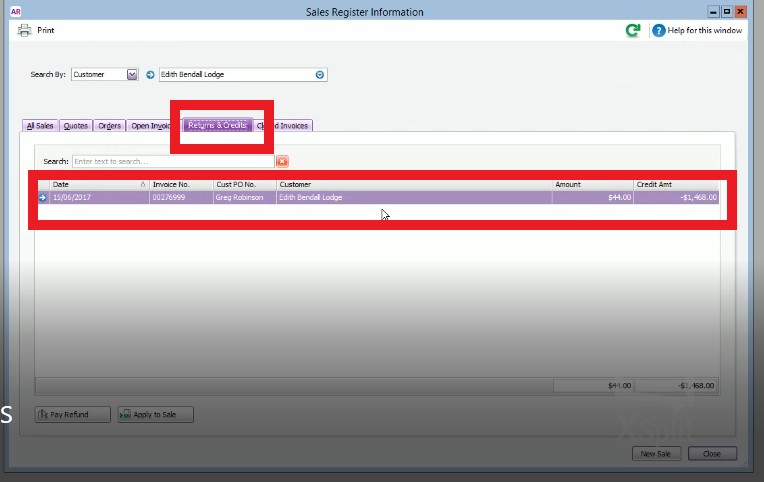
- Take note of the total credit amount
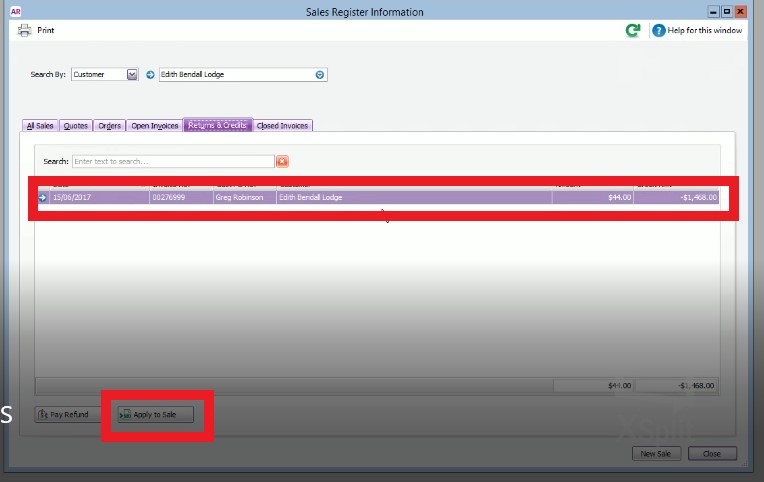
- Highlight the transaction and click Apply to Sale
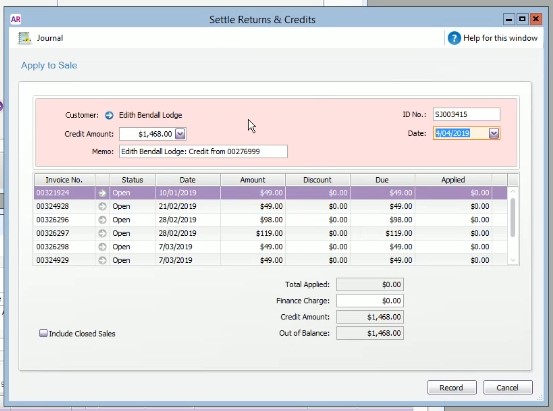
- A window will pop up with the outstanding invoices
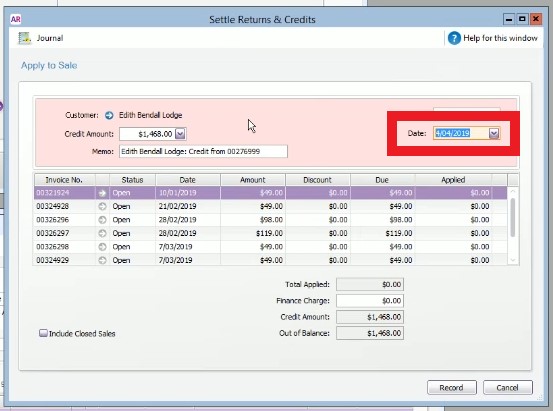
- Make sure the date is the day you apply the credit
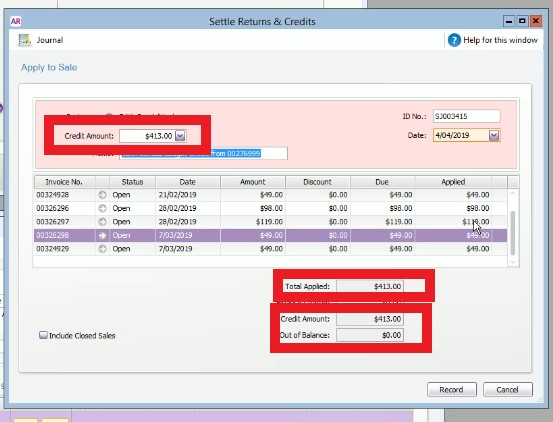
- Click on each of the Applied Box to take off the amount from each of the transaction , when you get to the last invoice, click some where else, so the last invoice get applied
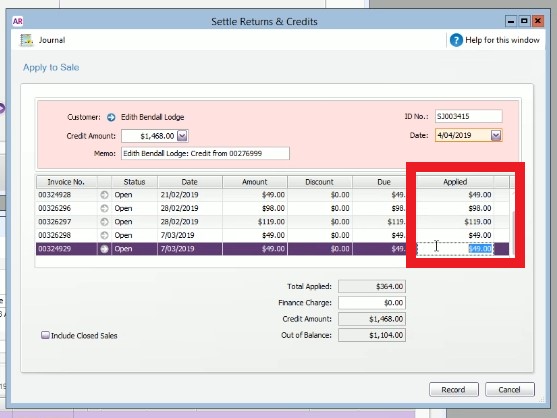
- Get the total amount Applied
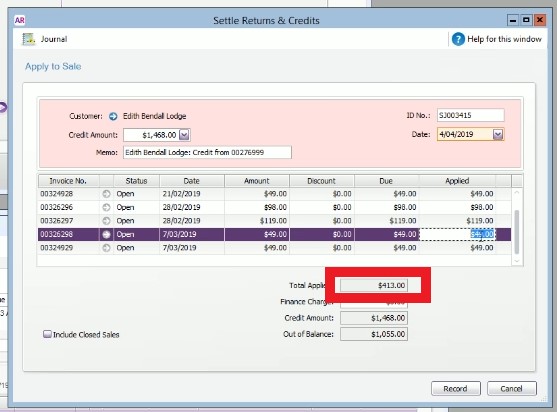
- Change the amount on the Credit Amount Box to the total amount of outstanding invoices (Total Applied amount).
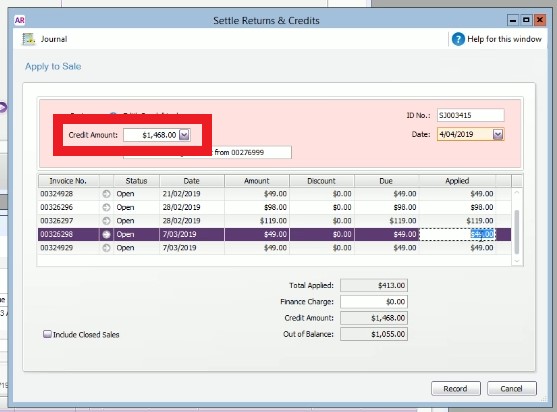
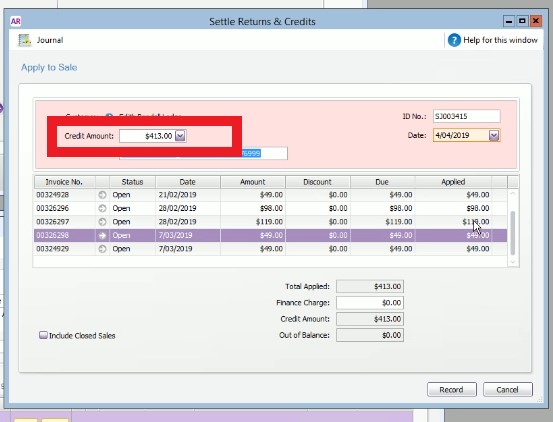
- Hit tab or click some where else to change the amount on the Credit Amount tab,
- The amount on the Total amount tab and the amount on the Credit Amount tab should match by now and the amount on the Out of Balance tab should be Zero.
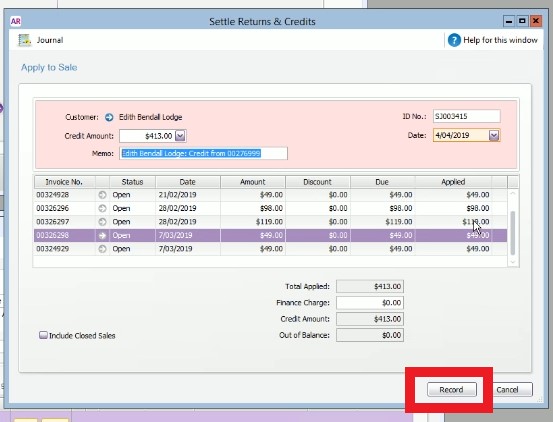
- Click Record
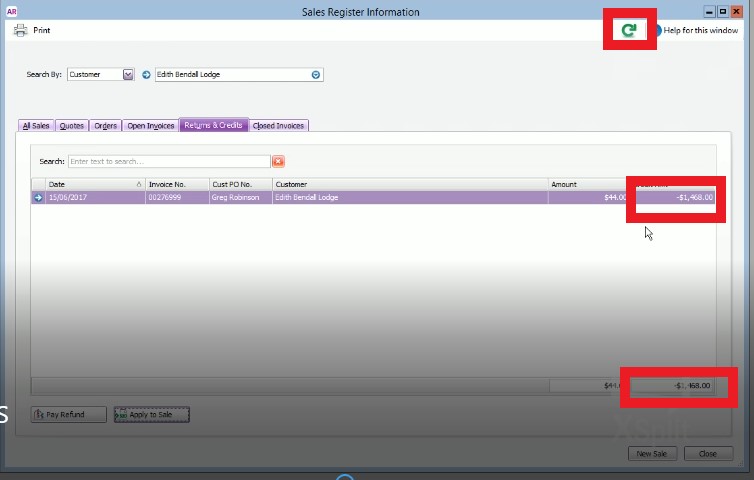
- The Credit amount on the Returns and Credit tab will change. The total amount credited will be deducted from the original amount of the credit. (Click refresh if this did not happen)
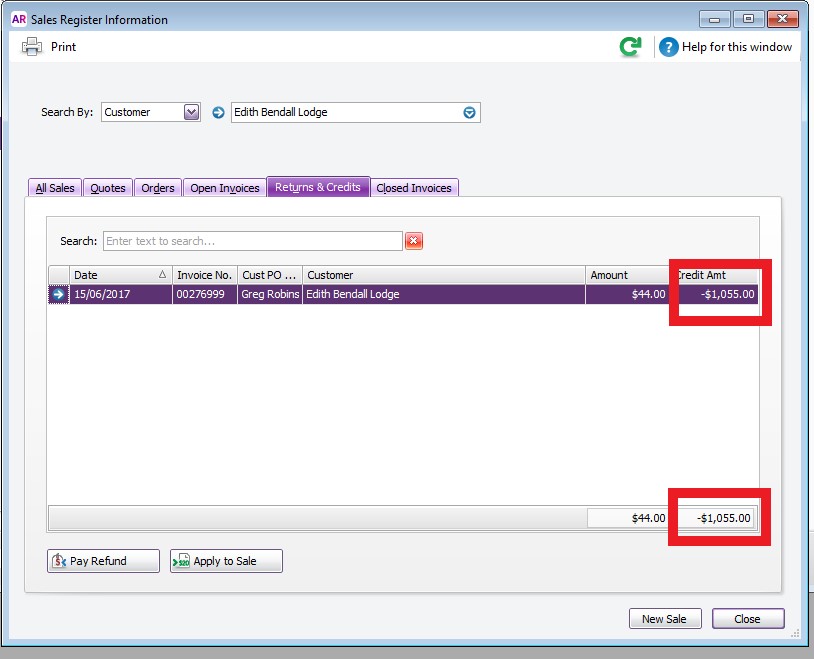
- Click the Open Invoices Tab to verify no open invoices left.
Comments